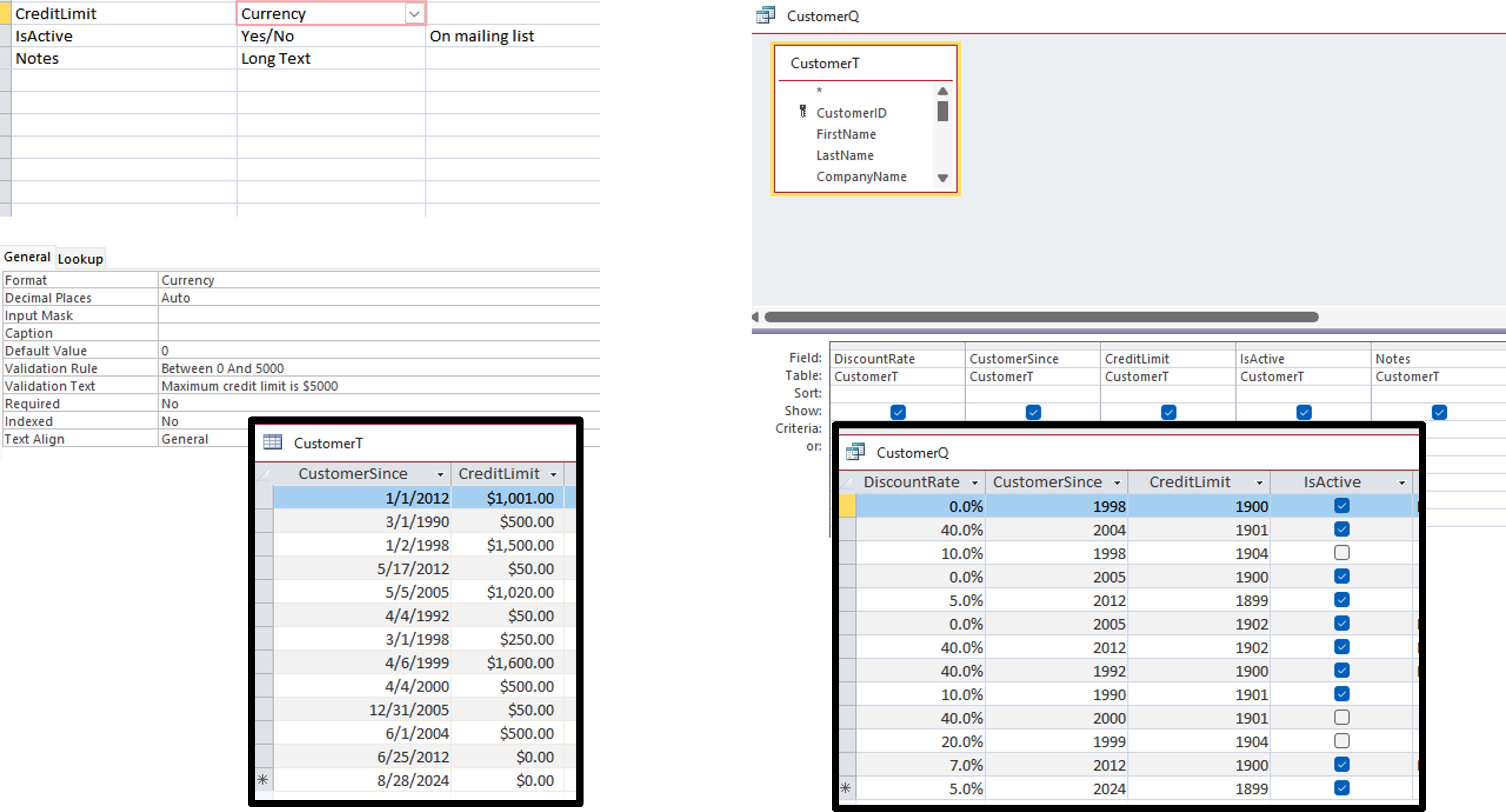
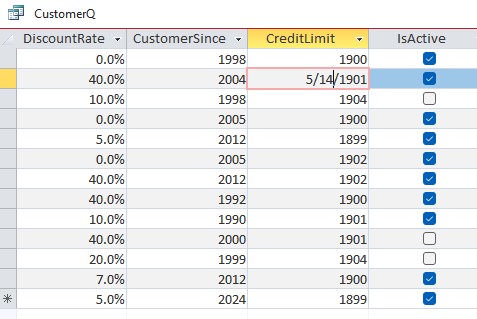
I downloaded the PCResale Customer Database zip file that is linked on the B5 lesson page (this page) and extracted it to a folder in my Documents. After following along the lesson to about minute 10, when we added credit limit to the query, I found that the credit limit field was displaying as a date.
I inspected the SQL code, the format of the CreditLimit field, the format of the column in the datasheet view (which was correct), and I tried making the query from scratch, and could not find the cause of the problem or work around it.
Eventually I re-downloaded the PCResale database and no longer had the problem. I would hate for this to happen to a database I spent a lot of time on. Copying the database did not fix the problem, so it seems likely that this could occur without my knowledge while I was working and be saved as a backup, leaving me with a broken backup. Any idea what caused this? I can keep doing the lesson since I was able to download a second, working copy, but I would love to know how to fix the problem.
Jay WernerOP
@Reply 2 years ago
Jay WernerOP
@Reply 2 years ago
The query pictured here has no criteria or anything, it should be a 1:1 display of the CustomerT
Jay WernerOP
@Reply 2 years ago
Kevin Yip
@Reply 2 years ago
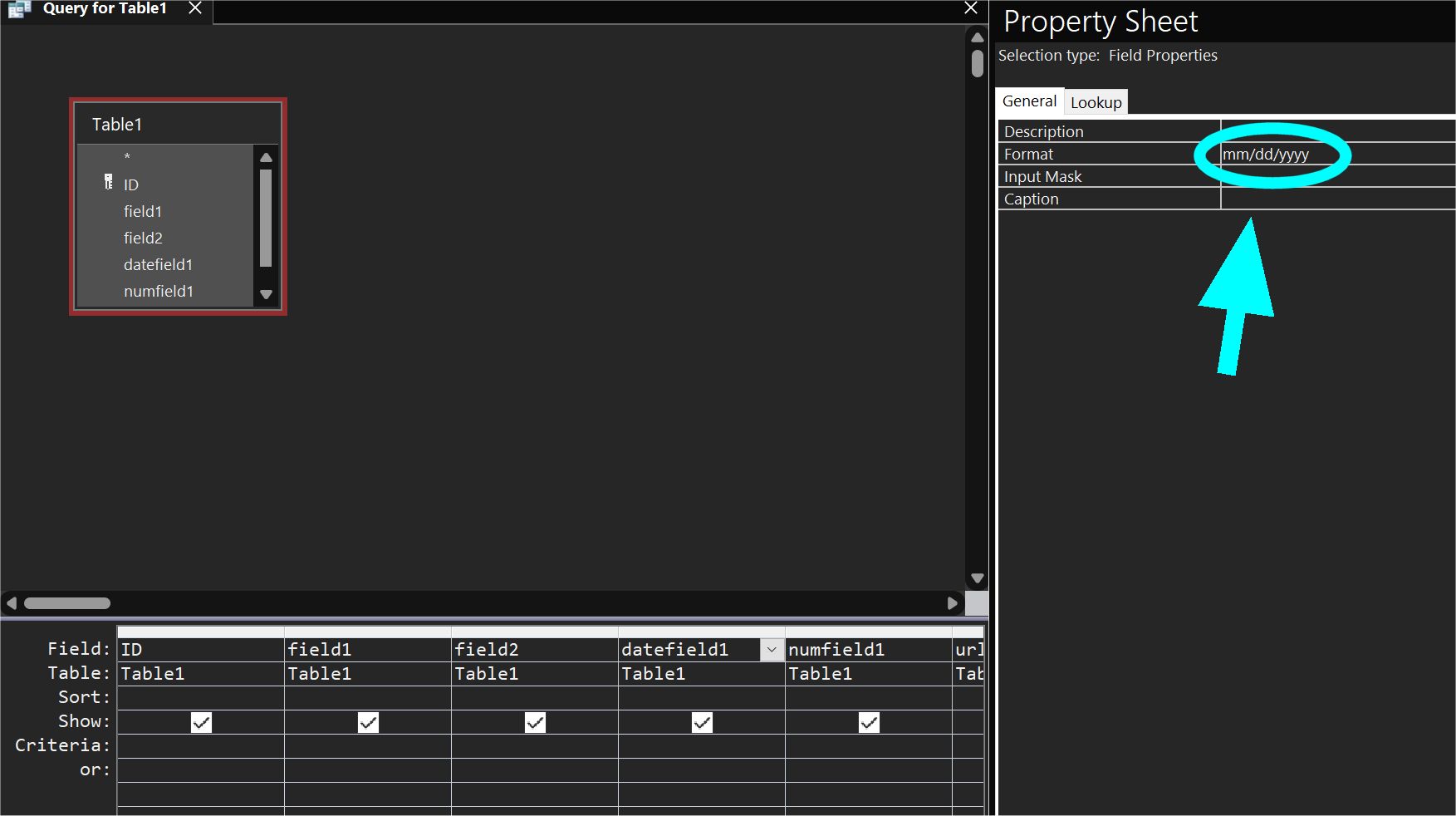
Check the query's display format on the property sheet. See picture below.
Kevin Yip
@Reply 2 years ago
Jay WernerOP
@Reply 2 years ago
That was it, thank you! I swear I didn't set that property, but I must have done it somehow. I'll know where to check next time. Thanks again :)
Sorry, only students may add comments.
Click here for more
information on how you can set up an account.
If you are a Visitor, go ahead and post your reply as a
new comment, and we'll move it here for you
once it's approved. Be sure to use the same name and email address.
This thread is now CLOSED. If you wish to comment, start a NEW discussion in
Access Beginner 5.