|
||||||
Access Expert 18Crosstab Queries, Partition, Find DuplicatesWelcome to Access Expert 18. In this course you will learn how to use crosstab queries, apply criteria and parameters, set up fixed column headings, and group dates by month or quarter in Microsoft Access. We'll discuss the Partition function for creating product tiers, how to find duplicates and unmatched records between tables, and review important query properties such as Unique Values, record locking, recordset types, and Cartesian products to help you manage complex data needs. Lessons
Resources
Lesson SummaryWelcome! Crosstabs, Duplicates, Unmatched - Welcome to Microsoft Access Expert Level 18. In this course we will focus on advanced query topics including crosstab queries, working with criteria and parameters, fixed column headings, date groupings, and the Partition function to create ranges or tiers. We will discuss finding duplicate records, finding unmatched records between tables, and cover advanced query properties such as Unique Values, Unique Records, record locking, recordset types, and Cartesian products. This course builds on Expert Level 17 and is designed for those ready to explore more complex features in Microsoft Access queries.
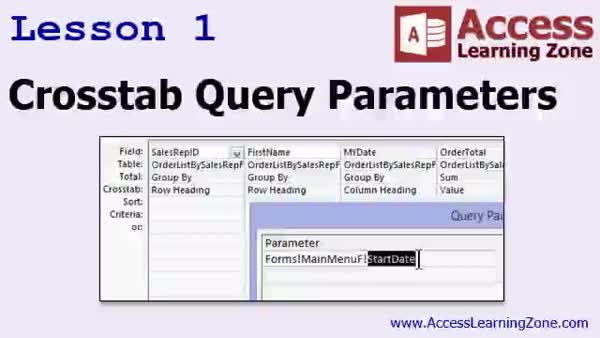
Lesson 1: Crosstab Query Params & Fixed Columns - In Lesson 1, we continue working with crosstab queries by focusing on crosstab query parameters and using fixed column headings. We start by modifying an existing query to group sales by sales rep and month, walk through using the query wizard, and set up fixed column headings so all months display even if data is missing. I will also show you how to add criteria and parameters both directly in the crosstab query and in its helper query, and discuss some limitations and best practices for handling input prompts and form fields with these queries.
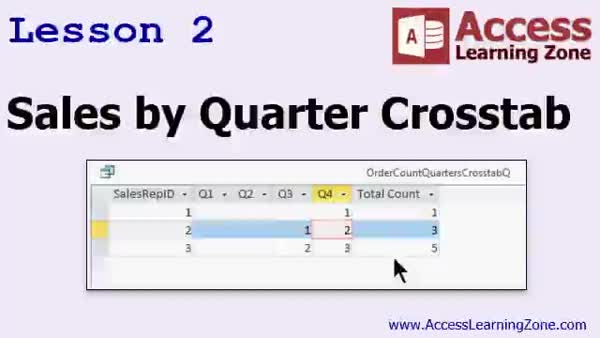
Lesson 2: Sales Rep by Quarter Crosstab - In Lesson 2, we will walk through creating a Sales Rep by Quarter Crosstab query in Access using the query wizard, setting up sales rep IDs as row headings and grouping order dates by quarter. We will discuss how to set fixed column headings, examine how totals are calculated, and look at how to modify column labels. We will also cover how to use the resulting crosstab query with supporting data, such as joining it to an employee table to display sales rep names, and discuss ways to use crosstab query results in forms and reports.
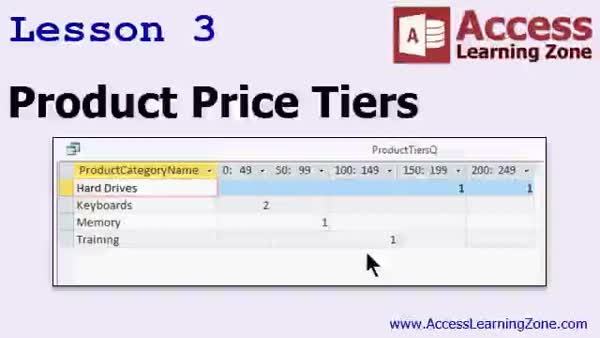
Lesson 3: Partition Product Prices & Cross Tabs - In Lesson 3, we will walk through how to use the partition function to create product tiers based on unit price, and address its use with whole numbers by utilizing the int function. I will show you how to build a query that groups products into price brackets and then set up a cross tab query to display the count of products in each tier, organized by product category. This lesson covers joining tables, naming tiers, and tips for using the partition function effectively in your queries.
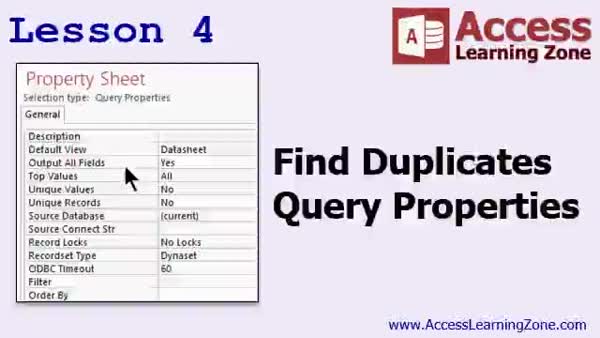
Lesson 4: Find & List Duplicate Records - In Lesson 4, we will walk through how to create a find duplicates query in Access to identify duplicate values within a table. I will show you both the wizard method and how to build one manually with aggregate queries, and explain the underlying SQL used by the wizard. We will also discuss important query properties such as unique values, unique records, output all fields, record set type, filter, order by, ODBC timeout, max records, record locking, and others that help manage and refine your queries. You will learn practical techniques for working with duplicate data and customizing query behavior.
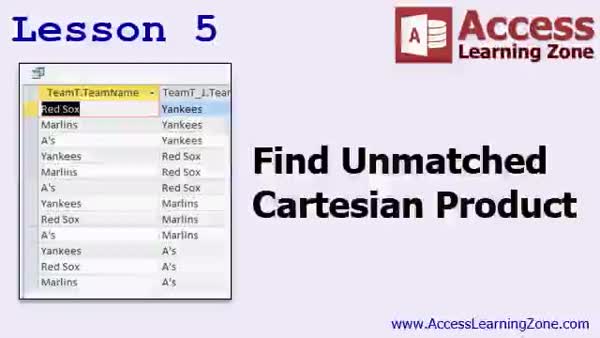
Lesson 5: Unmatched Records & Cartesian Joins - In Lesson 5, we will cover how to build find unmatched queries in Access to identify records in one table that do not have corresponding records in another, such as customers without contacts or product categories with no products. We will walk through using both the query wizard and manual design methods, highlighting the importance of outer joins and setting criteria to "is null." We will also discuss Cartesian products, how they generate all possible combinations when tables are not joined, and show a practical example of creating a full team schedule by pairing every team with every other team.
Lesson 6: Advanced Queries & CROSSTABs - In this course we learned about advanced crosstab queries, including using criteria, parameters, and fixed column headings. We discussed grouping dates by quarter, month, or year, and using the Partition function for creating tiers. We covered how to find duplicates and unmatched records, reviewed join types, and learned about advanced query properties such as Unique Values and Recordset Type. We talked about ODBC settings, record locking, and Cartesian products. We also discussed additional resources for Access projects, where to get help, and how to provide feedback on the course.
NavigationKeywordscrosstab queries, crosstab query parameters, fixed column headings, partition function, sales rep by quarter, group by month, find duplicates, find unmatched records, unique values, unique records, record locking, cartesian products
More InformationTranscriptWelcome to Microsoft Access Expert Level 18, brought to you by AccessLearningZone.com. I am your instructor, Richard Rost. We will spend most of today's class talking about cross tab queries. We introduced cross tab queries in Expert 17. Today, we will go into cross tab queries in a lot more depth. We will see a few more examples of cross tab queries. We will learn how cross tab queries work with criteria and parameters. We will set up fixed column headings, date groupings, and we will learn how to set up the partition function to create tiers or ranges of records. We will learn about the find duplicates query used to find duplicate information in your tables. We will learn how to find unmatched records in your database. In other words, a value from table A that does not have a matching value in table B. For example, all of the customers who do not have a matching contact. We will talk about a lot more of the advanced query properties. We will learn about the unique values, unique records properties, record locking, record set types, Cartesian products, and lots more. This class follows Access Expert Level 17. In Level 17, we wrapped up our chapter on action queries and introduced cross tab queries. If you missed Access Expert Level 17, I recommend you take that class before watching this one. Today's class is recorded with Access 2013. It should work just fine with 2007 and 2010. If you are using Access 2003 or earlier, go to my website and download Access 223. That is the class that talks about cross tab queries. My courses are broken up into Beginner, Expert, Advanced, and Developer Level classes. Beginner level classes are for novices. You should understand all the topics covered in them by the time you get to the Expert Level classes, which you are in now. When you finish all of the Expert Level classes, the Advanced classes will cover event programming and macros, and the Developer classes will cover Visual Basic for Applications. Each group of classes is broken down into multiple levels, level 1, 2, 3, and so on. In addition to my normal Access classes, I also have seminars designed to teach specific topics. My seminars include building web-based databases, creating forms and reports that look like calendars, securing your database, working with images and attachments, writing work orders and running a service business, tracking accounts payable, learning the SQL programming language, creating loan amortization schedules, and lots more. You can find details on all of these seminars and more on my website at accesslearningzone.com. If you have questions about the topics covered in today's lessons, please feel free to post them in my student forums. If you're watching this course in the online theater on my website, you should see the student forum for each lesson appear in a small window next to the class video. Here you will see all of the questions that other students have asked as well as my responses to them and comments that other students have made. I encourage you to read through these questions and answers as you start each lesson and feel free to join in the discussion. If you are not watching these lessons on my website, you can still visit the student forums later by visiting accesslearningzone.com/forums. To get the most out of this course, I recommend you sit back, relax, and watch each lesson completely through once without trying to do anything on your computer. Then, replay the lesson from the beginning and follow along with my examples. Actually, create the same database that I make in the video, step by step. Don't try to apply what you're learning right now to other projects until you've mastered the sample database from class. If you get stuck or don't understand something, watch the video again from the beginning or tell me what's wrong in the student forum and I'll do my best to help you. Most importantly, keep an open mind. Access may seem intimidating at first, but once you get the hang of it, you'll see that it's really easy to use. I strongly encourage you to build the database that I build in today's class by following along with the videos. However, if you would like to download a sample copy of my finished database file, you can find it on my website at accesslearningzone.com/databases. Sometimes, if you get stuck, the easiest way to learn is to tear apart someone else's database. One of the ways that I taught myself Access years ago was by tearing apart the Northwind Traders database that comes up in Microsoft Access. You'll find there's a sample database for each of my courses on my website. Now let's take a few minutes and go over exactly what we're going to cover in today's class. In lesson one, we're continuing our work with cross tab queries from the last class. We'll begin with cross tab query parameters and fixed column headings. In lesson two, we'll take a look at a similar example, sales by quarter by sales rep, where the quarter is the column header. In lesson three, we're going to use the partition function to create product tiers based on the unit price of each product. Then we'll create a cross tab query to show the count and number of products in each tier. In lesson four, we're going to learn how to create a find duplicates query, where we can find duplicate values in a table, and we're going to go over some of the more advanced query properties. In lesson five, we're going to learn how to build find unmatched queries and Cartesian products. IntroIn lesson 18 you will learn advanced query techniques in Microsoft Access, focusing on cross tab queries with parameters, criteria, and fixed column headings. We will cover grouping data by dates, using the partition function to create record tiers, and working with find duplicates and find unmatched queries. You will also learn about advanced query properties such as unique values, record locking, and Cartesian products. QuizQ1. What is the main focus of Microsoft Access Expert Level 18? A. Cross tab queries and advanced query topics B. Creating forms and reports C. Database security D. Event programming and macros Q2. What is a cross tab query primarily used for in Microsoft Access? A. Displaying data as a pivot table with grouped rows and columns B. Deleting duplicate records C. Importing data from Excel D. Backing up databases Q3. Which of the following is covered in this course related to cross tab queries? A. Working with criteria and parameters B. Upgrading Access versions C. Synchronizing databases D. Printing database reports Q4. What function will you learn to use in order to create tiers or ranges of records in this course? A. Partition function B. DCount function C. Concatenate function D. Lookup function Q5. What does the "find duplicates" query help you identify? A. Duplicate information in your tables B. Orphaned tables in your database C. Missing primary keys D. Invalid field names Q6. What is the purpose of the "find unmatched" query? A. To locate records in one table without a matching value in another table B. To merge duplicate records C. To summarize sales data D. To split fields into multiple values Q7. Which of the following advanced query properties will be discussed in the class? A. Unique values and unique records B. Alternate record formatting C. Data validation rules only D. Form event triggers Q8. What should you do if you missed Access Expert Level 17, according to the video? A. Take Level 17 before watching Level 18 B. Skip directly to Level 18 C. Start with Advanced Level classes D. Focus on Developer classes Q9. What is recommended for students to maximize their learning from this course? A. Watch the lesson fully before trying examples, then follow along step-by-step B. Skip ahead to advanced projects C. Only read the course manual D. Memorize all function names first Q10. If you need additional practice or get stuck, what resource does the instructor suggest? A. Downloading sample databases from accesslearningzone.com B. Resetting your Access installation C. Contacting Microsoft support directly D. Hiring a private tutor Q11. What is a Cartesian product in the context of queries? A. A result where every row in table A is paired with every row in table B B. A function that groups records by date C. A method of printing reports D. An index improvement technique Q12. Where can you ask questions and participate in discussions about the lessons? A. In the student forums on the instructor's website B. Only via email C. By mailing a letter to Microsoft D. Through embedded live chat in Access Answers: 1-A; 2-A; 3-A; 4-A; 5-A; 6-A; 7-A; 8-A; 9-A; 10-A; 11-A; 12-A DISCLAIMER: Quiz questions are AI generated. If you find any that are wrong, don't make sense, or aren't related to the video topic at hand, then please post a comment and let me know. Thanks. SummaryToday's video from Access Learning Zone continues our journey through Microsoft Access with Expert Level 18. I am your instructor, Richard Rost, and this class focuses primarily on cross tab queries. Previously, in Expert Level 17, I introduced the concept of cross tab queries. Today, we take an in-depth look at how cross tab queries function. We will see several examples and learn how criteria and parameters are used within these queries. Today's lessons cover how to establish fixed column headings, group data by date, and utilize the partition function to create data tiers or ranges. Another major focus of this class is mastering the find duplicates query. This tool will help you search your tables for any repeated information. Additionally, I will demonstrate ways to find unmatched records in your data. For example, you might want to find customers who do not have corresponding records in a contacts table. We will also be covering a number of advanced query properties. Topics include unique values and unique records options, managing record locking and record set types, and understanding Cartesian products. If you have not yet completed Access Expert Level 17, please review that class first. There, we concluded our discussion on action queries and provided an introduction to cross tab queries, which sets the foundation for today. This course was recorded using Access 2013 and is also compatible with versions 2007 and 2010. If you are using Access 2003 or earlier, there is a separate class available, Access 223, which covers similar topics. To give you an idea of the structure of my course catalog, my Access lessons are divided into Beginner, Expert, Advanced, and Developer levels. By reaching the Expert level, you are expected to be comfortable with all beginner material. After finishing the Expert series, Advanced classes will introduce event programming and macros, while the Developer classes focus on Visual Basic for Applications (VBA). Besides the standard Access classes, I also offer topic-specific seminars. These seminars cover a wide variety of Access features, including creating web-based databases, designing calendar-style forms and reports, securing databases, handling images and attachments, managing work orders and service businesses, managing accounts payable, working with SQL, building loan amortization schedules, and much more. You can find information about these and other offerings on my website at accesslearningzone.com. If you have questions as you move through the material, I encourage you to use the student forums. If you are watching this in the online theater, there is a dedicated forum for each lesson, so you can view questions from other students and join the conversation, or post your own questions for me to answer. If you are not currently on the website, you can always visit accesslearningzone.com/forums to participate in the discussions. For best results, I recommend first watching each lesson from start to finish without doing anything in Access. Once you have watched the whole lesson, go back to the beginning and follow along step by step, recreating the sample database I use. Focus on mastering the techniques using the sample database before trying to apply them to your own projects. If you find yourself stuck, rewatch the lesson or reach out on the student forums for help. Keep in mind that Access may look overwhelming at first, but it becomes straightforward with practice and an open mind. You will learn more by actually building the databases alongside me in the course. However, if you would rather review my finished sample database, you can download it directly from my website. Sometimes, dissecting a working example is the fastest path to learning. Early in my Access experience, I spent time exploring the Northwind Traders database that comes with Microsoft Access, and that approach proved invaluable. Every one of my courses includes a sample database that you are welcome to take apart and study. Now let me outline the lessons in this class. Lesson one builds directly on our previous work and introduces cross tab query parameters and fixed column headings. In lesson two, we construct a cross tab example that displays sales data by quarter and sales representative, with the quarter as the column header. Lesson three covers the partition function. We use it to create product tiers based on unit prices and then build a cross tab query showing the count of products within each tier. In lesson four, you'll learn to build a find duplicates query to catch repeated values in your table, as well as explore more advanced query properties. Lesson five shows how to find unmatched records between tables and also covers Cartesian products. You can find a complete video tutorial with step-by-step instructions on everything discussed here on my website at the link below. Live long and prosper, my friends. Topic ListCross tab query parameters Setting fixed column headings in cross tab queries Grouping data by date or quarter in cross tab queries Using the partition function to create product tiers Creating cross tab queries based on product price ranges Counting products in each tier using cross tab queries Creating find duplicates queries Using advanced query properties Creating find unmatched queries Understanding and building Cartesian products in queries Primary Topicscross tab queries, query parameters, fixed column headings, partition function, find duplicates, find unmatched records, advanced query properties Secondary Topicsquery criteria, date groupings, record locking, unique values, unique records, record set types, Cartesian products |
||||||||||||||||||||||||||||||||||||||||||||||||||||||||||||||
|
| |||
| Keywords: crosstab queries, crosstab query parameters, fixed column headings, partition function, sales rep by quarter, group by month, find duplicates, find unmatched records, unique values, unique records, record locking, cartesian products PermaLink Microsoft Access Expert 18 |