|
||||||
Access Advanced 2Macros, New Order Buttons, Toggle CaptionsWelcome to Access Advanced 2. In this course you will learn how to use macros to enhance your Microsoft Access database, including adding a button for new orders, preventing users from entering child records before the parent record is saved using events like Before Insert, and efficiently updating toggle button captions with dynamic macros based on form values. Lessons
Resources
Lesson SummaryWelcome! Order Buttons, Block Child Rows, Captions - Welcome to Microsoft Access Advanced Level 2. In this course we will focus on building and using macros in Microsoft Access, continuing from Advanced Level 1. We will discuss how to add a button for new orders, handle adding child records before parent records using events like Before Insert, and use commands such as GoToControl and SetValue. We will also cover creating a toggle button that displays either Quotation or Invoice based on form values, with captions that update dynamically using macros as you interact with your database.
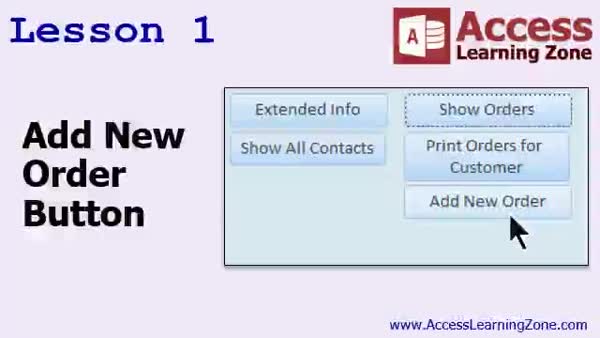
Lesson 1: Add 'New Order' Button With Macros - In Lesson 1, we will walk through how to add a new order button in Microsoft Access that opens an order form directly to a blank new record for a specific customer. We will discuss why this is not straightforward in Access, explore form data entry options, and use a macro to accomplish the task. I will show you how to copy an existing button, modify its behavior with a macro to open the order form filtered by customer, and automatically jump to a new record. We will also place the add new order button on the order list form.
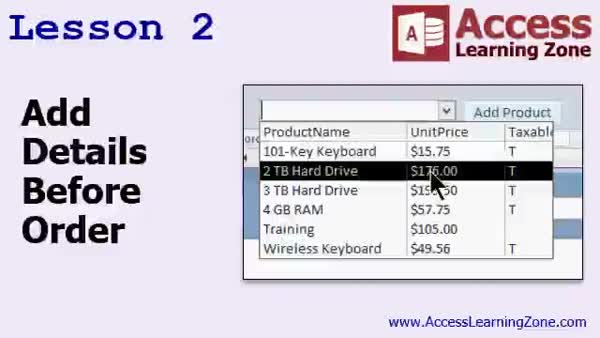
Lesson 2: Block Order Details Before Save - In Lesson 2, we will address the issue of users trying to add details before order information exists, which means attempting to add child records without a parent order record. We will talk about using the Before Insert event and walk through how to utilize macro commands like GoToControl, SetValue, GoToRecord, and RefreshRecord to ensure a valid parent record is created before adding order details. I will demonstrate practical solutions for this problem, discuss some common errors, and explain how to handle related record requirements when you need to add details before an order is saved.
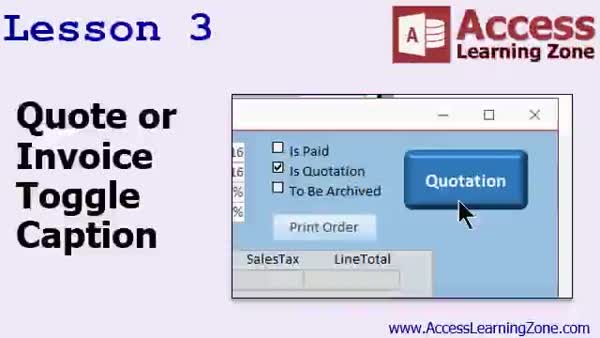
Lesson 3: Dynamic Quote/Invoice Toggle Button - In Lesson 3, we will walk through how to create a toggle button on an order form that dynamically updates its caption to display either "Quotation" or "Invoice" based on the value of the is quotation field. I will show you how to bind the toggle button to your data, set up macros to change the caption when the button is clicked or when you move between records, and consolidate your macro code to avoid duplication. We will also discuss additional cosmetic changes and how to expand this method for future customizations of your quote or invoice caption.
Lesson 4: Review & Next Steps: Adv L2 - In this course we learned advanced Access Level 2 topics, including a range of macro commands, events, and properties for controls, forms, and reports. We also discussed resources available for further learning, such as additional online materials, seminars on specialized topics, forum support, VBA programming classes, and options for getting technical assistance. Information on feedback, licensing, and sharing policies was also provided.
NavigationKeywordsadd new order button, order form macros, prevent child records, before insert event, gotoControl macro, setValue macro, toggle button caption, quote invoice toggle, dynamic captions, order details validation, open form to new record
More InformationTranscriptWelcome to Microsoft Access Advanced Level 2, brought to you by AccessLearningZone.com. I am your instructor Richard Rost. Welcome to the Advanced Series of Lessons. This is Advanced Level 2, which gives you more information on macros that we started covering in, guess what, Advanced Level 1. We will be focusing primarily on macro construction for the next couple of lessons and events, handling certain macros, and different things while running in your database. I strongly recommend that you take Advanced Level 1 and, if you are not familiar with Access, my beginner and expert classes. There are a total of 9 beginner lessons and 32 expert lessons. There are so far two advanced lessons. Advanced 1 covered macro basics. This is Advanced 2. We are going to go into more details of macros, and pretty soon, when these are done, we are going to go into developer lessons with recovery, VB code, and programming. This lesson was recorded using Access 2016. Everything should work with 2007 and 2013 as well. If you find something that does not work, please let me know. The sample database for this class, if you want to download and use mine, if you have not been building it yourself along with my lessons, you can download it here at xslinnesome.com/databases. You will need the password that was provided to you for the course when you purchased this lesson. Let us talk about what we are going to cover in today's class. In lesson 1, we are going to add a button to add a new order. We can already click on a button to view all of the orders for the customer, but this button will allow us to open up the list of orders and then go to a blank new record. In lesson 2, we will deal with the problem of someone trying to add details or line items before they add order information, so they are trying to add child records before there are parent records. We will learn about the Before Insert event and some different commands like GoToControl, SetValue, GoToRecord, RefreshRecord, and so on. In lesson 3, we are going to make a toggle button that will say either Quotation or Invoice based on the value of the IsQuotation field, and we will have that caption changed dynamically using a macro. Then add the button as Click 9, or we will move from record to record or open a new form. IntroIn lesson 2 of my Microsoft Access Advanced series, we will focus on building more advanced macros, working with buttons to add new orders, and managing events like handling parent and child records using the Before Insert event. You will also learn about commands such as GoToControl, SetValue, GoToRecord, and RefreshRecord, as well as how to create a toggle button that updates its caption based on data in your form. This lesson was recorded in Access 2016, but the material is compatible with versions 2007 and 2013. QuizQ1. What is the primary focus of Microsoft Access Advanced Level 2? A. Creating tables and relationships B. Query optimization C. Macro construction and events D. Data import and export Q2. Why is it recommended to take Advanced Level 1 before Level 2? A. Advanced Level 1 covers table design skills B. Advanced Level 1 introduces macro basics needed for Level 2 C. Advanced Level 1 teaches programming in VBA D. Advanced Level 1 is about report formatting Q3. Which of the following Microsoft Access versions is this course recorded with? A. Access 2010 B. Access 365 C. Access 2016 D. Access 2003 Q4. If something in the lessons does not work with your version of Access, what should you do? A. Edit the course materials yourself B. Ignore the problem and continue C. Notify the instructor D. Purchase a different version of Access Q5. What kind of button will be added in Lesson 1? A. A button to print customer records B. A button to add a new order C. A button to export orders to Excel D. A button to delete orders Q6. What issue will Lesson 2 help to address? A. Preventing duplicate customer entries B. Importing data from external files C. Preventing adding child records before parent records exist D. Formatting reports with macros Q7. Which Access event will be covered in Lesson 2? A. After Update event B. Before Insert event C. On Close event D. On Load event Q8. What will Lesson 3 demonstrate regarding toggle buttons? A. How to create a toggle button that exports data B. How to create a toggle button to delete records C. How to change the caption dynamically based on field values D. How to create toggle buttons for navigation between forms Q9. What field's value determines the caption of the toggle button in Lesson 3? A. CustomerName B. DateOrdered C. IsQuotation D. TotalAmount Q10. Where can students download the sample database for the class? A. AccessLearningZone.com homepage B. xslinnesome.com databases C. From the Microsoft website D. From the course's YouTube channel Answers: 1-C; 2-B; 3-C; 4-C; 5-B; 6-C; 7-B; 8-C; 9-C; 10-B DISCLAIMER: Quiz questions are AI generated. If you find any that are wrong, don't make sense, or aren't related to the video topic at hand, then please post a comment and let me know. Thanks. SummaryToday's video from Access Learning Zone continues the Advanced Level 2 series for Microsoft Access. My name is Richard Rost, and I'll be guiding you through these advanced lessons. This segment builds on the material covered in Advanced Level 1, specifically focusing on advancing your knowledge of macros. For the next several lessons, we will concentrate primarily on creating and managing macros in your Access database. These sessions will help you handle various macro-related tasks and events that occur while your database is in use. If you have not yet completed Advanced Level 1, or if you are new to Access, I strongly encourage you to start with the beginner and expert courses. There are 9 beginner-level lessons, 32 expert lessons, and now, with this lesson, at least two advanced levels available. The first advanced lesson provided an introduction to macros, and now we will explore macros in more depth. As you progress beyond the advanced sessions, we will eventually move on to development lessons that cover topics like database recovery, Visual Basic coding, and more extensive programming concepts. This class was recorded using Access 2016, but all the material should be relevant for Access 2007 and 2013 as well. If you encounter any compatibility issues or anything that does not work as shown, please let me know so I can address those concerns. If you would like to use the sample database I am working with and have not been building your own version along the way, you can download my database file from my website. To access it, you will need the password that was sent to you when you registered for this course. Here is an overview of what we will cover in today's class: Lesson 1 will focus on adding a button to create a new order. While we already have functionality in place to view all orders for a customer, this new button will take you directly to a blank record, allowing you to enter a new order easily. In lesson 2, we will address a common scenario where someone may try to add order details before actually creating the order itself. This is essentially an attempt to add child records before there is a parent record established. We will use the Before Insert event to handle this situation and work with several macro commands, such as GoToControl, SetValue, GoToRecord, and RefreshRecord. Lesson 3 will involve creating a toggle button that displays either 'Quotation' or 'Invoice' depending on the value in the IsQuotation field. We will set up a macro to change the button's label dynamically, and you will learn how this can be managed as you navigate between records or open new forms. You can find a complete video tutorial with step-by-step instructions on everything discussed here on my website at the link below. Live long and prosper, my friends. Topic ListAdding a button to create a new order Opening the orders form at a new blank record Preventing adding child records before parent records Using the Before Insert event in macros Employing GoToControl, SetValue, GoToRecord, RefreshRecord Creating a dynamic toggle button for Quotation or Invoice Changing button captions based on IsQuotation field Using macros to update button captions dynamically Primary Topicsmacro construction, form events, command buttons, handling parent-child records, dynamic control captions Secondary Topicsmacro commands, sample database usage, database versions compatibility |
||||||||||||||||||||||||||||||||||
|
| |||
| Keywords: add new order button, order form macros, prevent child records, before insert event, gotoControl macro, setValue macro, toggle button caption, quote invoice toggle, dynamic captions, order details validation, open form to new record PermaLink Microsoft Access Advanced 2 |