Employee Training Series
By Alex Hedley
2 years ago
Employee Training Tracking in Microsoft Access Series
What's Covered
In this Microsoft Access tutorial, I will show you how to track employee training and certifications by building a comprehensive database from scratch. We'll cover table design, relationships, and a bit of VBA scripting to manage course assignments, expiration alerts, and role prerequisites, all while navigating a real-world development scenario. In part 1 we will begin by setting up our database schema (tables, fields, relationships, etc.)
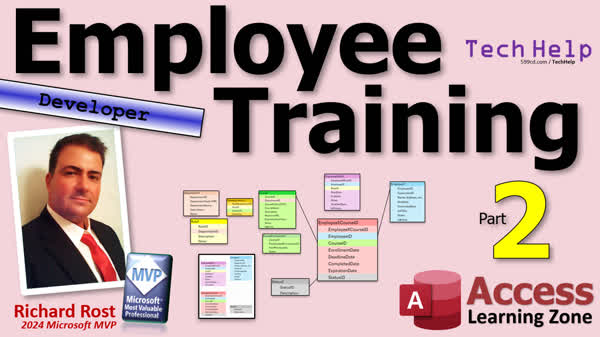
In this Microsoft Access tutorial, we will learn how to create employee training and certification tables, repurpose existing database templates, manage forms, and handle dependencies while setting up a schema for tracking employee roles and courses. This is part 2.
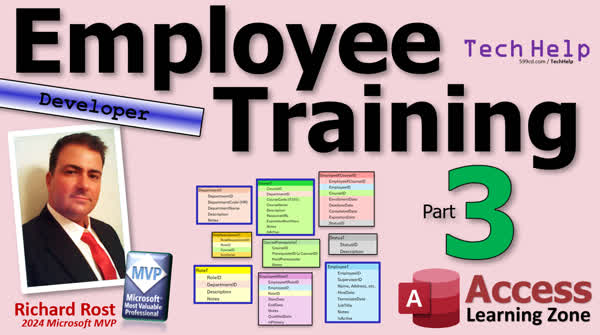
In this Microsoft Access tutorial, we will learn how to manage role requirements for tracking employee certifications and training. You'll discover how to create a role requirement table, design forms for roles and corresponding courses, and integrate role and course data using continuous forms and subforms. This is part 3.
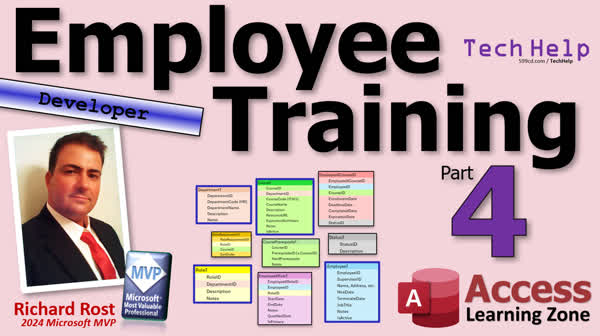
In this Microsoft Access tutorial, we'll continue our employee training series by creating a subform to track employees' roles and the courses they've taken. I'll show you how to bind this subform to a table and use combo boxes to facilitate data entry and comparison between completed and required courses. This is part 4.
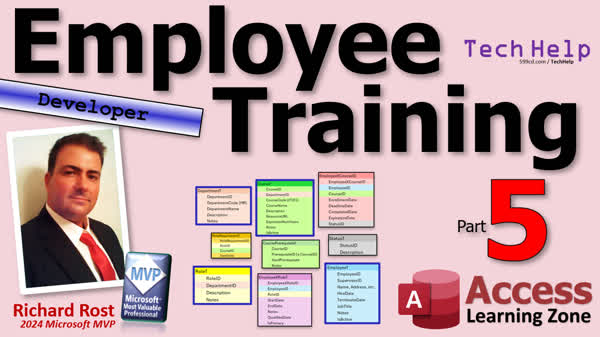
In this Microsoft Access tutorial, we'll learn how to track employee courses, including managing enrollment, deadlines, completion dates, and course statuses like in progress and completed. We'll also explore creating a subform to organize this information and using combo boxes for status sorting. This is part 5.
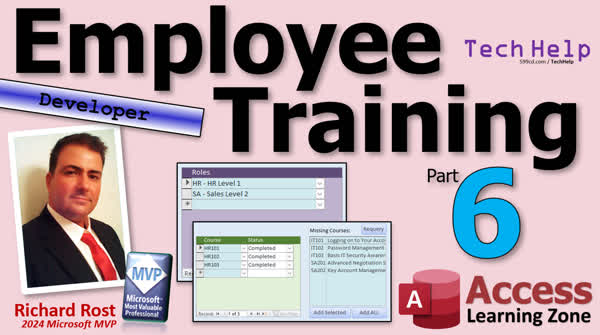
In this Microsoft Access tutorial, you will learn how to identify gaps in employee training and certifications by developing complex queries. We will focus on determining missing courses for employees based on assigned roles and creating a system to efficiently track and display these requirements. This is part 6.
In the extended cut, we will learn how to automatically add courses to an employee's training list with a single click. I'll show you how to set up the functionality so when you select a missing course, it gets marked as "in progress" in the employee's record.
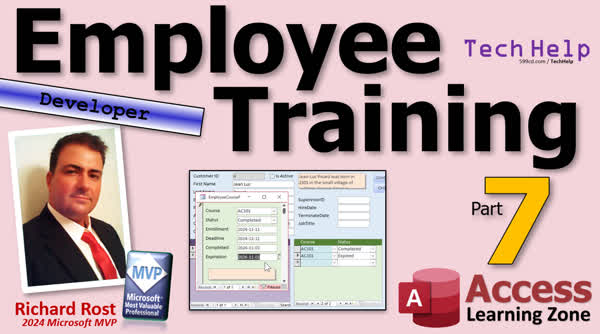
In this Microsoft Access tutorial, we will learn how to manage employee training records by automating the update of completion and expiration dates when training status changes. I'll show you how to lock controls, use the Dlookup function, and handle fractional years using the DateAdd function. This is part 7 of the series.
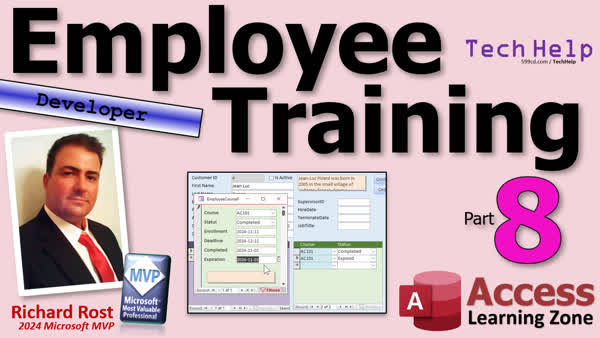
In this Microsoft Access tutorial we will learn how to manage employee training and certifications by setting completion and expiration dates, handling status changes, and creating efficient subroutines. You'll discover how to update records dynamically and ensure accurate tracking. This is part 8.
In this Microsoft Access tutorial, we'll learn how to troubleshoot and resolve a bug found while tracking employee training requirements. I'll guide you through identifying missing course data, fixing query joins, and creating reports to showcase missing training. This is part 9 of the series.
In this Microsoft Access tutorial, I will show you how to track employee training and certifications by creating an aggregate query to count missing training records and prepare your main menu to display this information at a glance. We will also explore how to identify overdue training sessions. This is part 10.
In this Microsoft Access tutorial, I will show you how to track employee training and certifications by creating queries to identify expiring and expired courses. You'll also learn how to refresh data views and manage training statuses effectively. This is part 11.
In the extended cut, I will show you how to prevent users from adding the same course twice, lock courses upon completion to avoid accidental changes, and automate the transition from expiring to expired courses. We'll use a record set loop for automatic updates, with optional email notifications.
Lessons
Members
Silver Members and up get access to view Extended Cut videos, when available. Gold Members can download the files from class plus get access to the Code Vault. If you're not a member, Join Today!
Prerequisites
Series
- Employee Training, Part 1
- Employee Training, Part 2
- Employee Training, Part 3
- Employee Training, Part 4
- Employee Training, Part 5
- Employee Training, Part 6
- Employee Training, Part 7
- Employee Training, Part 8
- Employee Training, Part 9
- Employee Training, Part 10
- Employee Training, Part 11
|
Links
|
Recommended Courses
Keywords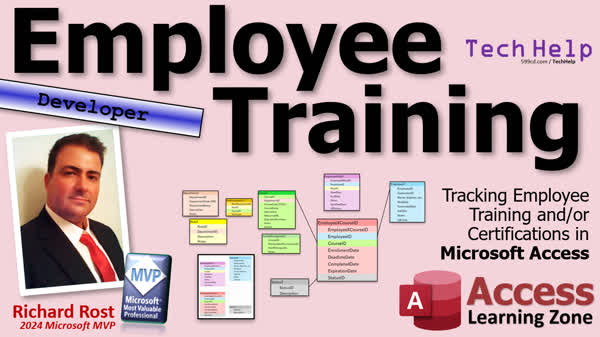
TechHelp Access, Microsoft Access employee training tracking, Access certifications management, track training in Access, certification renewal notifications Access, employee role tracking Access, Access course management, Microsoft Access VBA tutorial, Access database design, Access table design, database schema
TechHelp Access, employee training in Access, certification tracking, Access database schema, employee role management, course management, Access table creation, repurposing database templates, managing database dependencies, self-join relationships, Access update query, Access tables design, Access forms management
TechHelp Access, employee training in Access, tracking certifications Access, creating role requirement table Access, Access subform tutorial, continuous forms in Access, role and course relationship Access, Access forms for tracking training, using combo box in Access, form design Access training
TechHelp Access, tracking employee training, employee certifications, Microsoft Access subform, role requirements, expired certifications, continuous form modification, table design in Access, VBA subform programming, combo box configuration, form customization, Access course management, role and class tracking
TechHelp Access, Employee training tracking, certification tracking, employee roles, employee courses, employee course subform, course status ID, status tracking, role requirement table, course enrollment dates, form design Access, combo box custom sort, Access subform creation, Access form alignment, Access VBA code debug.
TechHelp Access, Employee Training Tracking, Certifications, Completed Training Date, Expiration Date Automation, VBA Code, Combo Box Locking, Design View, Course Table, SQL Statement, Update Query, dlookup Function, DateAdd Function, Status Table, VB Editor, Microsoft Access Multi-Part Series
TechHelp Access, employee training tracking, certification tracking, expiration date update, status combo in progress, status combo failed, manual completion date update, VBA subroutines, automate expiration, missing training query, unfinished training query, expiring soon query, report building
TechHelp Access, employee training tracking, database role management, employee course status, missing training report, report design in Access, Access forms and queries, Access error handling, Access report sorting, group levels in Access, employee role course link, bug fixing in Access, query debugging, outer joins.
TechHelp Access, Tracking Employee Training, DCount Function, Aggregate Query, Employee Course Missing, SQL subquery, Status ID, Deadline Date, Query Design, Object Dependencies, Overdue Training, Domain Aggregate Functions, Missing Training Report, Employee Certifications
TechHelp Access, Tracking Employee Training Microsoft Access, Certifications Expiring, Employee Course Status, Expiration Date Handling, Expiring Training Notifications, Status ID Usage, Access Requery Function, Training Expiration Automation, Expiration Date Calculation, Employee Role Management, Training Management System
More InformationTranscript Welcome to another TechHelp video brought to you by AccessLearningZone.com. I am your instructor, Richard Rost. One of the things I get asked a lot is about tracking employee training and certifications. So I have decided to put together a little video series on doing just that.
We are going to start from scratch and build a database so you can track employee training. What courses are they supposed to take? What courses have they taken and when? How long are those courses or training certifications good for? If they have to renew every year, you will get a notification.
We are going to start from scratch. We will go over our table design and then build it from there. This will be a developer-level video, meaning there is going to be some VBA involved. I am going to try to stick to building as much of the database as I can at first without VBA programming. We will get the table layout, build the tables, and build the forms. Some of this stuff will require some VBA, and I will try to add that toward the end, but I might sneak in some little embellishments here and there.
If you have never done any VBA programming before, go watch this video. It is my intro to VBA. It will teach you everything you need to know to get started in about 20 minutes.
Unlike a lot of my other videos, I have not prebuilt this database. Normally, I run through ahead of time and build everything up front. I have not done that for this one. We are going to be building it together. All I have done so far is put together the table layout that I think I am going to need.
There may be some other videos that I point you to when we come across certain topics or functions that I think you might need to use. I will address that when we get to it. I figure a lot of the time you learn the best way to build a database by seeing me start from scratch and build a database because I guarantee you I am going to make a couple of mistakes or see things that I want to change after the fact. That happens when you are developing a database.
Sometimes you build it a certain way and you get feedback from your client, and they are like, no, we do not like it like this. We want it to do this instead. So that might happen too. We will be doing this together, so strap in. I do not know up front how many parts this is going to be, probably at least three or four parts. We are going to do this together.
Those of you who have taken any of my longer courses or seminars, or even some of the previous TechHelp series that I built, know the first thing that I always do is sit down and put together my list of tables and the fields that those tables should have. I think this is crucial in understanding what your database is going to do, especially if it is a little more complex like this one.
So let us go over all of these tables and fields, and what each one of these things is going to hold, starting with the department.
Every organization has different departments, assuming you are of a certain size. If you are big enough to need to track employee training, usually you have multiple departments: HR, sales, accounting, technical support, and so on.
These departments are important for knowing what departments employees are in and also what departments the courses fall under. For example, HR would have their own list of HR courses. We will talk about that in a minute.
Inside each department, you have various roles, which could be just the different levels of that department, like HR level one, HR level two, sales level one, and so on. HR level one employees, for example, might be able to do job interviews or exit interviews, but HR level two actually has the power to hire and fire based on the recommendations of HR level one.
Depending on the size of your organization, your IT guys might have IT level one as the person you call when your computer will not start. He plugs in the power strip because you knocked it out of the wall. I have had that happen when I used to do tech support. IT level two is the person who really troubleshoots, and so on.
You could set up individual roles between your different departments however you want. For me, that is good enough, so that is what I am going to do.
Between department and role, you can see we have a one-to-many relationship here. Each department could have multiple roles assigned to it. I am not going to draw the little lines - you get it. I made the colors the same, and that is good enough.
Next up is the important one, the course table. I am just going to call it Course. These could also be certifications. If you are not actually giving training but have to track their certifications, maybe they have to go to some outside organization to get certified, that is fine too. You can use this for both.
You can also put in this table something like a requirement for hiring, like a bachelor's degree in whatever. That is completely up to you. That will just be called a course.
It is kind of like what I do on my website. I call everything a course, and it is listed on your My Courses page, even if it's a seminar or a template or a PDF handbook you purchased. They are all included in the courses list. So this could be courses, certifications, outside education, all that stuff. It falls under the category of courses. Stuff like that is really just a training issue for your users.
Courses fall into different departments. We will talk about how they relate to roles in just a minute. These will be things like HR 101, Introduction to Company Policies, HR 102, Workplace Etiquette and Expectations, and so on. Basic IT, Level 101, logging into your account, and password management. These are all things that people in these departments have to know, and some things all users might have to know. We will get to that in just a minute.
Course ID is obviously the primary key. Again, we have a one-to-many relationship: courses fall under departments. We have a course code, for example, IT 101. If you have gone to college or even high school, sometimes they do this.
Then there is course name, description, and a resource URL. I am going to just leave the resource URL open. You can put a link to wherever the course material or more information about it is for the user to view.
Expiration number of years - most certifications that I have come across are only valid for a certain number of years: one year, three years, five years, whatever. You have to recertify. We will make a list of who has the requirement to recertify coming up. That will be part of this database.
Notes - you will find notes in most tables. Then, of course, there is IsActive, because sometimes courses become defunct. This course, for example, HR 102, has been replaced by HR 122, but you do not want to delete it because you still want to know which of your employees have taken this course. We do not delete stuff. I have a whole video called "Don't Delete Data." You just mark it not active.
You could do the same thing with every table, but courses are something that usually become obsolete more often than departments and roles would.
Next up, we have the junction table that will relate roles to courses. What role are you in - HR level one, HR level two, IT level one, and so on? What courses are required for you to have that position? For example, HR level one might require HR 101, HR 102, HR 103, and IT 101. Maybe everybody has to have IT 101 - everybody in the building needs to know how to log onto a computer. Well, maybe unless you are in the warehouse and do not have a computer. That is up to you.
So IT level one has to have basic HR 101 and the IT classes. IT level two might have to have all that plus IT 201, and so on. This is where you decide who needs what courses for that job. That is the role requirement table.
I put a sort order on there because you might want to force them to take them in a particular order. You have to have IT 101 before you take IT 102. It is kind of like what I tell my students: you have to take Access Beginner 1, Beginner 2, Beginner 3, all the beginner classes before you get into the expert series, and so on. Do you have to? No, but you should.
Here is another table I threw in called Course Prerequisites. You might have courses that rely on other courses. Before you take HR 102, you have to take HR 101, and so on. Generally, it is a one-to-one relationship - each course has a single other prerequisite - but you never know. You might have something like Leadership 101, which is your executive track. In order to take that, you have to have had a bunch of other courses before you can even take this one. That is why I made this a many-to-many relationship.
You have to have HR, CS, customer service, sales, and IT - you have to understand the business before you are put in a leadership role. Again, it is up to you.
Next up, we have our Employee table. The Employee table is going to relate to some of the other things in a minute. Employees are exactly what it sounds like. EmployeeID, SupervisorID is just a link back to another employee. I am going to make this just one field. Yes, I know in some organizations you have multiple supervisors, especially if you work at a company like Initech. Not only do you get eight different bosses and endless TPS reports, but it is just great. Do not ever steal the stapler. But I think for most companies, most well-run companies, you have one person to answer to.
Name, address, all those basic fields. I am not going to get into it here; I have other videos on multiple addresses and phone numbers and all that stuff. We are going to keep it simple for this one.
Fire date and terminate date - yes, there could be other things in here, but those are the two basics. Your job title - because even though you are HR level two, you might have a unique job title, so we will just make that text. Then notes, and again, IsActive, because even after you terminate someone, you do not want to delete their record.
So that is basic employee information.
Next up, we have a junction table between Employee and Role, because one employee might have multiple roles. They might be in HR and in sales, for example. You have the CrossReferenceID as your primary key, EmployeeID links to the Employee table, and their RoleID links to what role they have. By extension, you can find out what department that is.
You have a start date and an end date, notes, the qualified date (what date did they finish their training; what date did they become qualified for that role), and then I added IsPrimary, because sometimes people have a primary role. For example, you are the HR manager, but especially in smaller companies, you might jump in and help with sales. So you might be trained in multiple roles. That is the junction table for that.
Likewise, we now have an Employee x Course junction table for what courses this employee has taken. You have EmployeeID, CourseID, enrollment date, deadline date (how long do they have to take this course), for example, one month from the time you are hired to finish this course. That is completely up to you.
This is mostly for reporting purposes, so you can generate a report saying which employees have not finished their training by their deadline dates and similar queries.
Completed date, expiration date (when does this course expire), and that will be a calculated field, because you have the completed date and then the number of years that it is good for. Yes, I could have made this number of months or a number of days, but it is very seldom that I come across any kind of training or certification that is not in years. Or, if it is six months, you could put in 0.5, make it a double.
Then a StatusID - that is just another little helper table telling you where this person is in the progress of taking this course. In progress, finished, failed, etc.
So there you go. There is our basic database schema. There might be some modifications along the way, but this is where you want to start. You want to go from a little Excel spreadsheet - that is how I build my stuff. You could do it on paper, you could do it with index cards. I talk about this in more detail in my Access Beginner 1 class. There will be some tweaks along the way - there always are - but this gives us a place to start with. We have a roadmap, we know where we are going with this database.
In part two, we will start actually putting these tables together. So that's going to do it for part one. That is your TechHelp video for today. I hope you learned something, and if not, I hope it was a good little review on how to build your tables and get your database schema set up. Good keyword there: schema.
Live long and prosper, my friends. I will see you tomorrow for part two.
A special thank you and shout out to our diamond sponsors. First, we have Juan Soto with Access Experts Software Solutions, Manufacturing Experts, specializing in Access and SQL Server. Juan is a 13-time Microsoft Access MVP. You can check them out at accessexperts.com.
Another shout out to Sammy Shama from Shama Consultancy. Sammy is a certified Microsoft Office Specialist, and he not only offers Access application development, but he also provides one-on-one tutoring services. So if you need someone to help you with your Access project, Sammy is your guide. Check them out at shamaconsultancy.com. Intro In this video, we will talk about how to build a Microsoft Access database from scratch to track employee training and certifications. We'll cover table design, setting up departments, roles, courses, and their relationships, as well as how to track which courses employees have taken and when those certifications expire. This developer-level tutorial will primarily focus on database structure, with some basic VBA discussed later for added functionality. This is part 1. Quiz Q1. What is the primary goal of the video series introduced by Richard?
A. To teach viewers how to track employee training and certifications using a custom database
B. To install Microsoft Access for beginner users
C. To automate payroll processes in Access
D. To explain database normalization principles only
Q2. What is the first step Richard usually takes when designing a new database?
A. Build the forms and reports
B. Write all VBA code upfront
C. List out tables and their fields
D. Import data from Excel
Q3. Why is the Course table designed to include things like degrees, outside certifications, and resources?
A. Because everything the user encounters is considered a course for tracking purposes
B. Because Access requires every table to have varied data types
C. Because only external certifications need expiration dates
D. Because all employees have the same educational background
Q4. What kind of relationship exists between departments and roles in the described schema?
A. Many-to-many
B. One-to-one
C. One-to-many
D. Circular reference
Q5. What is the purpose of the Role Requirement table?
A. To relate employees to their supervisors
B. To link roles to the courses required for those positions
C. To track departmental budgets
D. To upload course material resources
Q6. Which field ensures that obsolete courses are retained in the system but not used for new training assignments?
A. CourseID
B. Course Name
C. IsActive
D. Expiration Number of Years
Q7. Why is a junction table needed between Employee and Role?
A. To store employee salaries
B. Because employees can have multiple roles, and roles can be shared across employees
C. To link supervisors directly to roles
D. To store only temporary employee information
Q8. Why does the Employee x Course table include both completed date and expiration date?
A. Because employees might re-enroll in the same course
B. To calculate when a certification or training needs renewal, based on completion and validity period
C. To track salary changes after certification
D. To delete employee records upon course expiration
Q9. What kind of relationship exists between a course and its prerequisites as described?
A. One-to-many
B. Many-to-many
C. One-to-one
D. Self-referencing only
Q10. According to the video, what should you generally do when a course, role, or employee is no longer active?
A. Delete them from the database
B. Archive them in a separate spreadsheet
C. Mark them as inactive using the IsActive field
D. Overwrite their records with new information
Q11. What is the main benefit of building the database schema together with viewers, as mentioned by Richard?
A. Reduces total development time significantly
B. Allows viewers to see mistakes, changes, and real decision-making involved in database development
C. Maximizes video length for advertising
D. Avoids any use of VBA code entirely
Q12. What does Richard recommend if someone watching has never done VBA programming before?
A. Skip the entire training series
B. Watch his intro to VBA video tutorial first
C. Use only macros, not VBA
D. Hire a consultant to write all code
Answers: 1-A; 2-C; 3-A; 4-C; 5-B; 6-C; 7-B; 8-B; 9-B; 10-C; 11-B; 12-B
DISCLAIMER: Quiz questions are AI generated. If you find any that are wrong, don't make sense, or aren't related to the video topic at hand, then please post a comment and let me know. Thanks. Summary Today's video from Access Learning Zone is all about setting up a system to track employee training and certifications using Microsoft Access. I often get questions about how to monitor what courses employees have to take, which ones they have completed, and how to handle course expiration and renewal reminders, so I have decided to create a series where we build this solution together step by step.
We will be starting from the very beginning, outlining the tables needed for our database, and then building everything incrementally. This is intended as a developer-level project, which means we will include some VBA programming, but my initial focus will be on getting as much of the structure running as possible without it. Once we have the tables and forms in place, I will add VBA features as necessary, along with some occasional enhancements where appropriate.
If you are new to VBA, I recommend watching my Introduction to VBA video, which covers the basics in about 20 minutes.
Unlike many of my other tutorials, I have not prebuilt this entire database in advance. Instead, you and I will build the database together, on camera. The only thing I have prepared in advance is an outline of the tables I believe we will need. As we progress, I might refer you to other videos for explanations of certain concepts or functions if they come up along the way. I genuinely think you get the best learning experience by seeing the process unfold in real time, including the occasional mistake or decision to rework something, just as happens in real-world development.
It is very common to have to revise your database design after you get some feedback or notice issues as you work; that is just part of the process. Sometimes a client will ask for changes or you will see a new, better way to handle something. Brace yourself for a multi-part journey—the final series will probably have at least three or four segments.
If you have watched my longer courses, seminars, or earlier series, you know the first step is always to outline the tables and the fields they will include. This initial design work is essential for understanding your database, especially for more detailed projects like this.
Let us go through these tables one by one, beginning with Departments.
Most companies large enough to track employee training have multiple departments, such as HR, Sales, Accounting, and so on. Knowing which employees belong to which department helps you track both course participation and course requirements, because each department typically has its own set of courses or training.
Within each department, there are usually several roles at different levels. Think of these as job classifications like HR Level 1 or HR Level 2. HR Level 1 might handle tasks such as interviews, while HR Level 2 could have hiring and firing authority. For IT, Level 1 could be a basic support tech, and Level 2 might be a more advanced troubleshooter. You have complete freedom to define the department roles as needed for your organization.
There is a one-to-many relationship between departments and roles, meaning each department contains multiple roles.
Next, we come to the Course table, which holds all your training courses or certifications. You might use it for in-house classes, required certifications, even prerequisite educational credentials. In my own business, everything from seminars to templates is handled as a course. This approach allows you to list all requirements in one central place, whether they are classes, certifications, or outside training needed for specific roles.
Each course belongs to a department and has fields for things like a code (such as IT 101), a course name and description, and a resource URL where additional information or materials can be accessed. We will also track how long a given course or certification remains valid and a notes field for additional details. The IsActive field allows you to indicate whether a course is still offered; rather than deleting old courses, just mark them as inactive, since you may still need to see which employees took them in the past.
We will also need a junction table to link roles and courses. This tells us which roles require which courses. For example, HR Level 1 staff might need HR 101, HR 102, and perhaps a basic IT class, while IT Level 2 staff might need several IT courses in addition to those. You can also use a sort order field to specify a preferred or required sequence for taking courses.
To handle prerequisite relationships between courses, we will add a Course Prerequisites table. There are times when you want to prevent someone from enrolling in, say, HR 102 until they have completed HR 101. In practice, a course may have several prerequisites, so this table will allow for those many-to-many relationships.
Employees themselves will be managed in an Employee table. Each employee has an EmployeeID, a SupervisorID field (linking back to another employee), general contact information, termination and fire dates, a text field for their job title, a notes section, and an IsActive flag (since you should avoid deleting records altogether).
Since employees might have multiple roles, particularly in smaller businesses where people wear several hats, we need an Employee x Role junction table. This links each employee to the roles they occupy, along with fields for start and end dates, notes, a qualified date (when they became qualified for the role), and an IsPrimary flag for their main role.
Similarly, to keep track of which courses each employee has taken, we will use an Employee x Course junction table. This will log fields such as enrollment date, deadline date (how long they have to complete the course), completed date, the expiration date for their certification, and a StatusID to describe their progress (in progress, complete, failed, etc.).
Altogether, this schema provides a strong foundation for a training and certification tracking system. You might need to tweak things as you progress—almost all database projects require some modification as real world requirements emerge—but this is a solid starting point.
In part two, we will start building these tables in Access. I hope this overview has been helpful, especially as a refresher on database table design and establishing your schema. You can find a complete video tutorial with step-by-step instructions on everything discussed here on my website at the link below.
Live long and prosper, my friends. Topic List Introduction to employee training tracking database
Planning the table structure for the database
Designing the Department table
Explaining the Role table and its relation to Department
Setting up the Course table for training and certifications
Using the resource URL and expiration fields in courses
Handling inactive courses using IsActive
Creating the Role Requirement junction table
Specifying course requirements per role
Implementing course sort order for prerequisites
Building the Course Prerequisites table for dependencies
Utilizing many-to-many prerequisites for courses
Designing the Employee table with basic fields
Understanding relationships between Employee and Supervisor
Adding employment status and notes in Employee table
Creating the Employee x Role junction table
Tracking employee primary and secondary roles
Recording start and end dates for employee roles
Building Employee x Course table to record completed courses
Managing enrollment, deadline, and completion dates
Calculating certification expiration dates
Tracking training status with StatusID helper table
Reviewing the complete database schema for training tracking Primary Topics employee training tracking, certification tracking, Access database design, table design, schema planning, relationships, junction tables, course prerequisites
Secondary Topics developer-level overview, beginning VBA, database normalization, role management
|







