|
||||||
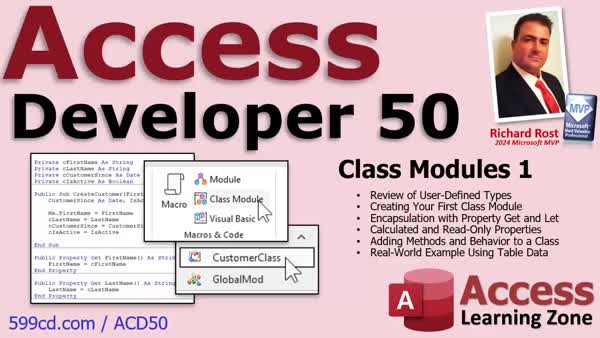
Access Developer 50Class Modules, User Types, Encapsulation, MethodsWelcome to Access Developer 50. In this course you will learn how to create and use class modules, beginning with a review of user-defined types and their limitations in Microsoft Access VBA. We will walk through creating your first class module, adding properties and public variables, and using encapsulation to protect class data. You will see examples like working with customer data, creating calculated and read-only properties, adding methods and business logic, and looping through records with classes. You will also see direct comparisons between user-defined types and class modules as we go. Lessons
Database FilesLinks
Resources
Lesson SummaryWelcome! Classes, Types & Encapsulation - Welcome to Microsoft Access Developer Level 50. In this course we will begin working with class modules in Access VBA, starting with a review of user-defined types and discussing their limitations. We will walk through creating our first class module, adding properties and public variables, and learn about encapsulation to protect data within classes. We will explore calculated and read-only properties, add methods and behaviors, and use real-world examples, including working with customer data and recordsets. You will see direct comparisons between user-defined types and class modules as we progress through each lesson.
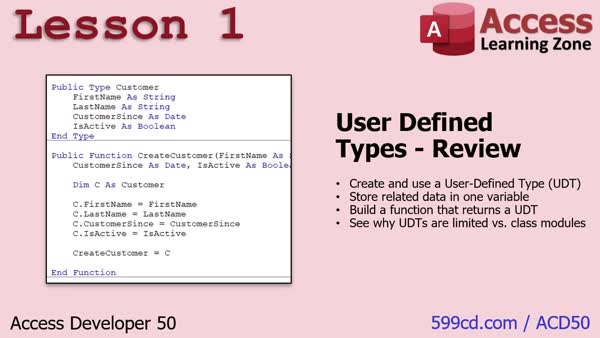
Lesson 1: UDTs vs Classes: Scope & Limits - In Lesson 1, we will review user defined types in Access, discussing their structure, how to define and use them, and some of their limitations compared to class modules. I will show you how to create a user defined type, set its properties, use functions to work with the data, and address issues related to scope and variable persistence. We will also discuss why user defined types lack data protection and validation, which are advantages provided by class modules. This sets the stage for building your first class in the next lesson.
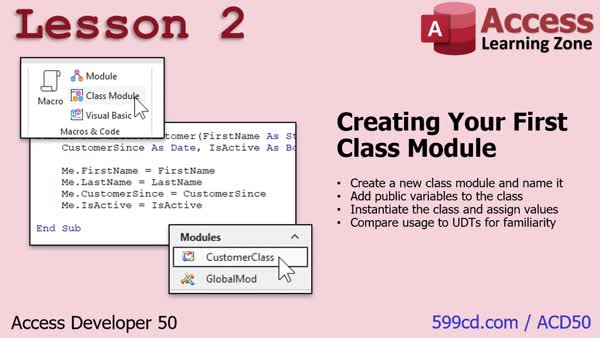
Lesson 2: Class Modules: Public Vars & Methods - In Lesson 2, we will walk through creating our first class module, including naming it, adding public variables, instantiating the class, and assigning values. I will show you how a class module differs from user defined types, demonstrate how to create and use multiple class instances, and introduce methods within the class. We will also discuss how encapsulation can help protect your data and why this is an advantage over user defined types, setting up for further discussion in the next lesson.
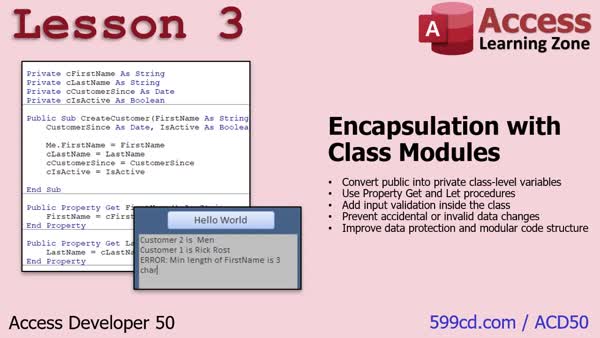
Lesson 3: Encapsulation & Private Vars Guide - In Lesson 3, we will cover encapsulation, which involves making class variables private so they can only be accessed or modified through specific property procedures within the class. I will show you how to rename and restrict variables, implement property get and let procedures for controlled access and data validation, and use naming conventions to avoid confusion. We will discuss how encapsulation protects your data, enables validation such as setting minimum requirements for fields, and helps prevent bugs. We will also talk about setting up calculated and read-only properties in future lessons.
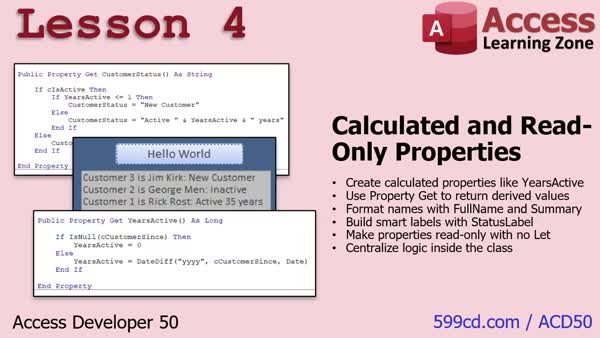
Lesson 4: Calculated & Read-Only Class Properties - In Lesson 4, we continue working with our class module by creating calculated properties and read-only properties. We will walk through how to add properties that automatically calculate values such as the number of years a customer has been active and how to create a FullName property by combining first and last names. We will also discuss how to set up a status property for the customer using other existing properties, and talk about best practices like handling null values and formatting. Calculated properties make our class more useful and keep related logic organized within the class itself.
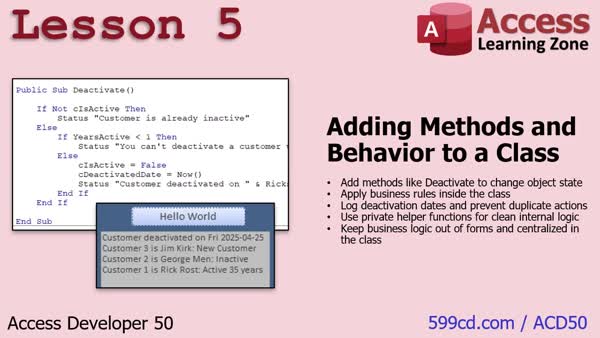
Lesson 5: Adding Methods & Logic to Classes - In Lesson 5, we move beyond properties and focus on adding methods and behavior to our class, allowing it not just to store and retrieve data but also to perform actions like deactivating a customer with built-in business rules. We will walk through creating a deactivate method, enforcing rules such as not allowing deactivation for customers active less than a year, and how to track and format the deactivation date. We will also discuss the benefits of encapsulating logic within the class and adding private helper functions for tasks like date formatting, ensuring consistent and maintainable behavior.
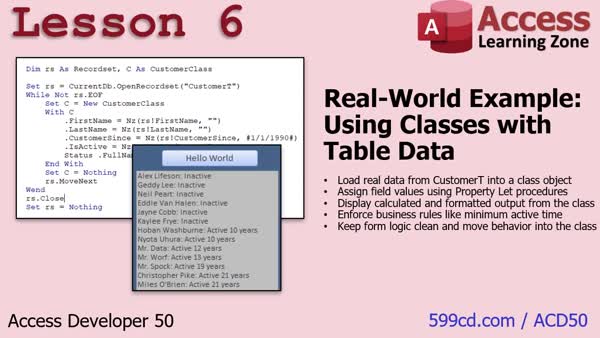
Lesson 6: Looping Records with Classes - In Lesson 6, we will apply everything covered so far with a real world example by using a record set to loop through all customers in a table, creating a new customer class instance for each one, and filling in the data. I will show you how the class handles customer logic, such as providing full names and customer status, and discuss the importance of exposing properties for outside assignment. We will also talk about best practices in managing variables, handling nulls, and using the class for business logic and displaying customer information.
Lesson 7: Course Overview & Feedback - In this lesson, we will discuss what's next after Access Developer 50, including plans for upcoming lessons on class modules in Access. I will share some notes on potential topics like parent-child objects, collections, utility functions, enums, and service classes, and explain that your feedback will help shape future content. We will also talk about possible upcoming tutorials on inventory topics and touch briefly on my use of AI chatbots for customer service in my Access database. Please share your opinions to help guide future lessons.
NavigationKeywordsclass modules, VBA, user defined types, encapsulation, property procedures, calculated properties, read-only properties, public variables, private variables, methods, business logic, recordsets, customer data, data validation
More InformationTranscriptWelcome to Microsoft Access Developer Level 50, brought to you by accesslearningzone.com. I am your instructor, Richard Rost. Today, we are going to begin our journey into class modules. We have done lots and lots of VBA programming with regular modules. I have always said, this is the guy here, class modules, we are not going to be using. Well, today, we are going to start using that to build classes. We are going to review user-defined types, which you have covered before in Developer 40. We are going to build a class module. We are going to learn about encapsulation. We are going to create calculated and read-only properties. We are going to add methods and behaviors to a class. Then we are going to finish it all up with a real-world example using data from our customer table. This class follows Access Developer 49. While I strongly recommend you take all of my classes in order, it is not necessary, but you should have a good solid understanding of Access. The Beginner series is a must. The Expert series, especially the stuff on relationships, is also recommended. Developer 16 will be important because we are going to use recordsets today, so I do recommend you take them all. I strongly recommend you do not skip levels. Go see this page for more information on why. It is currently 2025, so I am using an Access 365 subscription, which is roughly equivalent to Access 2024. The material covered in today's class should work all the way back to, I am guessing, Access 2007 or so. If you have any questions regarding the material covered in today's class, just scroll down to the bottom of the page that you are on and post your questions there. Also, take a minute to read through any other questions that have been posted, as your question may have already been answered. If you want to get notified anytime someone posts a question or other information about this course, click on that red subscribe button. If you have any other questions about Access in general, post them in the Access forum. I have a great group of moderators and we all love helping people out with their questions. Let's take a closer look at exactly what is covered in today's class. In lesson one, before we get into class modules, we are going to review user-defined types, which we did cover initially in Developer 40. We are going to go into a little more detail, and we are going to talk about exactly why user-defined types are limited as compared to what class modules can do. In lesson two, we are going to create our first class module. We are going to create a new class module, give it a name, add public variables to it, instantiate the class, and assign values. Then we will talk about how it compares to user-defined types. In lesson three, we are going to learn about encapsulation, which is taking our variables and making them so that they are limited to just the class. You have to use the class to read and write the data. Not everyone in every form or every report can read the data directly from the class. Only you can. That is called encapsulation. We will talk about that in this lesson. In lesson four, we are continuing on with our class content. We are going to make calculated and read-only properties. We will make properties, which are basically like functions that you can have look at the data in the class and return certain information. So I could say, get me how many years this customer has been active. It knows customer since; it can figure that out, stuff like that. That is all covered in lesson four. In lesson five, we are going to add methods and behavior to our class. It is no longer just about storing data and retrieving data. Now we can actually do things, for example, deactivating a customer. We can flip them from active to deactivated, but the logic is handled inside the class itself and we can add rules to it. You cannot deactivate a customer that is less than a year old, that kind of stuff. That is all covered in lesson five. In lesson six, we are going to wrap it all up today with a real-world example. We are going to use a recordset, loop through all the customers in our table, set each customer into a class using the class logic, and then display it with the class functions. So we get the full name and their customer status straight out of the class functions. It is going to be pretty cool, so check it out. That is all in lesson six. IntroIn this lesson, you will learn how to get started with class modules in Microsoft Access. We will review user-defined types and discuss their limitations, create and work with our first class module, explore encapsulation, and build calculated and read-only properties. The tutorial also covers adding methods and behaviors to a class, and finishes with a real-world example pulling customer data from a table and using class logic to manage and display information. This is Access Developer Level 50. QuizACCESS DEVELOPER 50 QUIZ LESSON 1 Q1. What is one of the main limitations of user-defined types compared to class modules in Access? A. User-defined types cannot store string data B. User-defined types cannot be used in public modules C. User-defined types cannot validate or protect their data fields D. User-defined types cannot be used in multiple forms Q2. When might class modules be especially helpful for a developer? A. When a database needs only a single table B. When working in a team and wanting to enforce structure and data protection C. When using only query-driven forms D. When avoiding object-oriented design Q3. What does encapsulation refer to in the context of class modules? A. Hiding form controls from the user B. Preventing direct manipulation of internal data and forcing use of defined methods C. Combining multiple forms into one project D. Creating public variables in forms Q4. Why did the ToggleActiveState function initially fail to update the isactive property as expected? A. Because the function returned the wrong data type B. Because user-defined types do not allow Boolean values C. Because the changed value was not returned from the function D. Because the customer type was not defined as global Q5. What is the significance of variable scope discussed in the lesson? A. It only matters when creating tables B. It determines whether a variable keeps its value between procedure calls or events C. It affects how forms are displayed in Access D. It allows VBA to create sub-databases Q6. Where should variables be declared if you want them to retain their values between button clicks on a form? A. Inside the button click subroutine B. As temporary variables in queries C. As form-level (module-level) variables or global variables D. Only as constants Q7. Which of the following is NOT something user-defined types in VBA can provide? A. Grouping multiple related variables into a single data structure B. Validation for data assigned to properties C. Declaration of public types for use across modules D. Passing complex information to functions in one parameter Q8. What is a key reason the instructor says class modules are not always needed in Access development? A. Access does not support object-oriented programming B. Most Access databases are simple and do not require the advanced data protection offered by classes C. Class modules are required for all queries in Access D. Forms cannot interact with class modules Q9. What kind of learning technique does the instructor emphasize while reviewing user-defined types? A. Intensive memorization B. Space repetition, revisiting topics over time for reinforcement C. Avoiding review of previously covered topics D. Relying solely on written documentation Q10. What is one thing class modules can do that user-defined types cannot, according to the lesson? A. Allow the creation of public functions B. Prevent direct modification of fields by enforcing behavior rules C. Store string values D. Be used for form events Answers: 1-C; 2-B; 3-B; 4-C; 5-B; 6-C; 7-B; 8-B; 9-B; 10-B DISCLAIMER: Quiz questions are AI generated. If you find any that are wrong, don't make sense, or aren't related to the video topic at hand, then please post a comment and let me know. Thanks. --- LESSON 2 Q1. What is the primary difference between a class module and a user-defined type, as discussed in the lesson? A. A class module can store data only, while a user-defined type can store data and methods. B. A class module allows you to add behavior and methods in addition to storing data, while a user-defined type only holds data. C. A user-defined type can be used in forms, whereas class modules cannot. D. A user-defined type allows access restrictions, while a class module does not. Q2. How are public variables defined within a class module in the example? A. By declaring them as Private within the class module B. By writing them as Global outside the class module C. By using the Public keyword followed by the variable name inside the class module D. By initializing them in a subroutine Q3. What must you use to create a new instance of a class in VBA, as shown in this lesson? A. Dim and Load keywords B. Initialize and New keywords C. Dim and Set with the New keyword D. Declare and Run keywords Q4. Which statement about object instantiation with class modules in VBA is correct? A. You can use class variables without instantiating them B. You must use Set and New to assign an object reference C. Instantiation is optional for class modules D. The Set keyword cannot be used with class modules Q5. According to the lesson, why is it a good practice to set object variables to Nothing after use in Access VBA? A. To improve code readability B. To avoid syntax errors C. To prevent memory leaks D. To enable multi-threading Q6. What is the role of the Me keyword inside a class module in VBA? A. It refers to the current form where the code is running B. It refers to the variable passed to the function C. It refers to the current instance of the class D. It is used to call external modules Q7. How can methods such as CreateCustomer be beneficial within a class module? A. They allow for global access to variables B. They centralize logic for creating or modifying a class object, making updates easier C. They are required to store any data in the class D. They allow users to bypass encapsulation Q8. How does encapsulation improve your use of class modules over user-defined types? A. It makes your code execute faster B. It prevents anyone, including yourself, from accessing any variable C. It restricts access to internal data, requiring changes to go through controlled methods D. It allows methods to be called from anywhere, even if access is restricted Q9. What is one limitation of user-defined types compared to class modules explained in the lesson? A. User-defined types do not allow the use of encapsulation B. User-defined types can only be used in forms C. User-defined types cannot be declared as Public D. User-defined types can store methods but not data Q10. If you need to change the logic for how a customer is initialized, where would you update it using the methods discussed in the lesson? A. In every form or module where customers are created B. Directly in each variable assignment in the code C. Only in the CreateCustomer method within the class module D. In the database table schema Answers: 1-B; 2-C; 3-C; 4-B; 5-C; 6-C; 7-B; 8-C; 9-A; 10-C DISCLAIMER: Quiz questions are AI generated. If you find any that are wrong, don't make sense, or aren't related to the video topic at hand, then please post a comment and let me know. Thanks. --- LESSON 3 Q1. What is the main purpose of encapsulation in a class? A. To hide internal data and require access through controlled gateways B. To allow all code in the project to modify variables directly C. To reduce the size of your codebase D. To ensure all variables are public by default Q2. Why is it problematic to have class variables as public? A. Public variables prevent the use of methods B. Anyone can change the variables from anywhere in the project C. It makes the code faster D. It guarantees all data validation is enforced Q3. What are the 'gateways' called that control access to private class data? A. Methods B. Events C. Properties D. Modules Q4. What does making variables private in a class module accomplish? A. The variables are deleted when the class is closed B. Only the class itself can read or modify them C. No code can ever access them again D. They automatically have default values Q5. What naming convention did the instructor use for class-level variables to minimize confusion? A. Prefixing them with a lowercase c B. Suffixing them with an uppercase V C. Using all uppercase letters D. Prefixing with a lowercase i Q6. Why might you choose to have different names for property procedures and their underlying class variables? A. To save typing time B. To avoid naming conflicts and clarify their roles C. Because the compiler requires it D. To make debugging harder Q7. What is the purpose of a Property Get procedure in a class? A. To assign values to variables B. To delete private data C. To provide controlled read access to private variables D. To raise errors on invalid input Q8. How do Property Let procedures contribute to encapsulation? A. They let you copy properties between classes easily B. They provide controlled write access and allow for validation C. They automatically encrypt your data D. They are used to log every variable change Q9. What is an example of data validation demonstrated in the lesson? A. Ensuring last name is uppercase B. Checking that the first name has a minimum length of three characters C. Setting isActive to false by default D. Converting numbers to strings Q10. What happens if you try to assign an invalid value (such as a too-short first name) using a Property Let? A. The assignment is accepted with a warning B. The assignment is ignored, and a validation error is triggered C. The program crashes D. The variable is set to null Q11. Why is it useful to use property methods instead of allowing direct access to class variables? A. It adds extra lines to your code for better readability B. It ensures that all data access and modifications can be controlled and validated C. It requires less documentation D. It makes the code less reusable Q12. When the instructor refers to me.FirstName in the Property Let, what is actually happening? A. The class variable is set directly B. The value is ignored C. The Property Let procedure is called, allowing for validation D. The code creates a new property Q13. How can encapsulation help when you are working in a development team? A. It speeds up user interface design B. It allows different developers to use their own variable names C. It prevents accidental or unauthorized changes to internal class data by other developers D. It lets everyone edit the data directly for convenience Q14. What kind of properties will be discussed in the next lesson, as mentioned at the end? A. Static and shared properties B. Calculated and read-only properties C. Final and constant properties D. Indexed and sorted properties Answers: 1-A; 2-B; 3-C; 4-B; 5-A; 6-B; 7-C; 8-B; 9-B; 10-B; 11-B; 12-C; 13-C; 14-B DISCLAIMER: Quiz questions are AI generated. If you find any that are wrong, don't make sense, or aren't related to the video topic at hand, then please post a comment and let me know. Thanks. --- LESSON 4 Q1. What is a calculated property in a class module? A. A property that retrieves and returns computed data based on other properties, without storing a value itself B. A property that stores data permanently in the class C. A private variable that is not accessible from outside the class D. A value that must be set by the user each time the class is used Q2. How do you typically implement a read-only calculated property in VBA? A. By using Public Property Get and Public Property Let procedures B. By using only a Public Property Get procedure that calculates and returns a value C. By using only a Public Property Let D. By defining a Function outside the class Q3. Which of the following is an example of a calculated property mentioned in the lesson? A. Customer since B. Years active C. Customer ID D. Email address Q4. What VBA function was demonstrated to calculate the number of years a customer has been active? A. DateAdd B. DatePart C. DateDiff D. Now Q5. Why can you not use Property Let for a calculated property like years active? A. Because property lets can only be used with private variables B. Because calculated properties are always integers C. Because calculated properties are read-only and are meant to return data, not set it D. Because it would make the property private Q6. If a customer does not have a value for customer since (is null), what should the calculated years active property typically return, based on the lesson's suggestion? A. -1 B. Null C. 0 D. An error Q7. What is an advantage of using a calculated property such as full name in a class? A. You can perform concatenation everywhere in your application B. You only have to create the logic in one place, and it becomes part of the class C. It allows users to directly update first and last names at once D. It stores the full name permanently in the database Q8. In the status calculated property, what values might it return based on the lesson's example? A. Only "Active" or "Inactive" B. Inactive, New Customer, or Active [number] years C. Only "Active [number] years" D. Gold, Silver, Bronze Q9. Within a calculated property inside a class, how can you access another property of the same class? A. You must use the full object reference B. You cannot access other properties from inside a calculated property C. You can refer to the property directly by its name D. Only by using global variables Q10. If a calculated property is only a one-line calculation, what did the presenter recommend about formatting? A. Use excessive spacing for clarity B. No need for extra spacing; keep it concise for readability C. Put it outside the class for better performance D. Always make it a multi-line statement Q11. According to the lesson, when should you consider separating logic into more readable multi-line code within your class module? A. Only when you have more than two calculated properties B. When the property calculation becomes more complex or involves multiple conditions C. Never; single-line code is always better D. When dealing with numeric values Q12. What limitation with date formats in VBA was discussed? A. VBA only accepts ISO date formats B. VBA allows users to set custom date formats application-wide C. VBA does not reliably accept ISO date format and may default to regional or US formats despite settings D. VBA always uses the system's short date regardless of context Q13. What is a key reason to use calculated properties for information like age or years active, as noted in the video? A. Because they let you avoid using If statements in your code B. Because recalculating in every part of your application is inefficient and unnecessary C. Because calculated properties automatically create charts D. Because only calculated properties can access the database Q14. What is true about a calculated property that provides the number of years active for a customer? A. It always provides the exact number of years, months, and days B. It gives the number of whole years, but not fractional years or an exact age C. It requires manual updating when the date changes D. It is only available in modules, not class modules Q15. Which of the following best describes a calculated property in the context of programming classes, as emphasized by the presenter? A. A property with only a setter, not a getter B. A property that stores historical data in a database C. A property that acts much like a function, computing its value on the fly given the current state of the class D. A property that must always be public Answers: 1-A; 2-B; 3-B; 4-C; 5-C; 6-C; 7-B; 8-B; 9-C; 10-B; 11-B; 12-C; 13-B; 14-B; 15-C DISCLAIMER: Quiz questions are AI generated. If you find any that are wrong, don't make sense, or aren't related to the video topic at hand, then please post a comment and let me know. Thanks. --- LESSON 5 Q1. What is the primary advantage of adding methods to a class, as described in this lesson? A. Methods allow the class to perform actions and enforce rules on its data B. Methods help to organize data into tables automatically C. Methods make property names more descriptive D. Methods remove the need for any properties in a class Q2. According to the lesson, why is using a method like deactivate preferable to directly setting the is active property? A. It prevents users from updating any property in the class B. It allows business logic and rules to be enforced when changing the state C. It makes the code run faster D. It reduces the number of properties in the class Q3. What is an example of business logic that can be enforced within a class method? A. Formatting all output as uppercase text B. Preventing deactivation of customers who have been active less than a year C. Automatically sorting customer names alphabetically D. Allowing only one property to be updated at a time Q4. What is the benefit of keeping logic like the deactivation rules inside the class instead of in forms or other parts of the application? A. It ensures all rules are enforced consistently in one place B. It allows for faster data retrieval C. It automatically creates reports without extra code D. It makes the class accessible only to administrators Q5. What is a private helper function in the context of a class module? A. A function that can only be accessed by code within the same class B. A function that is accessible from anywhere in the database C. A function that creates new class objects D. A function that only formats numbers rather than dates Q6. Why would you use a private helper function for something like date formatting in your class? A. To prevent code duplication and keep formatting logic in one place B. To allow other modules to access your custom format easily C. To automate the creation of new properties D. To speed up the performance of all queries in the database Q7. If a customer is already inactive and the deactivate method is called, what should the method do according to the lesson? A. Inform that the customer is already inactive and take no further action B. Reactivate the customer immediately C. Delete the customer record from the database D. Ignore the request and proceed to deactivate again Q8. What is the main concept illustrated by exposing a deactivated date as a property in the class? A. Encapsulation, combining state data and behavior in the object B. Inheritance, allowing the class to inherit another class's methods C. Polymorphism, letting the class act like unrelated types D. Serialization, saving the entire object to a file Q9. What is one key benefit of moving logic for actions like cancellation or date formatting into the class module? A. The logic only has to be written once, making code easier to test and maintain B. The logic can be bypassed by users in different parts of the application C. The logic automatically creates new database tables when needed D. The logic must be updated in every form where it is used Q10. How does adding methods and logic to classes move your application design beyond simply storing and retrieving data? A. It enables the creation of objects that can manage their own behavior based on business rules B. It eliminates the need for storing any data at all C. It limits access to all data to only a single user D. It prevents any changes from being made to the stored data Answers: 1-A; 2-B; 3-B; 4-A; 5-A; 6-A; 7-A; 8-A; 9-A; 10-A DISCLAIMER: Quiz questions are AI generated. If you find any that are wrong, don't make sense, or aren't related to the video topic at hand, then please post a comment and let me know. Thanks. --- LESSON 6 Q1. What is the main purpose of using a customer class in the example described? A. To store and display the properties of a single customer using class functions and logic B. To replace all use of tables with classes C. To manage multiple databases at once D. To speed up SQL queries on customer data Q2. Why is it recommended to create a new instance of the customer class inside the record set loop? A. So each customer record has its own separate object representation B. To share the same object across all customers C. To reduce memory usage D. To allow class functions to execute only once Q3. What happens if you try to assign a value to a class property that only has a Property Get but not a Property Let? A. You will receive an error because the property is read-only B. The value will be set as expected C. It will overwrite a different property D. The code will be ignored and no value will be set Q4. Which of the following correctly describes what Property Let does in the class? A. It allows values to be assigned to a property from outside the class B. It automatically displays the property value C. It makes the property read-only D. It deletes the property from the class Q5. Why might it be important to handle null values when assigning fields from the record set to class properties? A. To avoid run-time errors caused by trying to assign null to a property B. To prevent SQL injection C. To ensure all properties are always set to true D. To reduce the number of database records Q6. What is the recommended practice after setting an object variable like the customer class or a record set? A. Set the variable to Nothing after use to release memory and resources B. Delete the object from the database C. Create a backup of the object D. Store the object in a global variable Q7. If you want information about a customer's name and status, where should this logic ideally be handled according to the lesson? A. Inside the class using class functions and properties B. In the user interface code C. In a separate utility module D. At the database table level with triggers Q8. What is one benefit of using classes to encapsulate customer-related data and logic? A. It centralizes and standardizes how customer information is handled throughout the application B. It makes queries run faster without optimization C. It allows anonymous access to all customer data D. It eliminates the need for record sets Q9. When is it appropriate to add a Property Let for a class property? A. When you want to allow the property value to be changed from outside the class B. Only when the property is a string C. Only if the property value will never change D. When the database is read-only Q10. According to the lesson, what should you do before sharing properties of the class for external use? A. Decide if you want to expose the property for reading, writing, or both by implementing Property Get and/or Property Let B. Delete the property from the class C. Set all properties to read-only D. Encrypt the property value Answers: 1-A; 2-A; 3-A; 4-A; 5-A; 6-A; 7-A; 8-A; 9-A; 10-A DISCLAIMER: Quiz questions are AI generated. If you find any that are wrong, don't make sense, or aren't related to the video topic at hand, then please post a comment and let me know. Thanks. SummaryToday's video from Access Learning Zone begins our exploration of class modules in Microsoft Access. Up until now, we have done plenty of VBA programming using standard modules, but have intentionally avoided working with class modules. Today, that changes. I'll introduce you to creating custom classes in Access, and we will build on knowledge from previous lessons to show exactly how and why you would use class modules for more advanced programming. The course starts by revisiting user-defined types. If you have taken Developer 40, you should already have some exposure to these. In this lesson, I will provide more detail about user-defined types and explain why they fall short when compared to everything that class modules can accomplish. Next, I'll guide you through making your very first class module. We will walk through how to create a new class, give it a name, add public variables, instantiate it, and assign data. Then, we'll compare this process to what you might be familiar with in user-defined types. A crucial topic that follows is encapsulation. Encapsulation allows us to keep our variables private within the class, so external code can only interact with the data using approved methods. This restriction promotes data integrity, reduces errors, and supports good programming practice. I will explain encapsulation thoroughly so you understand both its benefits and how to implement it. Moving on, we will build calculated and read-only properties within our class modules. This involves setting up properties that return values derived from other data within the class, such as how long a customer has been active. These properties can calculate or summarize information as needed, without allowing the values to be changed directly from outside the class. From there, I will show you how to add methods and behaviors to your class. We extend beyond simply storing and accessing data; now, the class will handle tasks such as deactivating customers, including any business logic you want to apply. For example, we could restrict the deactivation of customers who have not yet reached one year of tenure. All such decisions can now be handled internally in the class module. Finally, in the last lesson, we will put these concepts to use with a practical, hands-on project. I'll show you how to use a recordset to process all customers in your table, load each one into a class object, and use the class logic to output data like the customer's full name and status. This will demonstrate the complete workflow and power of class modules applied to real-world data. This course picks up where Access Developer 49 left off. If you are new, I highly recommend taking the series in order. At the very least, you need a solid foundation in Access, so be sure you have completed the Beginner series and the Expert series, especially the parts covering relationships. Developer 16 is also important, because today we will be working with recordsets. I'm working with Access 365, comparable to Access 2024, but the material should apply to versions going back as far as Access 2007. If you have questions about anything in this class, scroll to the bottom of the page and post your questions there. Take a moment to read through previously posted questions, as your issue might already have a solution. To keep up with new postings, subscribe using the red button. For more general Access inquiries, the Access forum is a great place to ask. There is a helpful group of moderators always ready to lend a hand. You can find a complete video tutorial with step-by-step instructions on everything discussed here on my website at the link below. Live long and prosper, my friends. Topic ListReviewing user-defined types in VBA Limitations of user-defined types Creating a class module in Access VBA Naming and adding variables to a class module Instantiating and assigning values to a class object Comparison between user-defined types and classes Understanding encapsulation in class modules Creating calculated properties in a class Creating read-only properties for classes Adding methods and behaviors to classes Implementing business rules within class methods Building a real-world example with customer data Using a recordset to populate class objects Displaying customer data using class functions Primary Topicsclass modules, VBA programming, user-defined types, encapsulation, calculated properties, read-only properties, methods/behaviors, Access customer table, recordsets Secondary Topicsclass instantiation, public variables, lesson sequence recommendation, version compatibility |
||||||||||||||||||||||||||||||||||||||||||||||||||||||||||||||||||||||
|
| |||
| Keywords: class modules, VBA, user defined types, encapsulation, property procedures, calculated properties, read-only properties, public variables, private variables, methods, business logic, recordsets, customer data, data validation PermaLink How To Use Class Modules, User Defined Types, Encapsulation, Properties, and Methods in Microsoft Access |