What is a Table?
By Richard Rost

 5 years ago
What is a Table in Microsoft Access?
All data in your Access database is stored in one or more tables. Tables are made up of fields and records. You can have many different types of tables in your database, each holding its own kind of data.
Prerequisites
What's Next
Recommended Courses
Keywords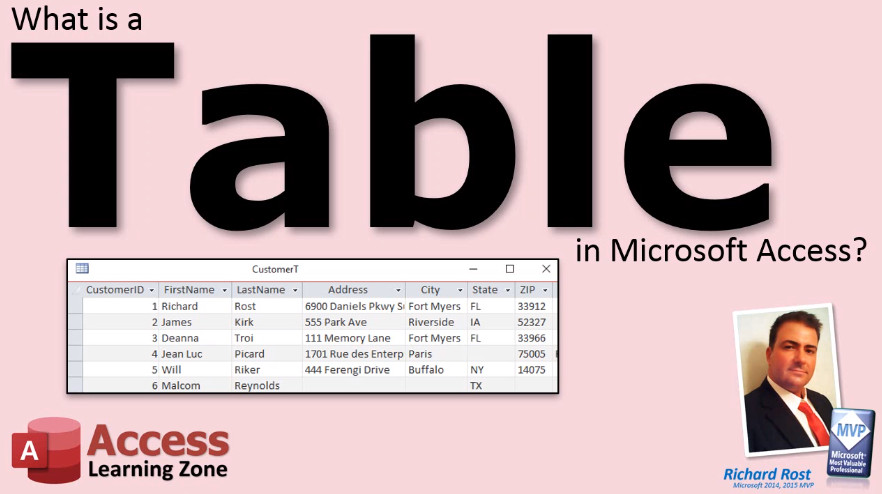
TechHelp Access, what is a table
More InformationTranscript What is a table in Microsoft Access? All of the data in your Access database is stored in one or more tables. You can think of a table like a single Microsoft Excel spreadsheet. However, tables give you much more control over the types of data that can be input into them.
For example, here you see part of a customer table. Tables are made up of a collection of fields. Each field holds a specific type of data. For example, here I have highlighted the last name field in red. This field should only store the customer's last name and nothing else.
In fact, you can specify rules in the database to force fields to contain only certain types of information, like text, numbers, dates, currency values, and so on. Fields are sometimes referred to as columns, just like in an Excel spreadsheet.
All of the data concerning one item is stored in a record. Each record consists of the collection of all of the fields of data for that item. In this customer table, for example, each record represents one customer. Here I have highlighted one customer, James Kirk, in red. You can think of a record like a row in an Excel spreadsheet.
You might not always be storing customers. A product table, for example, holds information on products, and each record would represent one product. An order table, for example, holds information on each order that is placed, where one record would represent one order. A contact history table, for example, like the one shown here, could store information about each time you talk to your customer. Every phone call, email, etc. will be stored as a separate record.
In a time sheet table, for example, each record might represent one instance of an employee clocking in or out. Your tables can store many different types of data, people, places, events, and so on. You should store one type of data per table.
Your customer table should hold information on your customers. You would not store product information in your customer table. One of the mistakes that beginners make is they try to store too much information in one table. For example, you would not try to store all of a customer's orders in the customer table. You would use a second table for that. Intro In this video, we will talk about what a table is in Microsoft Access, how tables are used to store data, how fields and records are organized, and why it's important to keep different types of data in separate tables. You'll see how fields correspond to columns, records to rows, and learn some best practices for structuring your tables to properly manage customer, product, and other types of information. Quiz Q1. What is the primary function of a table in Microsoft Access?
A. To store all of the data in the database
B. To create graphics and charts
C. To perform data analysis and reports
D. To manage user security
Q2. In the context of Access tables, what is a field?
A. A connection to another database
B. An individual piece of data stored in each record
C. The name of the table
D. A summary of all records
Q3. What is another term commonly used for fields in an Access table?
A. Rows
B. Sheets
C. Columns
D. Files
Q4. What does each record in a table represent?
A. All of the fields present in the database
B. One item or entity described by the table, such as a single customer or product
C. The structure of the database
D. The relationships between different tables
Q5. If you want to enforce that a specific field accepts only dates, what feature of Access would you use?
A. Color formatting
B. Sorting options
C. Data type restrictions
D. Printing settings
Q6. What is the best practice for storing data in tables?
A. Store all types of data in one table for simplicity
B. Store only one type of data per table
C. Store only numeric data in all tables
D. Store data randomly for flexibility
Q7. What is a common beginner mistake when designing Access tables?
A. Creating too many separate tables
B. Not storing enough data
C. Trying to store too much information in one table
D. Using too few fields
Q8. In the example of a contact history table, what does each record represent?
A. A single customer
B. Each time you talk to your customer
C. Summary of activities for all customers
D. Only email communications
Answers: 1-A; 2-B; 3-C; 4-B; 5-C; 6-B; 7-C; 8-B
DISCLAIMER: Quiz questions are AI generated. If you find any that are wrong, don't make sense, or aren't related to the video topic at hand, then please post a comment and let me know. Thanks. Summary Today's video from Access Learning Zone covers the basics of tables in Microsoft Access. All of the data in an Access database is stored in tables. You can think of a table as being similar to a spreadsheet in Microsoft Excel, but tables in Access provide much more control over the type of data that can be entered.
Tables are made up of fields, with each field containing a specific kind of data. For example, a "Last Name" field in a customer table is intended to store just the customer's last name, nothing else. You also have the ability to set rules that define what type of information can be stored in each field, such as text, numbers, dates, or currency values. Fields are also known as columns, just like those in Excel.
Each row of data in a table is called a record. A record includes all the fields for a single item. In a customer table, each record would represent one customer, such as James Kirk. You can think of a record as being the equivalent of a row in an Excel sheet.
Tables are not limited to storing information about customers. For instance, a product table contains data about products, with each record representing a product. An order table stores details about orders, where each record stands for a single order. A contact history table could be used to track customer interactions, with each record documenting a phone call, an email, or any other form of contact. In a time sheet table, every time an employee clocks in or out would be saved as a separate record.
Access tables are designed to hold many kinds of data, covering people, places, events, and more. However, it is important to store only one type of data per table. For example, a customer table should only contain customer data. You should not mix product or order information into the same table with your customers. Beginners sometimes make the mistake of trying to store too much information in one table, for example, keeping all a customer's orders in the customer table. Instead, a second table should be set up for that purpose.
You can find a complete video tutorial with step-by-step instructions on everything discussed here on my website at the link below. Live long and prosper, my friends. Topic List Definition of a table in Microsoft Access
Comparison of tables to Excel spreadsheets
Structure of tables using fields and records
Purpose and definition of fields (columns)
Purpose and definition of records (rows)
Setting data types and input rules for fields
Examples of tables for different data types
Importance of storing one type of data per table
Common beginner mistakes like storing too much in one table Primary Topics Access tables, data organization, fields, records, table structure, data types Secondary Topics beginner mistakes, data integrity |




