Object Dependencies
By Richard Rost

 2 years ago
Using Object Dependencies to Safely Delete Queries
In this Microsoft Access tutorial, I will show you how to safely delete queries by using the object dependencies tool. Discover which queries are essential and which can be cleaned out from your database to ensure no vital connections are lost. We also explore common limitations with dependency checks and some effective workarounds.
Marshall from Alameda, California (a Platinum Member) asks: Hi, I've been working on cleaning up an old database project and I've noticed that it has a lot of queries. Some of them seem unnecessary, but I'm worried about deleting something important by mistake. Is there a way to easily check which queries are being used by other objects like forms and reports, so I know which ones are safe to delete?
Members
There is no extended cut, but here is the database download:
Silver Members and up get access to view Extended Cut videos, when available. Gold Members can download the files from class plus get access to the Code Vault. If you're not a member, Join Today!
Prerequisites
Links
Recommended Courses
Up Next
Keywords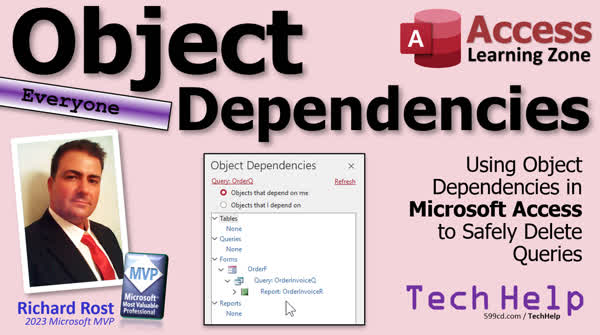
TechHelp Access, object dependencies,delete queries safely,unused queries,dependence of Access objects,check query usage,cleaning up Access database,identify necessary queries,forms dependency,reports dependency,query impact analysis,avoid crucial deletion,VBA and query references,query dependency tool,Access database tools,query usage verification,SQL statement dependencies,optimize Access database
More InformationTranscript Today we're going to talk about object dependencies and how you can use this tool to determine which objects are safe to delete or not. Today's question comes from Marshall in Alameda, California, one of my Platinum members. Oh, Alameda, where they keep the nuclear vessels. Now we need directions. Excuse me, sir. Can you direct me to the naval base in Alameda? It's where they keep the nuclear vessels. Marshall says, "Hi, I've been working on cleaning up an old database project and I've noticed that it has a lot of queries. Some of them seem unnecessary, but I'm worried about deleting something important by mistake. Is there a way to easily check which queries are being used by other objects like forms and reports so I know which ones are safe to delete?" Yes, Marshall, there's something called object dependencies. It's a tool in the database. I don't use it often myself, but if you're in a situation like this where you want to check and make sure, hey, is this query okay to delete? You can use this to see if it has any dependence, if anything depends on it or, you know, if it depends on anything else.
Usually for my beginners, when you're learning how to build a database and you're first starting out making queries, it's easier to use the query designer. The graphical query by example designer. And so I tell people, you know, if you want a list of customers by last name, make a query. If you want a list of customers from Florida, make a query. And then later on we get into parameters and so on. And then when you transition from beginner into expert and then advance in developer levels, I tell you, well, you know, all those queries you got, we don't need all those. You don't want 5 million queries in your database. So we're going to start taking those queries and write them as SQL statements wherever we need that either in our row sources or our record sources or in our VBA code, right, try to get rid of some of those queries. But how do we know which queries are safe to delete? Another query might use that query, some VBA code somewhere might be referencing it. So we're going to talk about all that in today's video.
Now this video is for everyone, beginner, advanced, developer alike. I'm going to show you a little bit of each. So if you don't understand what I'm talking about like VBA code stuff, just ignore it. But there's something for everyone in this video. The only prerequisite is my Access Beginner 1 class. It's free. It's on my YouTube channel. It's on my website. Go watch it.
Alright. So here I am in the TechHelp free template. This is a free database you can grab off my website if you want a copy. And if we go under database tools up here on the ribbon, you'll see this thing called object dependencies. So pick something like let's pick the customer form and I'll hit object dependencies. And right over here this handy-dandy pane opens up and you can see objects that depend on me and objects that I depend on. Okay so if you click on objects I depend on, you can see the customer form depends on the customer table. That's where it gets its data from. And if you open this up even more, it'll show you if the customer table depends on anything. Usually tables don't.
If you want to switch objects just come over here, pick on like the customer contact form, then hit refresh over here. That switches the object and you can see what this guy depends on. Now he depends on the contact table, the customer table, and the contact form. This is a little more of a detailed form. It's this guy right here. It's got the customer information and the contact form as a subform inside of it. So you can see why it depends on all these things. And here for example, the contact form, you can click this little arrow and it'll show you that he depends on these tables, which also depends on this form, because it's a subform, and so on. You can go down the list. This will go four levels deep by the way.
Alright, pick something else like a report like our invoice report, hit refresh. You can see it's dependent upon the order table, the order detail query, which gets its data from the detail table, the order invoice query, which gets dependent on all this stuff. So you can see all the things that depend on and are dependent on by that object.
Now, if you're trying to decide if something is safe to delete, you want to go with the objects that depend on me. Okay, so nobody depends on this report. If you delete this report, no one else is saying, "Hey, where's that report." If you come up top here and pick a table like the customer table and hit refresh, obviously, you'll see here there's a whole bunch of stuff that depends on the customer table. So don't delete that.
If you pick something like this customer last name, first name query and hit refresh, you can see, OK, that's dependent on the order form needs it. So we can see in the order form that this guy, this combo box right here, uses this customer LFQ to give us that last name, first name. So we can see we can't delete that guy. What about this order summary query? Click on that and hit refresh and oh nobody uses it. I just made that by the way. Order summary query just shows you a list of each order, the order total, whether it's paid, the customer, and so on, but no one's using it. There's no forms and reports that are based on it so it's safe to delete. Or is it?
Now you have to be careful relying on this object dependencies because there are some things it doesn't check. It doesn't check VBA code for example and it doesn't always catch functions that might be in your forms that use that query.
Let me show you a few examples. Let's start with VBA because VBA is the easy one. Let's say you want to just give me a total of all my order summaries, which would be the sum of all of the order totals in the order summary query. I'm going to hop into VBA just a little bit right now, but that's okay, don't worry about it. If you want to learn more about VBA, I got a whole lesson on VBA. It's about 20 minutes long, it'll teach you everything you need to know to get started. VBA is not scary once you get the hang of it.
Alright, but let's just say, in my Hello World button, I want to message box, okay, some number. What's the number gonna be? Well, let's de-sum, let's say the order total is, right, and then we're going to say de-sum the order totals from the order, order summary query. Just give me that value. Add them all up. I don't care. Okay. If you want to learn more about Dsum, by the way, I've got a video on that. I'll put a link down below. It just basically adds up all the values in a table or query and you can add criteria over here.
Alright, so if I come back here and I reopen this and hit the button, boom, there's my order total. That's the total of all the orders in my system, 51,000. Okay, now let's use the object dependencies to see if this guy is now listed as a dependency. So database tools, object dependencies, come over here and then hit refresh and it's not showing up. Okay, so if you have VBA anywhere where this guy is required, it's not going to show up in the object dependencies. Now VBA is easy to deal with because we can do a global search in our VBA, right, even if this is closed, right, even if that's closed.
Let's say you're on a different form module or global module, whatever. You just go control F, that will bring up the find window, right. Type in the object you're looking for. So we're looking for order summary query, alright. You're going to pick current project that's going to search the entire database, all of your modules, your form modules, your report modules, your module modules. I hit find next and you go, oh, there it is. It's in use here. So you can either take the SQL out of there and put it in here instead or do something else with it or just delete that object. So VBA is easy, we can search our VBA.
Likewise, if you're using queries or such like that in the objects inside forms themselves, it usually catches them. I say usually, it's not always. Like if you've got a combo box or a list box that has a query in here or even an SQL statement, it'll usually catch it. Okay? Example, let's say here design view. Alright, let's just say I make a quick list box down here. Okay, let's take a list box right there. Let's say I want to see just, you know, all the orders here, for example. Again, find the values in the table or query, go to queries, go to order summary query. OK, let's bring in the order ID, the order date, and the order total. Next. Let's sort it by order date. Next. And this is what it's going to look like. We'll hide that. Next. And order ID is the bound field. That's fine. We're going to remember it for later use. And finish.
And I got a whole separate lesson on list boxes and combo boxes if you want to learn what I just did. Alright, save it, take a look, go to the order form, and there's a list of all the orders. But wait a minute, it's showing me all of the orders in the system. Okay, I want to change this so it only shows me this customer's orders. The wizard didn't give me an option for that. So go to design view, let's open up this guy's properties, and in this row source here, you'll see where it gets its data from. Let me resize that so you can see it. There we go. It's basically select order ID, order date, order total from this query. Now to make it so that it's getting for just this customer, all I have to do is put a where clause in here. I can say where the customer ID equals forms customer form customer ID and now it should show me just this customer's orders and there we go.
Now since I modified that SQL statement let's see if it sees the dependency. Let's go over here database tools, object dependencies, this guy let's go refresh and okay good No that's I depend on, let's go depend on me, don't forget the two, okay and there it is, there it is. Customer form depends on this guy. So it usually catches it if it's in the row source SQL statement.
Now, when doesn't it catch it? Watch this one. Let's say, let's get rid of that list box. Let's say instead of that list of orders, I want to put this customer's order total in a box on this form. So their order total shows up here instead of family size. Okay, so again, let's go into the control source I'll zoom in for you. Let's set this equal to we'll use that Dsum again Dsum and It's going to be order total from the order summary query where customer ID equals the customer ID on the current form. Okay. Hit OK. Let's save it, close it, close it, open it. Alright, there's this customer's order total. That seems about right, 4,500. Let's see, 4,200, 360, yeah, that's about right. Okay, so that's working.
Now let's check the dependency. Database tools, object dependencies, objects that depend on me. Let's pick this, hit refresh, and it's not there. It's not there. And the main reason why is because it's inside of a string. If you look at the way that it's formulated, okay, this Dsum, this order summary query is inside of a text string and the database isn't, the object dependencies tool isn't programmed to find that. Sammy, add this to the notes for the access team. It should find that. It should look inside those strings. I think. Okay. So that's one thing. That's one way in which it's not gonna find your object. So you got to be careful.
Now I am gonna teach you a way in the next video which will be, let's see, today's Friday May 10th 2024. I'm gonna teach you on Monday how we can use the database documenter to catch stuff like this. Alright. There's a tool we can use to catch things like this. I'm going to teach you that on Monday. But what I want to emphasize today is this tool will catch 95% of all of the instances, but the only way you can be sure is backup, backup, backup. I can't emphasize it enough. Back up your databases daily or any time you're going to make a change, especially if you know you're gonna be deleting an object. Make a manual backup copy of it, test it for a bit, and then make sure, but don't get rid of that backup because you might delete a query and then end of next quarter, when you go to run your quarterly report, it doesn't work and you realize, oh crap, I deleted that query last quarter. So now you can at least go back to your backup and get that query, so you don't have to reinvent the wheel again. I cover object dependencies a lot more in my Access Expert Level 2 class. It also covers table normalization, global relationships, referential integrity. This is a very good lesson. It covers lots and lots of very important core database stuff. Alright, so if you want to learn more, check this out, I'll put a link down below. Be sure to tune in on Monday, and we'll talk about the database documenter and how you can use it to also catch those objects that you don't want to delete. But that's going to be your TechHelp video for today. I hope you learned something. Live long and prosper my friends. Have a good weekend and I'll see you on Monday.
TOPICS:
Understanding object dependencies in databases
Determining safe deletions of queries
Using the Object Dependencies tool
Navigating the Object Dependencies pane
Identifying queries used by forms and reports
Checking dependencies of forms and reports
Limitations of the Object Dependencies tool
Handling VBA code dependencies
Using global search to track VBA dependencies
Modifying queries used in form control sources
Adding WHERE clauses to SQL statements in controls
Resolving issues not detected by Object Dependencies tool Intro In this video, we talk about using the Object Dependencies tool in Microsoft Access to help determine which database objects, such as queries, forms, and reports, are safe to delete. I'll show you how to find out which objects depend on each other, walk through the Object Dependencies pane, and explain what the tool does and does not catch. We also discuss situations where dependencies in VBA code or certain control sources may not be detected and how to use global search to find those. We'll cover practical tips for managing dependencies while cleaning up your database. Quiz Q1. What is the main purpose of using the object dependencies tool in a database?
A. To find and delete all the queries
B. To enhance the visual aesthetics of the database interface
C. To identify which database objects are safe to delete
D. To automatically delete unused objects
Q2. What kind of objects can you check for dependencies in a database using the object dependencies tool?
A. Only queries
B. Only forms
C. Queries, forms, reports, among others
D. Only tables
Q3. Why is it risky to rely solely on the object dependencies tool to determine if an object can be deleted?
A. It can delete objects spontaneously
B. It does not check VBA code or functions used in forms
C. It only works for SQL databases
D. It requires an internet connection to function
Q4. How can you find references of a particular object in VBA code?
A. Manually scrolling through each line of code
B. Using a global search function
C. Deleting and recreating the VBA code
D. It’s not possible to find references in VBA code
Q5. What does the object dependencies pane NOT show by default?
A. Objects that depend on other objects
B. Objects that other objects depend on
C. Dependencies inside VBA code and certain SQL string usages
D. Visual Basic components
Q6. What should you do before deleting any objects based on the information from the object dependencies tool?
A. Duplicate the database
B. Make a manual backup of the database
C. Publish the database online
D. Convert the database to another format
Q7. Why might the object dependencies tool fail to detect all dependencies?
A. It has limited access to certain database areas
B. Queries inside text strings are typically not detected
C. It only works during specific hours of the day
D. Object dependencies are too complex to analyze
Answers: 1-C; 2-C; 3-B; 4-B; 5-C; 6-B; 7-B
DISCLAIMER: Quiz questions are AI generated. If you find any that are wrong, don't make sense, or aren't related to the video topic at hand, then please post a comment and let me know. Thanks. Summary Today's TechHelp tutorial from Access Learning Zone focuses on object dependencies and how you can use this feature in Microsoft Access to determine which database objects are safe to delete. If you have ever needed to clean up an old database and found yourself worried about deleting a query, table, form, or report that might still be in use, this lesson will help you understand how to navigate those concerns using the Object Dependencies tool.
As many of my students discover, especially when moving from beginner to more advanced levels, database projects often accumulate a lot of unnecessary queries over time. When you first get started, I recommend building queries easily in the designer to create lists such as all customers by last name or customers from a specific state. But as your databases grow and your skills develop, you will want to reduce the clutter by moving repetitive or seldom-used queries into SQL statements within form and report properties, combo boxes, or into your VBA code. This helps keep your database tidy and easier to manage. However, this also raises the question of how to know which queries or other objects are still in use and which are safe to remove.
The Object Dependencies tool in Access is designed to help answer that question. It provides a straightforward way to check which objects (such as forms, reports, or even other queries) rely on a specific object, and which ones that object itself depends on. This is especially useful if you want to see, for instance, if a particular query is referenced by a form or a report before you delete it.
To get started, you can find the Object Dependencies tool on the Database Tools tab of the ribbon. Select the object you are curious about, open the Object Dependencies pane, and you will see two main views: "Objects that depend on me" and "Objects that I depend on." For example, if you select a customer form, the tool will show you the tables or queries it pulls data from, as well as any other objects that may rely on it.
The tool provides a hierarchical list, showing dependencies up to four levels deep. As you explore different objects—like forms with subforms or reports with multiple data sources—you will see the cascade of dependencies so you can better understand how everything is connected. If you select a table, such as your customer table, you can quickly see every form, report, or query that relies on it, making it clear why you should not delete that table.
To decide which queries you can delete, you pay close attention to "Objects that depend on me." If nothing depends on a given query, it is usually safe to remove from your database. For instance, if you created a summary query and the dependencies pane does not list any forms, reports, or other queries as relying on it, you can generally delete it without risk. However, you do need to be careful because the Object Dependencies tool does have limitations.
One important limitation is that it does not search through VBA code. If you have written code that refers to a query or another object, the tool will not pick this up. For example, suppose you use a Dsum function in VBA to calculate the sum from a query; the Object Dependencies pane will not recognize this reference. Fortunately, you can use the global search function in the VBA editor to look through all your code modules and find any mention of the object before deleting it.
Similarly, when you use queries as row sources for combo boxes or list boxes on your forms, the tool will usually recognize these dependencies, especially if the query is set directly as the row source via SQL. You can design a combo box or list box to reference a particular query and check the dependencies pane to see if it recognizes this connection. After modifying a control's properties, such as adding a WHERE clause to the SQL statement so only data for a particular customer appears, you can often see that dependency reflected.
The tool runs into difficulty, though, when a query is only used inside a function or calculation within a control source as a string expression, like in a calculated text box or in a Dsum formula. Since the reference to the query is inside a string, the Object Dependencies tool does not detect it. This means you must always be cautious and not rely on this tool alone for a complete picture.
Given these limitations, I strongly advise making regular backups of your databases, especially before removing any objects. Daily backups are ideal, and always make a backup immediately before deleting forms, queries, or tables. This way, if you later discover that you have deleted something critical, you can restore the missing object from your backup rather than having to rebuild it from scratch.
For those interested in learning even more, I cover object dependencies in my Access Expert Level 2 class, where I also explain important concepts such as table normalization, relationships, and referential integrity.
Stay tuned for my next lesson, where I will demonstrate how to use the Database Documenter tool to catch references the Object Dependencies tool might miss, such as queries only used in complex string expressions or VBA.
You can find a complete video tutorial with step-by-step instructions on everything discussed here on my website at the link below. Live long and prosper, my friends. Topic List Understanding object dependencies in databases
Determining which queries are safe to delete
Using the Object Dependencies tool in Access
Viewing objects that depend on a selected object
Viewing objects that a selected object depends on
Switching and refreshing selected objects in the tool
Tracing dependencies in forms and subforms
Checking report dependencies with Object Dependencies
Interpreting dependency tree up to four levels deep
Assessing deletion impact based on dependencies
Verifying if queries are used as row sources
Understanding limitations with VBA dependencies
Searching VBA code for object references
Detecting dependencies in control SQL statements
Editing row source SQL to use WHERE clauses
Identifying missed dependencies in calculated controls
Recognizing limitations for dependencies inside strings
Backing up databases before deleting objects Primary Topics object dependencies tool, safe deletion of queries, Access forms and reports, tracking dependencies, database cleanup, tool limitations
Secondary Topics SQL statements in controls, VBA dependencies, database backups, searching VBA code, Access query design
|






