Missing Check Numbers
By Richard Rost

 2 years ago
Find Gaps in Check Number Sequence in Access
In this Microsoft Access tutorial, I will show you how to find gaps in your check number sequence using the check register database. You'll learn to use VBA, the IsNumeric function, the NZ and DLookup functions, and perform loops to identify missing checks efficiently.
Carlos from Pflugerville, Texas (a Platinum Member) asks: I'm using your Check Register TechHelp database. Is there any way to quickly figure out if there are any missing checks from the register? For example, if I've for 101, 102, 104, and 105, I'd like the database to tell me 103 is missing.
Prerequisites
Recommended Courses
Up Next
Keywords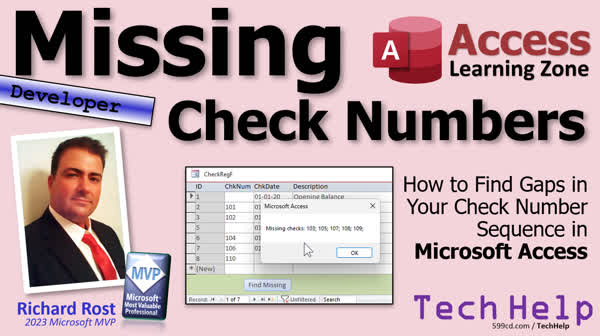
TechHelp Access, find gaps in check number sequence, identify missing checks in database, gap detection in Access, check number sequence VBA, missing check numbers report, if function in Access, immediate if usage, CLNG conversion, isNumeric function Access, forNext loop Access, Dmin function Access, Dmax function Access, Dlookup function Access, nz function Access, query design Access
More InformationTranscript Today I'm going to show you how to take your check register database and find gaps in the sequence. So if you wrote out 101, 102, 104, it'll tell you 103 is missing or whatever you don't have there. So it'll give you a nice little list.
Today's question comes from Carlos in Pflugerville, Texas, one of my Platinum members. Carlos says, I'm using your check registry template. Is there any way to quickly figure out if there are any missing checks from the register? For example, if I've got 101, 102, 104, 105, I'd like the database to tell me 103 is missing.
Yes, Carlos, of course we can do this. There are a lot of different ways to do this. I had like probably five different ways in my brain that I could think of. You could use a record set loop. You could use a whole bunch of stuff. So I'm going to show you what I think is the easiest and most efficient way to do it. Are there better methods? Yeah sure, but I think this will work for most people.
Now the database that Carlos is talking about is the one we built in my check register TechHelp video. It's right there. The video itself is free, and you can build the database along with me. I am going to grab a copy of the template which is available for gold members. So again, another reason to join. You can just grab a copy of the database.
Now we have a lot of prerequisites for this class. We're going to be, of course, using some VBA. This is a developer level video, so if you've never used any VBA before, go watch this. It's about 20 minutes long. It will get you started.
We're going to use the if function, immediate if, it's basically if then in a can. It's one function that does an if then statement. We're going to need some type conversion functions, specifically CLNG, CLong, to convert a number to a long because the check number in this database is stored as a string value. I did that for a couple of reasons. We're going to use the isNumeric function. I just did this video a couple of days ago, in fact, so go watch this.
We're going to use a forNext loop to loop through our checks to see if they're there or not. We're going to figure out the lowest check number, the highest check number, and then loop through them and see if they're in the database. We're going to use the nz function, null to zero. And of course, you should know what null is and is null and is not null and all those null related null things.
You should know what variables are and how to declare them.
To figure out the lowest check number we're going to use D min
To figure out the highest check number you guessed it D max
And to see if that check exists in the middle we're going to use the grand pappy of them all the D lookup function. Now, these are all free videos. They're on my website. They're on my YouTube channel. Go watch all of those and then come on back.
All right, so this is the check register database that we built in that TechHelp video way, way many, many moons ago. I would say this guy is what? Let's see the date here. Four years old. Did it in 2020. Way back when, before I even had the TechHelp free template. And it's pretty simple. Here it is. All right, there's your check number, your date, your description, blah blah blah.
I do have a more advanced template in a seminar available where you can do multiple accounts and there's reporting and all kinds of stuff and I'll talk about that more at the end of the video, but for this simple one, we just simply want to say, okay, what's the lowest check number in here, then what's the highest check number in here, and then who's missing between those right now?
Since this is text, and I store these as text because you might want to put other stuff in here, you know, if you might like, you know, e-file deposit. Sometimes I put other things like that in my check number field, so we just want to check for the numeric values or make a query that's only gonna show us the numeric values from this field.
Here's what's both this critic where great where you design, create query design, bring in the check register table, the only table in the database. All right, I'm going to bring in for this particular query, we just need the ID and the check number. I don't care about all the rest of the fields here at all. And now here, we're going to determine if it's numeric or not. And if it is numeric, then we're going to put the long integer version of that check number here. Otherwise, we're going to leave it null. I want it empty.
Okay, so let's zoom in, shift F2. I'm gonna say, let's call this LNG check numbers, it'll be the long of the check number. If something, what's the something? Well, if the check number is a numeric value. So we use isNumeric of checkNum, that's a string value. If that's true, then this is going to be equal to CLNG of the check number. Otherwise, if it's false, put a null here. See that? It's if this, if it's true put that, if it's false put that. Okay? Hit okay. Let's save this. Let's call this my check number Q.
And now if I run it, you can see there we go. And notice, these are string values so they line up on the left side of the field, whereas numeric values always line up on the right side of the field, including dates. Now, for this one, for the purposes of this query, I don't care about all the non-numeric values. So we're going to come down here and put a criteria on it as well. Is not null. So I don't care about all this. I just want to see the numbered items. See that? Pretty straightforward.
All right, now that I've got this and take, you know, I like to take a little screenshot of this and I put it on my, you know, drop it in paint or whatever, put it, you know, just so you have it somewhere so you can see what the fields and stuff are. So you don't have to flip back over here and remember what your fields and stuff are.
Okay, save changes, yes. Let's go back to our form now and let's put a button right down here. Design view, grab a button, drop it there, cancel the wizard and we'll change the caption so it says find missing or whatever you want it to say.
All right, let's give the button a name over here, find missing button. Okay, right-click, Build Event. All right, so the first thing we're going to do is we're going to figure out what's the smallest check number in the table. All right, we'll need a variable to store this in, so dim min check num as a long.
Okay, min check num equals nz, that's our null to zero, d min what field? LNG check num from the check number Q. And if that returns a null, give me a 0. OK? So go to the query. Find the smallest check number, long check num. That's the calculated field we created. OK? If it doesn't exist, if this returns a null, if there are no check numbers, we're going to get a zero. And then what we'll do is we'll say here, if minCheckNum equals zero, then messageBox no checks found, exitSub.
Just like that. A little colon is what you can use to put two really short lines next to each other so you don't need the whole if, then, end if. So this should find the minimum check number. Let's just message box it real quick to make sure it's working. Message box, we'll just say min and min check num.
Okay. Save it. Debug compile real quick. Come back over here. Let's close it. Close it. Open it and hit the button. Bing! It's 101. Perfect. If I happen to have something in here that's like 44 and hit the button that's lower so we're good. Okay, so that's working so far. Now let's do the same thing, we'll find the max one, the max of those, same thing right max check num and I'm literally just going to copy and paste this. Copy, paste. Alright, we got max check, oh, forgot to define it as a long. Max check num is going to be d max of the long check number from the same query. If max check num equals 0, then no checks found.
Same thing. Let's just take a look at the max now. Max check num. Save it. Debug. Compile. Come back out. Yeah. Hit the button. Boom. And there's a 104. Okay, so we've got the max and the min checks in here and we've checked to make sure that there are checks. Now what we're gonna do, since we know the smallest one and we know the largest one, we're gonna loop through them and check for every check number in the middle.
Why? Well, sometimes you take a check, like I keep a check, an emergency check, in my laptop bag. So if I'm traveling and I need a check, I've got one there, but it's not registered in my thing. So it's missing. But that's why you might run into the situation. Or you might have a situation where you skip the checkbook. You got the little box full of checkbooks. And you accidentally went from the 500s to the 800s. You missed one in the middle. I've done that before too. So it's nice to know where your gaps are.
All right. So next up, we're going to make a for next loop in here to loop through all of those checks and see if they're in the table. We're going to do that in tomorrow's video. So tune in tomorrow, same bat time, same bat channel, you know the drill. If you remember, you can watch it right now because I'm gonna record it in about five minutes. But that's gonna be your TechHelp video for today.
I hope you learned something my friends. Live long and prosper. I'll see you tomorrow for part two.
TOPICS:
Check register database setup
Finding gaps in check sequence
Using VBA to identify missing checks
Setting up prerequisites for using VBA
Using if function and immediate if (IIF)
Converting strings to long integers (CLNG)
Using isNumeric function
Implementing forNext loop for checks
Finding the lowest check number using DMin
Finding the highest check number using DMax
Using DLookup to check existence of checks
Handling null values with nz function
Creating and saving queries in the database
Designing a query to filter numeric check numbers
Adding a button to the form to trigger the sequence check
Writing VBA code to find minimum check number
Writing VBA code to find maximum check number
Looping through check numbers to find gaps
COMMERCIAL:
In today's video from Access Learning Zone, I'll show you how to find gaps in your check register database. We'll start with Carlos' question from Texas, using a check register template to spot missing checks in the sequence. First, we set up our database and talk about basic VBA essentials. Then, we create a query to identify numeric check values and use VBA to find the lowest and highest check numbers. Next, we loop through the range to find any missing checks. This tutorial covers practical steps to ensure your financial records are complete. You'll find the complete video on my YouTube channel and on my website at the link shown. Live long and prosper my friends. Intro In this video, I will show you how to identify missing check numbers in your Microsoft Access check register database. We'll look at how to set up a query to find only numeric check numbers, use VBA to determine the minimum and maximum check numbers, and write code to loop through the range and pinpoint any gaps in your check sequence. You will also see how to convert data types with CLNG, use functions like isNumeric, DMin, DMax, and create a button on your form to run the check. This is a developer-level tutorial focused on practical VBA solutions for your database. This is part 1. Quiz Q1. What is the primary goal of the video tutorial?
A. To create a new check register database from scratch
B. To find gaps in a sequence of check numbers in a check register database
C. To demonstrate how to perform financial calculations in a database
D. To update the check register database with the latest transactions
Q2. Which type of loop is used in the video to check for missing check numbers?
A. While loop
B. ForNext loop
C. DoWhile loop
D. Until loop
Q3. What function is used to convert a string value to a long integer?
A. CInt
B. CLNG
C. Val
D. ToLong
Q4. Why are the check numbers stored as text in the database?
A. Text uses less storage than numbers
B. Text values are faster to process
C. To allow for entries that might include text, such as "e-file deposit"
D. It is required by the database software being used
Q5. What function is used to determine if a value is numeric?
A. IsNumber
B. IsNum
C. IsNumeric
D. Numeric
Q6. Which function is used to handle null values by converting them to zero?
A. Nz
B. NullToZero
C. NullChk
D. ZeroChk
Q7. How does the video suggest locating the lowest check number in the sequence?
A. By sorting the check numbers in ascending order and selecting the first one
B. By using the DMin function
C. By manually inspecting the list of check numbers
D. By using a custom algorithm
Q8. Which function is used to find if a specific check number exists in the database?
A. DLookup
B. DCount
C. CheckExist
D. DCheck
Q9. How can you ensure that non-numeric values do not affect the gap checking process?
A. By storing all check numbers as integers
B. By converting non-numeric values to zero
C. By filtering out non-numeric values from the query
D. By creating a separate table for non-numeric values
Q10. What error message is displayed if no check numbers are found in the database?
A. Missing checks found
B. Database is empty
C. No checks found
D. Check register error
Answers: 1-B; 2-B; 3-B; 4-C; 5-C; 6-A; 7-B; 8-A; 9-C; 10-C
DISCLAIMER: Quiz questions are AI generated. If you find any that are wrong, don't make sense, or aren't related to the video topic at hand, then please post a comment and let me know. Thanks. Summary Today's TechHelp tutorial from Access Learning Zone focuses on how to identify missing check numbers in your check register database. This lesson is inspired by a question from a student asking whether it's possible to quickly determine which check numbers are missing from a sequence. For example, if you have checks 101, 102, and 104, you want the database to tell you that 103 is missing.
There are several methods to accomplish this, but I am going to show you what I think is the most efficient and straightforward approach. While there might be more advanced ways to tackle this, this method should be suitable for most users.
Let me give a little background. The check register database in question is the one we built in a previous TechHelp video. You can watch that video for free and build the database yourself. If you are a Gold member, you can also download the template to follow along more easily.
This project is developer-level, so it assumes that you have some experience with VBA in Access. If you have never worked with VBA before, I strongly recommend you start with my VBA introductory video, which covers the basics. In this tutorial, you will use several important concepts, including the IIF function, which is an immediate If statement, and type conversion functions like CLNG, which converts string values to long integers. This is important because the check number field in the template is stored as text. This allows for special entries that are not purely numeric, such as labels like "e-file deposit." We will also use the isNumeric function to check if a value can be treated as a number.
In addition, we will use a For Next loop to cycle through possible check numbers in the sequence, determine the lowest and highest check numbers (using DMin and DMax), and see if each number exists in the check register using DLookup. The nz function will help us handle any null values we encounter, and you should already be comfortable declaring and working with variables.
To get started, we want a query that isolates check numbers that are purely numeric. This is because non-numeric values may appear in the check number field in this database design. In the query, we use isNumeric to filter out non-numeric check numbers and then use CLNG to convert them to long integers. We label this column something like "LNG check number." If the check number is numeric, the converted value is shown; otherwise, the field is left blank. By applying "Is Not Null" as a criteria, we filter out everything except the actual numeric check numbers.
Once you have this query set up, it can be helpful to take a screenshot of the query's layout so you can refer back to it without reopening the editor.
Next, in your form design, you can add a button labeled "Find Missing" or something similar. This button will trigger the process in VBA. Give the button a meaningful name, something like "find missing button."
In your code, the first order of business is to identify the smallest and largest check numbers in your table. To do this, declare variables to hold the minimum and maximum check numbers. Using DMin and DMax functions with the calculated numeric field from your query, you retrieve these values. If either is missing (i.e. the result is null or zero), display a message notifying the user that no checks were found.
Once you've established the range, the next step is to loop through all the numbers between the minimum and maximum. For each check number, you will check whether it exists in your register. This helps to account for cases such as checks removed for emergencies or skipped in the middle of a checkbook series.
At this point, we have covered how to set up the query to filter numeric values, how to identify the minimum and maximum check numbers using DMin and DMax, and the general approach for scanning the full range for missing entries. In the next lesson, we will implement the loop that checks for gaps and highlights the missing check numbers for you.
You can find a complete video tutorial with step-by-step instructions on everything discussed here on my website at the link below. Live long and prosper, my friends. Topic List Check register database setup
Finding gaps in check sequence
Using VBA to identify missing checks
Using the IIF function for conditional logic
Converting string check numbers with CLNG
Using isNumeric to filter numeric check values
Designing a query to extract numeric check numbers
Filtering out non-numeric values in a query
Saving and naming database queries
Adding a command button to an Access form
Naming and configuring form buttons
Writing VBA code to find minimum check number
Writing VBA code to find maximum check number
Using DMin to find the lowest check number
Using DMax to find the highest check number
Using the nz function for null value handling
Looping through check numbers with For Next
Checking if a check number exists using DLookup Primary Topics Access check register, finding missing sequence numbers, VBA scripting, query design, type conversion, handling nulls, numeric value filtering Secondary Topics variable declaration, button creation in forms, handling string vs numeric input |





