Short Circuit
By Richard Rost

 8 months ago
Divide By Zero Errors in VBA Short Circuit Evaluation
In this video, we talk about short-circuit evaluation in Microsoft Access VBA and explain why VBA always evaluates every part of a conditional statement, even when you think it should skip over certain checks. Using step-by-step examples, you'll see how this affects error handling in your code, such as avoiding divide by zero errors, and learn safe ways to structure your IF statements and use guard clauses. We also compare VBA's behavior to other languages and show why Immediate IF (IIf) in VBA can still cause unexpected errors.
Seth from Durham, North Carolina (a Platinum Member) asks: How do I stop Access from throwing a divide by zero error when I already checked for it in the If statement? I'm working on a small database at work that calculates usage numbers, and part of it divides one value by another. I added a check right in the If line that says something like IF X <> 0 AND then do the math, because that seemed like the obvious safe thing to do. But even with that check in place, Access still crashes sometimes with a divide by zero error. That's what's confusing me. I thought the test at the beginning of the If line was supposed to prevent the calculation from running at all if the number was zero. I'm not a full-time developer, just someone trying to keep this database working without breaking things, and I feel like I'm missing something simple.
Members
There is no extended cut, but here is the file download:
Silver Members and up get access to view Extended Cut videos, when available. Gold Members can download the files from class plus get access to the Code Vault. If you're not a member, Join Today!
Prerequisites
Recommended Courses
Keywords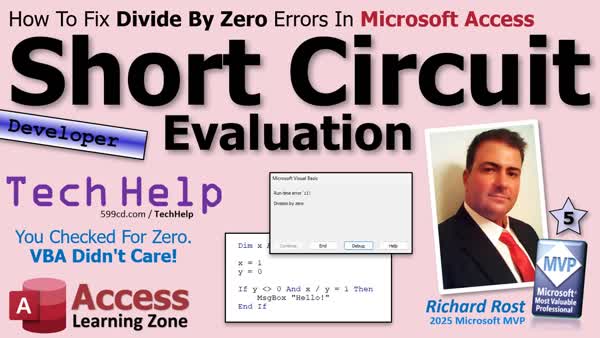
TechHelp Access, short-circuit evaluation, VBA IF statement, divide by zero error, logical operators, nested IFs, guard clause, Immediate IF function, IIf VBA, error handling, VBA math checks, VBA condition evaluation, query vs VBA, VBA boolean logic
 Subscribe to Short Circuit
Get notifications when this page is updated
More InformationTranscript Today we're going to talk about short-circuit evaluation in Microsoft Access VBA - what it is, what it is not, and why VBA evaluates every part of a condition even when you think it shouldn't.
This is one of those simple rules that explains a whole bunch of "this should work" frustration where you're pulling your hair out, especially when you're doing math, logical checks, or safety tests in your code.
Today's question comes from Seth in Durham, North Carolina, one of my Platinum members.
Seth asks, "How do I stop Access from throwing a divide by zero error when I already checked for it in the IF statement? I'm working on a small database at work that calculates usage numbers, and part of it divides one value by another. I added a check right in the IF line that says something like IF x is not equal to zero and then do the math, because that seemed like the obvious safe thing to do. But even with that check in place, Access still crashes sometimes with a divide by zero error. That's what's confusing me. I thought the test at the beginning of the IF line was supposed to prevent the calculation from running at all if the number was zero. I'm not a full-time developer, just someone trying to keep this database working without breaking things, and I feel like I'm missing something simple."
Well Seth, yes, you are missing something simple. It's called short-circuit evaluation, which is something that other programming languages do that VBA does not.
Basically, VBA is going to evaluate every condition in your IF statement before continuing. So let's take a look at an example.
Before we get started, this is a developer-level video. So if you've never done any VBA programming before and you're curious, go watch this video. It'll teach you everything you need to know to get started programming in VBA in about 20 minutes. You should understand how variables work and how to write a basic IF THEN statement. If you don't know any of this stuff, go watch these videos. They're free. They're on my website. They're on my YouTube channel. Go watch those and then come on back.
All right.
Here I am in my TechHelp free template. This is a free database. You can grab a copy off my website if you'd like. Let's say, just in this Hello World button right here, I'm going to right-click and go to Build Event.
Here's the code inside that button. Let's say I want to do some simple math. Here we've got the Dim x as Long, y as Long.
Then down here, I'm going to say x = 1, y = 5. And I'll just say MsgBox x / y.
Save it. Come back out here. Let's close this. Reopen it. Hit the button. There's my result. No problem.
Now, what happens if y is zero? Okay. Now if I run it, bam - Division by zero. Everybody knows you can't divide by zero. That's what mathematicians say. I've seen whole videos on why you can't divide by zero. We're not going to get into it.
What we need to do instead is just check to make sure that y isn't zero. So we're going to say here, IF y <> 0 THEN give me my MsgBox. ELSE, you can say MsgBox "y is zero," or whatever you want to put in.
Let me slide this up a little bit. Okay. Save it. Debug Compile once in a while. Then we'll come out here and we'll hit the button. Bam. Y is zero. Everything's working fine so far.
Now, let's say that instead of doing all this, x divided by y is actually part of what you have to check. Maybe you have to say, okay, x divided by y has to be greater than one - whatever your business logic is. So here you say, okay, IF y <> 0 AND x / y = 1 THEN do some stuff. MsgBox "Hello" or whatever.
So x divided by y is going to get checked up here. Well, we should be okay because we've already checked to make sure y isn't zero. Let's see what happens.
Bam. Division by zero. What's going on?
This is where short-circuit evaluation comes into play. Essentially, VBA is going to evaluate every condition in this statement before it continues on or before it processes any of them. It's going to check this, then it's going to check this, then it's going to run down them all and see what evaluates to what. The problem is this is still going to run. Even though you check for it here, that doesn't matter.
The way that you would correct this is to check for this condition first and then use nested IFs. So you'd say:
IF y <> 0 THEN
IF x / y = 1 THEN
MsgBox "Hello"
END IF
END IF
Now it's going to check for zero first before it gets to this. If you select some text, then you accidentally click and drag, and you're moving that text. I wish there was a way to turn that off.
So it checks for the condition for zero first, then it comes down here. This should never get to this point if y is zero. Now you both compile, click the button, and we don't get our box because y is zero. So you have to put it out here else:
MsgBox "y equals zero."
It makes sense. That's short-circuit evaluation.
As a side note, if you're coming from a different language like VB.NET, C/C++, C#, JavaScript, those languages do short-circuit. As soon as the first condition hits that's false, or matches, boom, you're out of the condition already. It doesn't evaluate the rest of the conditions. That makes those languages much faster too. Regular VBA, BASIC, all those higher-level languages, they got them backwards. C is a low-level language, and VB is a high-level. I don't know why they do it.
Anyway, so we don't have short-circuit evaluation in here.
You could also write this as a guard clause. If you want to do it this way, you could say, if there's nothing else in this sub that's necessary, you could say:
IF y = 0 THEN EXIT SUB
And it just exits out before it even gets to any of this other logic. That's assuming there's nothing else down here that you need.
This also will cause a problem if you use the Immediate IF function.
Hey, quick interruption. If this video's helping you out, hit that like, subscribe button, click the bell so you know when I release new stuff.
All right.
Let's get rid of this stuff here. Let's say, for example, you've got a z as Long, and down here, you're saying:
z = IIf(y = 0, 0, x / y)
Basically, the same thing that we had before, we're just writing it in an IIf function.
Then here you could say:
MsgBox z
Save that. Come over here, hit the button, bam, division by zero - same problem. Because the Immediate IF doesn't short-circuit. It's going to evaluate this, it's going to do this before it even has to. It's going to evaluate both of those things before it even figures out that you've got a problem.
Surprisingly, though, this will work in a query, because the query engine is different from the VBA engine. So VBA will cause an error, but this will actually work in a query. If you don't believe me, try it. I could go into the extra nerdy technical explanation of why, but there's a lot of things you can get away with in queries that you can't get away with in VBA. So if you've done this in a query and you're like, wait a minute, this works - yeah, it does, you're right. It just doesn't work in VBA.
If you like learning about this stuff, check out my developer lessons. I've got tons of them available on my website, and this is exactly the kind of stuff that we cover and go over in my developer series. So there's a link - check it out.
Before we wrap up, remember the big takeaway here. VBA does not short-circuit. Even if the first part of a condition looks like it should protect you, VBA is still going to evaluate everything anyway. So you need to structure your code safely using proper IF blocks or guard clauses.
If this video helped clear things up for you, leave a comment down below and let me know what you thought of this or if this has bitten you in the past. It bites me all the time, and I've been teaching this stuff for decades and I still forget this. I always write my statements with this kind of stuff in it.
That's going to be your TechHelp video for today brought to you by AccessLearningZone.com. I hope you learned something. Live long and prosper, my friends. I'll see you next time. Intro In this video, we talk about short-circuit evaluation in Microsoft Access VBA and explain why VBA always evaluates every part of a conditional statement, even when you think it should skip over certain checks. Using step-by-step examples, you'll see how this affects error handling in your code, such as avoiding divide by zero errors, and learn safe ways to structure your IF statements and use guard clauses. We also compare VBA's behavior to other languages and show why Immediate IF (IIf) in VBA can still cause unexpected errors. Quiz Q1. What is short-circuit evaluation?
A. When only the necessary parts of a logical condition are evaluated, and evaluation stops as soon as the result is determined
B. When all logical conditions are evaluated regardless of the outcome
C. When VBA skips over errors in your conditions
D. When Access ignores all IF statements
Q2. Does Microsoft Access VBA use short-circuit evaluation in IF statements?
A. Yes, it does
B. No, it does not
C. Only if you enable a special option
D. Only in queries
Q3. What can happen if you try to guard against division by zero in VBA by using IF y <> 0 AND x / y = 1 THEN?
A. You may still get a division by zero error
B. The code works correctly and never throws an error
C. VBA skips over the math if y is zero
D. The program crashes immediately
Q4. What is the recommended way to safely evaluate x / y in VBA without getting a division by zero error?
A. Use nested IF statements to check y <> 0 first, then perform the division inside
B. Put the division in the first part of the IF condition
C. Use a single IF statement with AND
D. Use the Immediate IF (IIf) function
Q5. How does the IIf (Immediate IF) function behave in VBA when used with expressions that could cause errors?
A. It evaluates both the true and false parts before deciding which result to return
B. It evaluates only the required part based on the condition
C. It never causes errors
D. It skips over errors automatically
Q6. Why might an expression using IIf to protect against division by zero work in a query but not in VBA code?
A. The query engine evaluates only the necessary part, but VBA evaluates both parts
B. Both query and VBA engines evaluate both sides
C. Errors are not possible in queries
D. Queries do not allow conditional logic
Q7. What is a simple coding pattern you can use in VBA to exit a subroutine before unsafe code is executed?
A. Use IF y = 0 THEN EXIT SUB
B. Place the risky code first in the sub
C. Rely on AND in a single IF statement
D. Use the Exit Function statement in a sub
Q8. What is the key takeaway about IF statement conditions in VBA?
A. VBA always evaluates every part of a compound IF condition
B. VBA only evaluates parts needed to determine the outcome
C. Errors in IF statements are automatically handled
D. Nested conditions are never necessary
Answers: 1-A; 2-B; 3-A; 4-A; 5-A; 6-A; 7-A; 8-A
DISCLAIMER: Quiz questions are AI generated. If you find any that are wrong, don't make sense, or aren't related to the video topic at hand, then please post a comment and let me know. Thanks. Summary Today's video from Access Learning Zone focuses on short-circuit evaluation in Microsoft Access VBA. I'll explain what short-circuit evaluation is, why VBA doesn't implement it, and how this behavior can lead to frustrating errors in your code, even when you think you're writing safe logic.
This topic is important because it's a common cause of confusion, especially when you expect your IF statements to prevent certain calculations or checks from running when they shouldn't. If you've ever set up what you thought was a safe condition in an IF statement, only to have VBA throw an error anyway, this is likely the reason.
To begin, let's talk about what short-circuit evaluation actually means. In many programming languages, an IF statement with multiple conditions joined by AND or OR operators will only evaluate as much of the condition as necessary. For example, if you check whether a divisor is not zero before performing division, those languages will stop evaluating once they know the outcome can be determined. This prevents errors like division by zero from even being attempted.
However, VBA evaluates every part of your IF condition, regardless of whether the earlier tests would logically eliminate the risk. Let's take a practical example. Suppose you have variables x and y and you want to display the result of x divided by y. You may try to protect the calculation with an IF statement like IF y <> 0 AND x / y = 1, believing that this will safely skip the division if y is zero. But VBA will evaluate both sides of the AND, even if y is indeed zero, so the division gets attempted anyway and you end up with a division by zero error.
To avoid this, you need to explicitly separate your checks using nested IF statements. For instance, check if y is not zero in the outer IF. Only if that's true do you proceed to perform the division in the inner IF. In this structure, the division never happens unless you know it is safe, and VBA will not throw the error.
This lack of short-circuit evaluation makes VBA less forgiving than languages like VB.NET, C++, or JavaScript, which do short-circuit and avoid unnecessary calculations as soon as the result is known. So, in those languages, as soon as one condition fails, no further evaluation occurs. This is more efficient and avoids errors like the one we're talking about.
Another safe structure you can use in VBA is a guard clause. If you have no further action to perform when y is zero, simply check IF y = 0 THEN EXIT SUB at the top of your procedure. This exits the code before the problematic calculation can occur.
It's important to note that the Immediate IF function, or IIf, behaves like regular IF statements in VBA. It evaluates all its arguments regardless of the condition. So if you write something like z = IIf(y = 0, 0, x / y), VBA will still attempt both possible values—even if y is zero—and the division error will still happen. Ironically, this same approach works in Access queries because the query engine handles evaluation differently and will avoid the error.
The main lesson here is simple: VBA always evaluates each part of a condition in an IF statement or an IIf function. It does not short-circuit, so any potentially dangerous calculation inside a multi-condition statement will still be performed. To prevent these errors, write your logic with proper nesting or use guard clauses, making sure any risky checks or calculations are never reached when they should not be.
If you're interested in learning more about the quirks of VBA and how best to write safe, efficient code, I encourage you to check out my developer lessons available on my website.
For a complete video tutorial with step-by-step instructions on everything discussed here, visit my website at the link below. Live long and prosper, my friends. Topic List Explanation of short-circuit evaluation in VBA
Why VBA evaluates all conditions in IF statements
Demonstrating division by zero error in VBA
Correctly checking for zero before division
Using nested IF statements to avoid errors
Guard clause technique with EXIT SUB
How IIf function evaluates in VBA
Difference between IIf in VBA and Access queries
Structuring safe conditional logic in VBA Article Let's take an in-depth look at short-circuit evaluation in Microsoft Access VBA, what it means for your code, and how it differs from many other programming languages. This is a key concept that can help you avoid those mysterious errors where your program crashes even though you think you have already checked for a problem.
First, what is short-circuit evaluation? In many programming languages, when you write a conditional statement with multiple parts using AND or OR, the language will sometimes skip evaluating later conditions if the outcome is already known. For example, when using AND, if the first condition is false, the program will not bother checking the second part since the entire condition cannot be true. This behavior is called short-circuiting.
However, VBA does not use short-circuit evaluation. Instead, it processes every part of your conditional statement, regardless of what happens first. This can be especially problematic when you expect that an initial check will protect you from errors later in the condition, such as checking for division by zero.
Let's look at an example. Suppose you have the following code in an Access form:
Dim x As Long
Dim y As Long
x = 1
y = 0
MsgBox x / y
If y is zero, this will throw a division by zero error, which is expected. To avoid this, you might think to add an IF statement like:
If y <> 0 Then
MsgBox x / y
Else
MsgBox "y is zero"
End If
Now you are safely checking that y is not zero before dividing. This works fine. But now suppose your business logic requires you to show a message only if x divided by y is greater than 1, and you try to check both conditions with AND:
If y <> 0 And x / y > 1 Then
MsgBox "Result is greater than one"
End If
You may expect that the y <> 0 check will prevent a potential error, but in VBA that is not the case. VBA evaluates both conditions no matter what, so x / y is still computed even when y is zero, and you get a division by zero error.
To handle this safely, you must structure your code using nested IF statements. Here is the correct way:
If y <> 0 Then
If x / y > 1 Then
MsgBox "Result is greater than one"
End If
Else
MsgBox "y equals zero"
End If
This way, VBA only evaluates x / y when it knows y is not zero. The key lesson is that you must separate conditions that could cause errors into their own IF blocks because VBA will not skip evaluating any part of a combined conditional statement.
Some other languages, such as VB.NET, C, C++, and JavaScript, do use short-circuit evaluation, so in those languages, the first failing condition in an AND or the first true condition in an OR expression will immediately end the condition evaluation. VBA is different and does not behave this way, so you must always take care to avoid putting expressions that could cause errors after AND or OR operators.
An alternative approach in VBA is to use a "guard clause" to exit your subroutine early if a condition is not met. For example:
If y = 0 Then Exit Sub
' Now you can safely do the division, knowing y is not zero
MsgBox x / y
This stops the subroutine before attempting any calculation if y is zero, which can make your code simpler and safer, especially if you do not need to perform any other logic when y is zero.
Another area where this problem can appear is with the VBA IIf function. The IIf function evaluates all of its arguments before it executes, not just the one you may expect to need. Consider this example:
Dim z As Long
z = IIf(y = 0, 0, x / y)
MsgBox z
Even though it looks like the function should return 0 when y is zero and never try to compute x / y, VBA will still try to calculate x / y in all cases. If y is zero, you will still get a division by zero error.
Interestingly, this is not the case in Access queries themselves. When you use IIf in a query, Access almost always evaluates only the expression needed, so similar logic in a query may work fine where it does not work in VBA. This difference can be confusing, so it is important to keep in mind which part of Access you are working with and test your logic accordingly.
In summary, the main takeaway is that VBA does not support short-circuit evaluation in its conditional logic or when using functions like IIf. Always structure your code so that risky operations like division are only performed after you have definitively tested for problematic situations, using nested IF statements or early-exit guard clauses. By being careful with your conditional logic, you can avoid unexpected run-time errors and make your VBA code much more robust. Primary Topics short-circuit evaluation, Access VBA, IF statement logic, divide by zero error, conditional checks, guard clauses, Immediate IF (IIf)
Secondary Topics differences with other languages, VBA vs query behavior
|




