Subscript Out Of Range
By Richard Rost

 45 days ago
Diagnosing Common Causes and Applying Fixes In this lesson, we will explain what VBA runtime error 9, Subscript Out Of Range, means and why it occurs when code requests an array or collection item that does not exist. We will cover array lower and upper bounds, zero-based arrays created with the Array function, off-by-one loop errors, and using LBound and UBound to safely loop through every valid array element. We will also discuss using Debug and the Immediate Window to identify the invalid index. Melanie from Topeka, Kansas (a Platinum Member) asks: I have a button in my Access database that loops through a list of color values, and it suddenly stops with Run-time error '9': Subscript out of range. The code worked until I changed the list, and I can't tell which value it's trying to find. What does this error mean, and how do I fix it? PrerequisitesLinksRecommended Courses
Keywords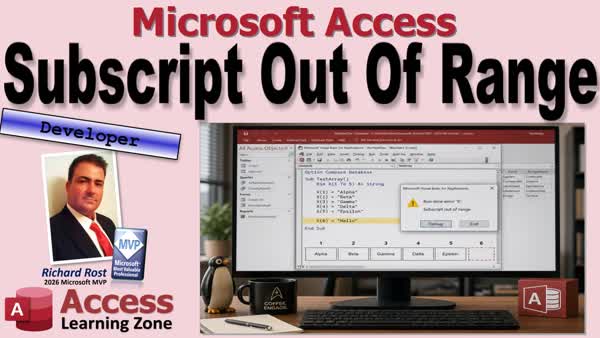 TechHelp Access, Access VBA runtime error 9, subscript out of range, VBA array bounds, LBound UBound VBA, VBA off by one error, Array function zero based, VBA array index out of range, VBA Immediate Window, VBA debugging, VBA collection index
More InformationTranscript Did your Access code suddenly stop with runtime error 9, subscript out of range? Usually, that means VBA is looking for something that just is not there. Kind of like asking for that sixth donut when the box only had five. Sad day.
Welcome to another TechHelp video brought to you by Access Learning Zone. I'm your instructor, Richard Rost.
Today, we're going to take the mystery out of this common VBA error. You'll see what VBA is actually complaining about, why an array can work fine right up until one bad index brings everything to a screeching halt, and how to track down the invalid request in your code.
By the end of this video, you'll know where to look when error 9 pops up and how to avoid making those little off-by-one mistakes that can be surprisingly annoying.
Today's question comes from Melanie in Topeka, Kansas, one of my Platinum members. She says, "I have a button in my Access database that loops through a list of color values, and it suddenly stops with runtime error 9, subscript out of range. The code worked until I changed the list, and I can't tell which value it's trying to find. What does this error mean, and how do I fix it?"
Well, Melanie, that error means your code is trying to use an item that does not exist in the range available to it. Let's take a look at a simple example, see why it happens, and then make sure your loops stay within the valid range.
But before we begin, this is a developer-level video, so if you've never done any VBA programming before, don't worry, it's not scary. Go watch this video first. It'll teach you everything you need to know in about 20 minutes. And if you don't know what arrays are, arrays - arrays, what, potato, potato - if you don't know what arrays are, go watch this video. They're pretty handy.
I can't say I use them all the time, but I use them enough where they're good to know how to build arrays and stuff.
These are both free videos. They're on my YouTube channel. They're on my website. Go watch those and come on back.
All right, so what's runtime error 9? Well, it's a VBA error, and in plain English, it usually means your code is trying to get something that is not there.
Think of it like a hotel, and you're asking to go to room 206 when the hotel only has one floor. So they got rooms 1 through 105. The clerk isn't being difficult. The room just simply doesn't exist. It's VBA's way of saying, "I looked where you told me to look, and there was nothing there."
So, the part of the error message that sounds scary is the word subscript. Don't let it scare you. A subscript is basically the index or key used to identify a particular item.
Imagine five little boxes in an array. The boxes are numbered 1, 2, 3, 4, 5. Those numbers are the subscripts, and if you ask VBA for box number 3, no problem. If you ask for box number 6, VBA looks for it and says, "Sorry, buddy, I only got five boxes."
Now, arrays are the most common place beginners will see this error, which is why I'm covering them today. The same general idea can apply to collections, too. If you request an index or key that has no matching member, you can get error number 9. Collections are a video for a different day.
Now, an array lets you store multiple related values under one variable name. Think of, like, color1, color2, color3 as separate variables. We can create one array named Colors and give each item an index.
So here you got Colors 1 to 3. This array has positions numbered 1 through 3, so Colors(1) can be red, Colors(2) can be green, Colors(3) can be blue, and so on.
Now, the first valid number is called the lower bound, the bounds of the array. Array, array, you're going to hear me pronounce it both ways. There's a story behind it. I'll tell you at the end of the video if you guys care.
Now, the last valid number is called the upper bound. So for this array, the lower bound is 1, the upper bound is 3. Anything outside that range is not part of the array.
And, of course, the easiest way to generate error number 9 is to declare an array of 1 to 5, and then you ask for value 6, and there's no 6. And VBA is not just going to automatically add another slot because we asked nicely.
When the code execution reaches that line, it throws up error number 9, subscript out of range. And if you hit Debug, you'll see exactly which line caused the problem. It's not the hello. It's that number 6.
Now, out of range works in both directions. If the array runs from 1 to 5, then X(5) is fine, X(6) is too high, X(0) is also invalid because 0 is below the lower bound.
And this matters because people often see I and immediately assume the counter got too big. Sometimes it did. Sometimes it got too small, or you asked for, like, negative 1 or something like that.
So when debugging, make sure you check both ends of the range. Did the number get too large, or did the number get too small?
Now, here's one that used to trip me up all the time. A VBA Array function creates zero-based arrays if you don't specify. That means the first item is number 0, not number 1.
So in this example, I've created an array with just three elements in it, but I didn't specify, when I dimmed the array, I didn't specify the numbers for the ranges. I just gave it red, green, and blue. And since there's three items, their indices are 0, 1, and 2.
It's just like combo box columns. You got to remember that the first column in a combo box is column 0.
Now, the loop shown here starts at 0, which is correct, but I did 0 to 3. And I used to always mentally make this mistake when I was typing it out. I'm thinking three items, 0 to 3.
And as soon as it gets to 3, it's looking for the fourth item. This is called an off-by-one error, but that's often enough to break your loop and give you that stupid error message again. I used to see this all the time.
So the best fix is not to guess at the bounds at all. Ask VBA. It gives you two functions. It gives you LBound, which means lower bound, and that returns the first valid index in an array, and UBound, the upper bound, the last valid index.
So for our color array, LBound(X) should return 0, and UBound(X) returns 2. And so this loop starts at 0 and ends at 2 automatically. You don't have to even give it numbers.
It processes every item that actually exists, and it never makes the extra trip to index number 3, which will break it.
And this is much better than hard-coding numbers into your loop because today the array has three colors. Tomorrow, you might add purple and orange, which is what Melanie did, or you might build the array dynamically from table data, which is what I used to do and get into problems with that, too.
So UBound and LBound will let you have adaptive code that will change for the actual array instead of relying on your memory. And let's be honest, when you get old like me, your memory is usually the least reliable variable in your old database.
So how do you get to the actual variable? Well, when this happens in your database, click Debug. VBA will normally highlight the line that failed, and that's your best clue where the problem is.
Look for the array index, a collection index if you're using a collection, or some kind of key being used on that line.
If you're working with an array, compare the requested value with LBound and UBound. You could do it right in the Immediate Window down there, like a whole separate video on using the Immediate Window.
You can print those values out with question marks, just like you see here in the screenshot. And for our bad loop, LBound(X) is 0, UBound(X) is 2, and you can see I is 3. And there's the smoking gun.
So that's the basic investigation technique that you can use to figure out what's wrong with your code.
And please don't treat On Error Resume Next as a fix. That's like putting duct tape over the check engine light. Find the bad problem and fix it.
All right, so to wrap this up, a subscript is simply an index or a key used to identify one item in a group. Error 9 means your code asked for an item outside the range of items that exist.
With arrays, remember that the index can be too high or too low, and remember that arrays created with the Array function normally start at 0, so three values have indices 0 through 2.
Practical solution is simple. Don't guess. Use LBound and UBound when looping through an array, and when you do get error number 9, click Debug, inspect the highlighted line, and find out what value your code was actually requesting.
And once you know all this, this becomes one of those errors that's easy to fix. Once you see it, you'll know what it means, and knowing is half the battle. And no, I'm not going to start singing the G.I. Joe theme song, although I really, really want to.
All right, here's some other videos that might help you out. I got one on the Immediate Pane if you want to see how that works. You speak all the Immediate Window. Now it's the Immediate Pane. It's a pane. It's a little box on the bottom of the VBA editor.
Here's a video on proper error handling. This will also help you with your errors that you get like this because it can make VBA actually tell you, "Hey, what was my error?" And don't just On Error Resume Next all the time.
And if you want to see a really good example of using arrays for something that's really, really nifty and neat, watch my bubble sort video. It teaches how to sort a list of numbers without having to put them in a table.
And if you want to learn all about arrays, watch my Access Developer Level 21 class. Lots of cool stuff in this one.
So there you go, folks. Now you know what that subscript out of range error means, runtime error number 9. You know how to deal with it.
And that's going to be your TechHelp video for today. I hope you learned something. Live long and prosper, my friends. I'll see you next time. Intro In this lesson, we will explain what VBA runtime error 9, Subscript Out Of Range, means and why it occurs when code requests an array or collection item that does not exist. We will cover array lower and upper bounds, zero-based arrays created with the Array function, off-by-one loop errors, and using LBound and UBound to safely loop through every valid array element. We will also discuss using Debug and the Immediate Window to identify the invalid index. Quiz Q1. What does VBA runtime error 9, "Subscript out of range," usually mean?
A. Code is trying to access an item that does not exist
B. A variable was declared with the wrong data type
C. A database table is locked by another user
D. A form has no record source
Q2. In an array, what is a subscript?
A. A comment that describes the array
B. The index used to identify an item in the array
C. The total number of items in the array
D. The data type of the array
Q3. If an array is declared as X(1 To 5), which index causes error 9?
A. X(1)
B. X(3)
C. X(5)
D. X(6)
Q4. If an array has valid indices from 1 through 5, which value is also out of range?
A. 0
B. 1
C. 4
D. 5
Q5. What are the lower and upper bounds of an array declared as Colors(1 To 3)?
A. Lower bound 0, upper bound 2
B. Lower bound 1, upper bound 3
C. Lower bound 1, upper bound 2
D. Lower bound 0, upper bound 3
Q6. What indices are normally assigned to an array created with the Array function containing three items?
A. 1, 2, and 3
B. 0, 1, and 2
C. 0, 1, 2, and 3
D. 1, 2, and 4
Q7. Why would this loop cause error 9 for an array created with Array("Red", "Green", "Blue")?
For I = 0 To 3
A. The loop starts too low
B. The array cannot contain text values
C. The loop tries to access index 3, which does not exist
D. The variable I must be declared as a String
Q8. What is an off-by-one error?
A. A loop or calculation uses an index one value outside the valid range
B. An array has only one item
C. A variable is missing from a procedure
D. A table query returns one record too many
Q9. What does the LBound function return?
A. The number of items in an array
B. The first valid index in an array
C. The last valid index in an array
D. The current index of a loop
Q10. What does the UBound function return?
A. The first valid index in an array
B. The number of dimensions in an array
C. The last valid index in an array
D. The current value stored in an array
Q11. What is the best way to loop through every item in an array without hard-coding index values?
A. For I = 1 To 100
B. For I = 0 To 10
C. For I = LBound(MyArray) To UBound(MyArray)
D. For I = MyArray To Next
Q12. When runtime error 9 occurs in VBA, what should you do first to help find the problem?
A. Click Debug and inspect the highlighted line
B. Delete the array declaration
C. Add On Error Resume Next to the procedure
D. Restart Access immediately
Q13. In the Immediate Window, what can help identify whether an array index is invalid?
A. Print LBound(array), UBound(array), and the requested index value
B. Print the name of the current form only
C. Run a compact and repair operation
D. Open the table in Design View
Q14. Why is On Error Resume Next not a proper fix for error 9?
A. It prevents arrays from storing values
B. It hides the error instead of correcting the invalid request
C. It automatically changes all arrays to zero-based arrays
D. It forces all loops to start at 1
Q15. Besides arrays, where else can error 9 occur?
A. When requesting an invalid index or key from a collection
B. Only when a report has no data
C. Only when a form is opened in Design View
D. When a text box contains a Null value
Answers: 1-A; 2-B; 3-D; 4-A; 5-B; 6-B; 7-C; 8-A; 9-B; 10-C; 11-C; 12-A; 13-A; 14-B; 15-A
DISCLAIMER: Quiz questions are AI generated. If you find any that are wrong, don't make sense, or aren't related to the video topic at hand, then please post a comment and let me know. Thanks. Summary Today's video from Access Learning Zone explains what VBA runtime error 9, "Subscript out of range," means in Microsoft Access and how to track down the problem when it occurs.
Runtime error 9 usually means that VBA is trying to retrieve something that does not exist. In most cases, this involves an array, although the same idea can apply to collections and other indexed objects. Your code is asking for an item by position number or key, but that item is outside the available range.
Think of an array as a row of numbered storage boxes. If the array contains five boxes numbered 1 through 5, then asking for item 3 works perfectly. Asking for item 6 causes an error because there is no sixth box. VBA is not going to automatically create another array element just because the code requests one.
The word "subscript" simply refers to the index or key used to identify an item in a group. With an array, the subscript is the number inside the parentheses that identifies a particular array element.
For example, if I create an array with positions numbered 1 through 3, then the lower bound is 1 and the upper bound is 3. The lower bound is the first valid index in the array, and the upper bound is the last valid index. Any number below the lower bound or above the upper bound is invalid.
This means that runtime error 9 can happen in either direction. If an array runs from 1 through 5, requesting item 6 is invalid because it is too high. Requesting item 0 is also invalid because it is too low. When troubleshooting this error, do not assume that a loop counter became too large. It may have become too small, or it may contain an unexpected negative value.
Arrays are one of the most common places where beginners encounter this error. A loop may work properly until a small change is made to the array, such as adding or removing an item. If the loop uses hard-coded start and end values, it may no longer match the actual bounds of the array.
One issue that catches many programmers is the VBA Array function. Arrays created with the Array function are normally zero-based. That means the first item has an index of 0, not 1.
If an array contains three items created with the Array function, the valid indexes are normally 0, 1, and 2. A common off-by-one mistake is to think, "There are three items, so I should loop from 0 through 3." However, that attempts to retrieve a fourth item at index 3. Since only indexes 0 through 2 exist, VBA raises runtime error 9 when it reaches that final invalid request.
The best way to avoid this problem is not to guess at the array bounds. VBA provides two useful functions for this purpose: LBound and UBound.
LBound returns the lower bound of an array, which is the first valid index. UBound returns the upper bound, which is the last valid index. If I use these functions when looping through an array, my code automatically adjusts to the actual size and starting position of the array.
This is much better than using fixed numbers in a loop. Today, an array may contain three colors. Tomorrow, I may add more colors, remove one, or build the array dynamically from table data. A loop based on LBound and UBound will continue to process every valid item without trying to access an element that does not exist.
When runtime error 9 occurs, the first thing I recommend is debugging the code. VBA normally identifies the line that caused the error. Look closely at that line and determine what array index, collection index, or key is being requested.
If the problem involves an array, compare the requested index against the values returned by LBound and UBound. The Immediate Window is especially useful for this. I can inspect the lower bound, upper bound, and current loop counter to determine exactly why VBA considers the request invalid.
For example, if LBound returns 0, UBound returns 2, and the loop counter is currently 3, then the problem is clear. The code is requesting an array element beyond the last valid position.
Do not use On Error Resume Next as a way to hide this error. Suppressing the error does not fix the underlying problem. It may allow the code to continue, but it can also cause incorrect results, skipped data, or other problems that are harder to identify later. The proper solution is to find the invalid index or key and correct the logic that created it.
To summarize, runtime error 9, "Subscript out of range," means that VBA was asked to retrieve an item that is not available. With arrays, the requested index may be too high or too low. Arrays created with the Array function usually begin at 0, so an array with three items generally has valid indexes from 0 through 2.
Use LBound and UBound whenever possible instead of hard-coding loop limits. When the error occurs, debug the highlighted line, inspect the requested index, and compare it to the array's actual lower and upper bounds. Once you understand what VBA is looking for, runtime error 9 becomes one of the easier errors to diagnose and correct.
You can find a complete video tutorial with step-by-step instructions on everything discussed here on my website at the link below. Live long and prosper, my friends. Topic List Understanding VBA runtime error 9
What "subscript out of range" means
Array lower and upper bounds
Invalid array indexes above or below bounds
Zero-based arrays with the Array function
Off-by-one errors in VBA loops
Using LBound and UBound in array loops
Finding the failing line with Debug
Inspecting array bounds in the Immediate Window Article Runtime error 9, "Subscript out of range," means VBA tried to access something that does not exist. In most cases, this happens when code requests an array item, collection item, or keyed item that is outside the valid range.
A subscript is simply the number or key used to identify an item in a group. For an array, the subscript is usually its position number. If an array contains five items numbered 1 through 5, requesting item 3 is valid. Requesting item 6 causes runtime error 9 because there is no sixth item. The same error can occur if the code asks for item 0 when the first valid item is item 1.
Arrays are one of the most common sources of this error. An array lets you store several related values under one variable name. For example, an array of colors might contain red, green, and blue. Each color has a position, or index, within the array.
Every array has a lower bound and an upper bound. The lower bound is the first valid index, and the upper bound is the last valid index. If an array runs from 1 through 5, then 1 and 5 are valid indexes. Anything below 1 or above 5 is out of range.
It is important to check both ends of the range when debugging. Developers often assume the loop counter became too large, but an invalid index can also be too small. A value of 0 or a negative number can cause the same error if the array begins at 1.
A common source of confusion is that arrays created with VBA's Array function normally begin at index 0. If the array contains three values, its valid indexes are 0, 1, and 2. It does not matter that there are three values; index 3 would refer to a fourth item that does not exist.
This leads to the classic off-by-one error. A loop might correctly begin at 0 but incorrectly continue through 3. The first three passes work correctly, but the final pass tries to retrieve an item beyond the end of the array and causes runtime error 9.
The safest approach is to avoid hard-coding the starting and ending indexes of an array whenever possible. VBA provides functions that can determine the lower and upper bounds of the array automatically. A properly designed loop should start at the array's actual lower bound and stop at its actual upper bound. This ensures that the code processes every item that exists without attempting to access one that does not.
Using the actual bounds is especially helpful when the array changes over time. You may add new values, remove old values, or build the array dynamically from data. If the loop relies on fixed numbers, it may work today but fail later after the array is modified. Letting VBA determine the valid range makes the code more flexible and reliable.
When runtime error 9 occurs, click Debug in the error dialog box. VBA will usually highlight the exact line that failed. Look closely at that line for an array index, collection index, or key value. Determine the value being requested, then compare it to the valid range of available items.
For an array, inspect its lower and upper bounds and compare them with the current loop counter or index value. If the array's valid positions are 0 through 2 but the current index is 3, you have found the problem. If the array begins at 1 but the current index is 0, that is also the problem.
The same general principle applies to collections. If a collection contains five members and the code requests the sixth member, the requested item is out of range. If the collection is accessed by a key, the error may mean that the requested key does not exist.
Do not treat "On Error Resume Next" as the solution to this error. Suppressing the error may allow the program to continue, but it does not correct the invalid request. It can also hide problems and make later debugging more difficult. The proper solution is to identify why the code is asking for an item that is not available and correct the loop, index, key, or data being used.
Once you understand the meaning of runtime error 9, it becomes much easier to fix. The error is VBA telling you that your code asked for something outside the available range. Check the highlighted line, determine the requested index or key, confirm the valid bounds, and adjust the code so it only works with items that actually exist. Primary Topics VBA runtime error 9, subscript out of range, array indexes, lower and upper bounds, zero-based Array function arrays, off-by-one loop errors, LBound and UBound, VBA debugging Secondary Topics collection indexes and keys, Immediate Window inspection, proper error handling, dynamically changing arrays |





