Free Lessons
Courses
Seminars
TechHelp
Fast Tips
Templates
Topic Index
Forum
ABCD
 
Home   Courses   TechHelp   Forums   Help   Contact   Merch   Join   Order   Logon  
 
Back to Next Appointment    Comments List
Upload Images   @Reply   Bookmark    Link   Email   Next Unseen 
Next Appointment Date
Kevin Robertson 
          
4 years ago
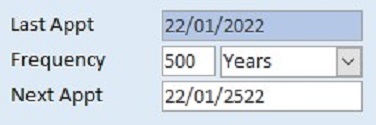
Maybe a Max Value for the Appointment Frequency might be a good idea. lol
Kevin Robertson OP  @Reply  
          
4 years ago

Richard Rost  @Reply  
          
4 years ago
Ha ha. Where's the fun in that? :)
Brent Rinehart  @Reply  
        
4 years ago
Great video what would it take to add logic so that what ever the next appointment is you can click a check box to avoid weekend days?
Richard Rost  @Reply  
          
4 years ago
Ooh good idea. We've got a Gold Member Bonus video coming up...
Scott Axton  @Reply  
        
4 years ago
I was thinking what if it's not recurring?  Just a one off.
Richard Rost  @Reply  
          
4 years ago
Another good question.
Juan C Rivera  @Reply  
            
4 years ago
This will be nice looking to see this one.
Richard Rost  @Reply  
          
4 years ago
I covered it in the Extended Cut for today's TechHelp video NetWorkDays, but here's the two lines of code you need to avoid weekends:

    ' check for sat sun
    If Weekday(NextAppointment) = 1 Then NextAppointment = NextAppointment + 1
    If Weekday(NextAppointment) = 7 Then NextAppointment = NextAppointment + 2


Easy peasy.
Juan C Rivera  @Reply  
            
4 years ago
Yes this will work for my current project.  

V/r
Juan
Brent Rinehart  @Reply  
        
4 years ago
Just saw it in todays video thank you Richard you always come thru.
Brent Davis  @Reply  
     
4 years ago
Probably a silly question, will the last appointment date populate automatically once the next appointment date has passed? Or does that date have to be manually populated each time. I have a 90 day planner for my sales cycle and I am trying to set it up where it just keeps creating the new plan automatically.  Thanks for your assistance. Brent
Brent Davis  @Reply  
     
4 years ago
From this video, I added two other date fields, nextappointment2 and nextappointment3 because I use a 90 day planner for my sales call cycle. I want to search those three fields for a range of dates, 4-1-22 to 4-30-22, and pull back only those records from the specified range. Some dates could be in multiple fields, for example 4-6-22 could be in the nextappointment or the nextappointment2 field for a different customer. Then I would like to run a report with the information which match but group by the specific dates sorted by customer. I can get the dates but the reporting is a mess. I am not sure how to set up the grouping with three fields with possible dates. Any thoughts?
Scott Axton  @Reply  
        
4 years ago
First Question:  
Add Records for Followup Dates Automatically

Second Question:
Go back and watch the Expert 1 and Expert 2 courses again.

This is exactly why you DON'T put your data in in "repeating fields"  (Date1, Date2, etc)  You create a lot more work for yourself in searches and other things.
Then use your queries to pick out the data you need.

Also:  Access Appointment Database for Scheduling


Scott Axton  @Reply  
        
4 years ago
Access Expert 12 covers Sorting an Grouping for reports to output the data like you described.

BTW - That little search box at the top right is a very powerful little tool.
Brent Davis  @Reply  
     
4 years ago
Thanks Scott!  I press on but now with some clarity!!! I agree on the horrible set up and I knew it right after I did it. I will change it now but was just wanting to see if there may be a work around before I changed it.  I tried to look up solutions with the search box but wasn't finding what I thought I needed.  Thanks for pointing me in the right direction sir!!!! It amazes me how simple but complex this stuff can be and how very satisfying it can be when something works the way you envisioned.  With your help, along with others in this forum,  I continue to learn!!! Thank you!!
Scott Axton  @Reply  
        
4 years ago
Brent you're welcome.  I'm glad that was helpful.

Sometimes the materials in the courses don't actually click for you until you can apply it to a situation you are in.
One of the most difficult things to learn is, "How do I apply xxx teaching to this thing I'm doing now.
Brent Davis  @Reply  
     
4 years ago
You are so spot on!  I have watched all of the videos you mentioned before but it didn't always resonate at the time.  I watched the first video you suggested again and it is exactly what I needed. I am going to watch the other videos later, family stuff today, and get this thing working until the next hurdle!  But I can't learn without the hurdles!!! Thanks again Scott and have a great day.
Richard Rost  @Reply  
          
4 years ago
The problem with the search box is that you have to know what you're searching FOR. You can find answers to most things even with a Google search (granted, most answers aren't as good as mine. LOL. JK) but you have to know what you're looking for. If you don't know that "one combo box that filters its results based on a previous selection" is called a "cascading combo box" then you might not find the answer. :)
Brent Davis  @Reply  
     
4 years ago
I agree Richard!  The money is in the knowing. You mentioned an example of Ford and another car maker with that goes along these lines  I know I messed that up but I think you know what I am referring to.  And your answers are much clearer than Googles and even Microsoft!!!!!

This thread is now CLOSED. If you wish to comment, start a NEW discussion in Next Appointment.
 

Next Unseen

 
New Feature: Comment Live View


The following is a paid advertisement
Computer Learning Zone is not responsible for any content shown or offers made by these ads.
 

Learn
 
Access - index
Excel - index
Word - index
Windows - index
PowerPoint - index
Photoshop - index
Visual Basic - index
ASP - index
Seminars
More...
Customers
 
Login
My Account
My Courses
Lost Password
Memberships
Student Databases
Change Email
Info
 
Latest News
New Releases
User Forums
Topic Glossary
Tips & Tricks
Search The Site
Code Vault
Collapse Menus
Help
 
Customer Support
Web Site Tour
FAQs
TechHelp
Consulting Services
About
 
Background
Testimonials
Jobs
Affiliate Program
Richard Rost
Free Lessons
Mailing List
PCResale.NET
Order
 
Video Tutorials
Handbooks
Memberships
Learning Connection
Idiot's Guide to Excel
Volume Discounts
Payment Info
Shipping
Terms of Sale
Contact
 
Contact Info
Support Policy
Mailing Address
Phone Number
Fax Number
Course Survey
Email Richard
[email protected]
Blog RSS Feed    YouTube Channel

LinkedIn
Copyright 2026 by Computer Learning Zone, Amicron, and Richard Rost. All Rights Reserved. Current Time: 5/6/2026 8:45:05 AM. PLT: 1s