Free Lessons
Courses
Seminars
TechHelp
Fast Tips
Templates
Topic Index
Forum
ABCD
 
Home   Courses   TechHelp   Forums   Help   Contact   Merch   Join   Order   Logon  
 
Back to Duplicate Record    Comments List
Upload Images   @Reply   Bookmark    Link   Email   Next Unseen 
Force Users To Duplicate
Debra Triolo 
     
4 years ago
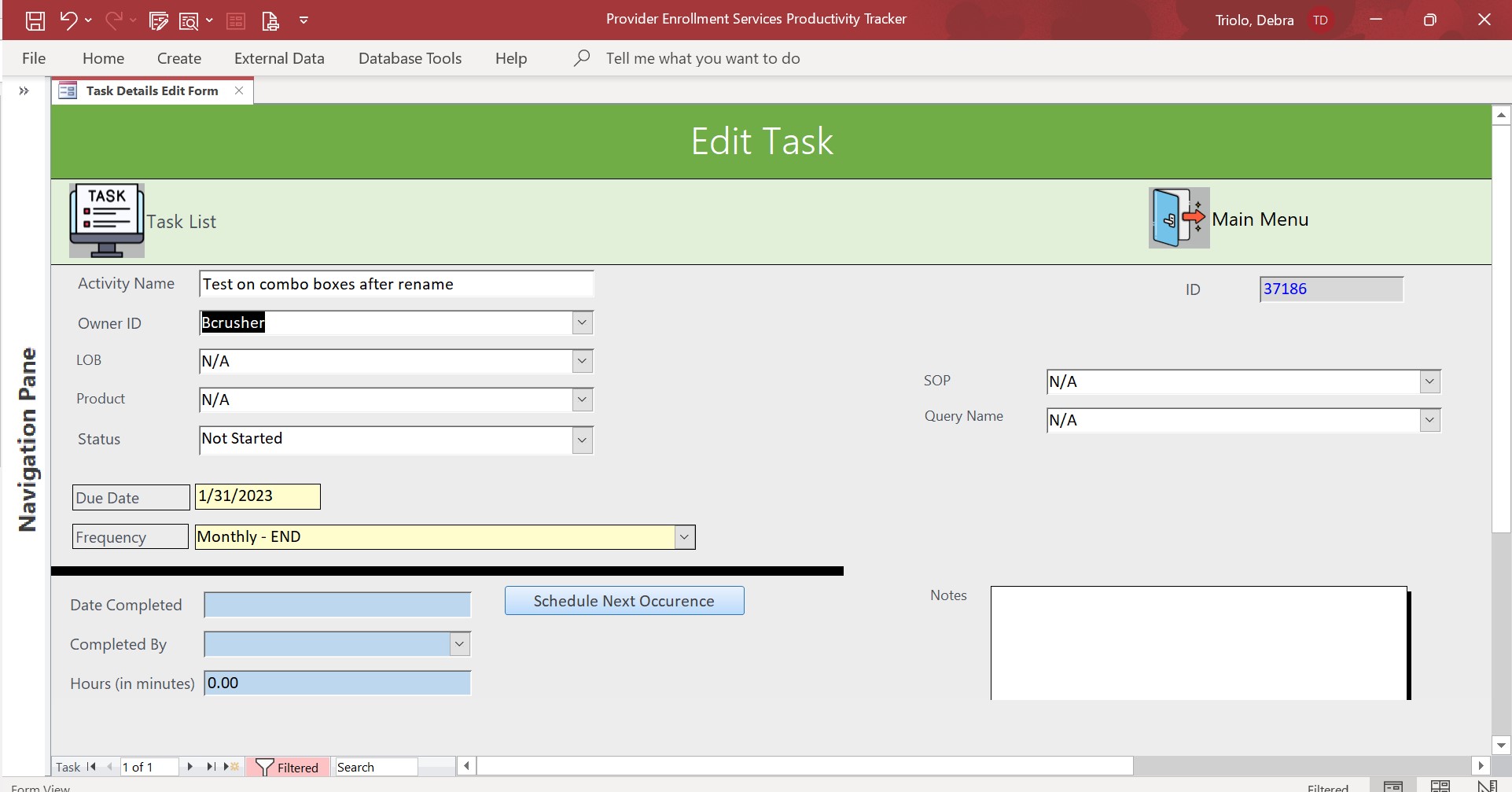
I have a page linked to my main tasks page (which is read only) that goes to a form that allows users to edit the tasks.  They will also access this form when they have completed a task to enter the date it was completed, the name of who completed and how long it took. I added a button which creates a new record, duplicating all the fields except those related to completion and the Due Date field- so users upon completion can easily enter the next due date and have the task scheduled/added to the main list. I will add a screen shot of the form in the comments.  ** My question now-- is there a way to set up the form so that if users fill out the completion information fields (those are the ones in Blue) that they MUST hit the "schedule next occurrence" button? I don't want this to be a requirement if they are just editing the record (i.e. they have the wrong due date or a typo in the task name etc). I just want it to be mandatory if the item is completed. Thank you in advance for any advice or help with this.
Debra Triolo OP  @Reply  
     
4 years ago

Debra Triolo OP  @Reply  
     
4 years ago
BTW there is a huge space at the top because if the record in question is past due there is a huge banner that pops up there and  tells the user that its overdue.
Juan C Rivera  @Reply  
            
4 years ago
Save Button
Backup Record Before Edited
Debra try this it may help.  On the backup record video it talks about on dirty.  Save button may come in handy not sure if you will like to go that route.  I think the on dirty will answer your question.  If not let me know and I iwll seek to find a better answer for you..
Debra Triolo OP  @Reply  
     
4 years ago
Hi Juan.  Thank you for the suggestions.  I watched the Backup Record Video, but I do not understand how to accomplish what I am trying to do.  The form is already going to be dirty no matter what because it is used to "edit" current tasks as they exist in the main task table. In addition to that, the form is also used when users 'complete' a task.  They will go in and fill out the completion fields towards the bottom of the form. It is at this point that I want to make it a requirement that if those fields are filled out (Date Completed, Completed By, Hours) that the user MUST hit the 'Schedule Next Occurrence" button in order to copy the task to the table with the new, future due date.  MY concern is that users will fill out the completion data and forget to reschedule the next task.  I have also considered, since posting this question, that some tasks may be ad hoc and not require that another task be scheduled. So I think I need to also have a way to override the mandatory requirement- perhaps a check box for ad hoc, that if checked doesn't enforce the requirement.
Juan C Rivera  @Reply  
            
4 years ago
OK I see the the picture you uploaded is not dirty.  How about you add some afterupdate functions to the fields that are changed and have them go visible with the afterupdat event?  then hid the schedule next with visible set to no.  when you hit the save button reverse the conditions hide the save and show the schedule next.  Also watch the edit mode it may give you some idea.  

Edit Mode

I that dont work for you hit me back Im always happy to help.
Debra Triolo OP  @Reply  
     
4 years ago
Forgive me, but I am not sure if hiding the buttons is a good solution here. If I start to enter completion data and make the buttons to leave the form disappear, and then realize I am completing the wrong item or for some reason need to back out- now I don't have any way to escape the form because I would have started entering the data into those fields, right?  I will play around though and see if I can come up with something.  If not I may have to just leave it as is until I get further in my lessons and hope to stumble on something. Thank you for brainstorming with me though....in my head I think I know what I need - I just don't yet know how to "make it so."
Debra Triolo OP  @Reply  
     
4 years ago
I just thought of something - and I am going to search the site and see what I can find -- Maybe I can make some sort of pop up message box that reminds the user, when they go to hit either the save/exit to the Task List or Main Menu, to schedule the next occurrence?  It will kill several short-term issues with one stone... ad hoc tasks, folks who starts to complete tasks but then change their minds, and those who are just there to edit a current task an don't need anything further. It is not the perfect solution, but it is better than nothing.  I just have to figure out how to do a popup message box...
Juan C Rivera  @Reply  
            
4 years ago
Reminder Popup Date
Reminder Popup

try this let me know how it goes.
Debra Triolo OP  @Reply  
     
4 years ago
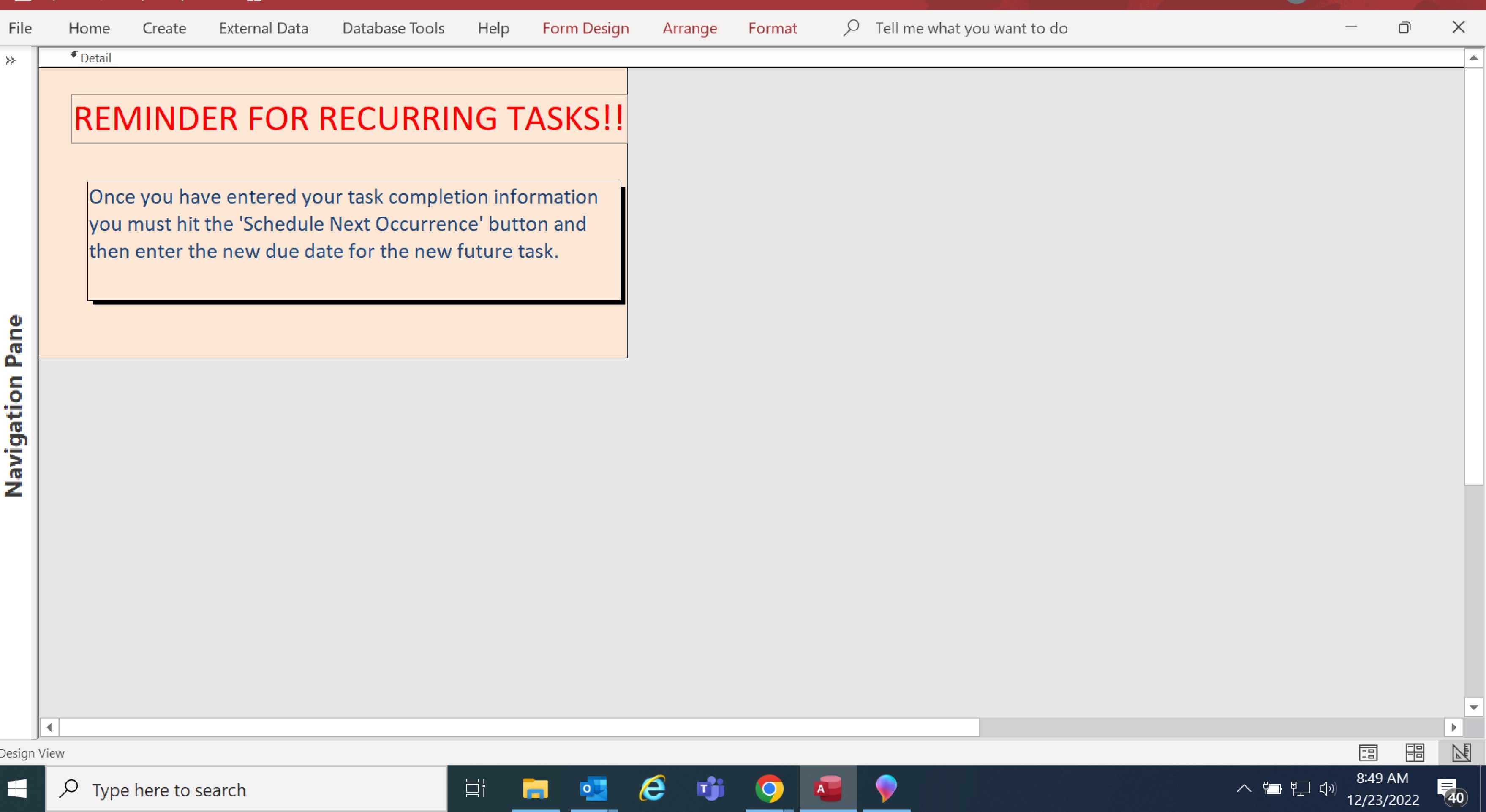
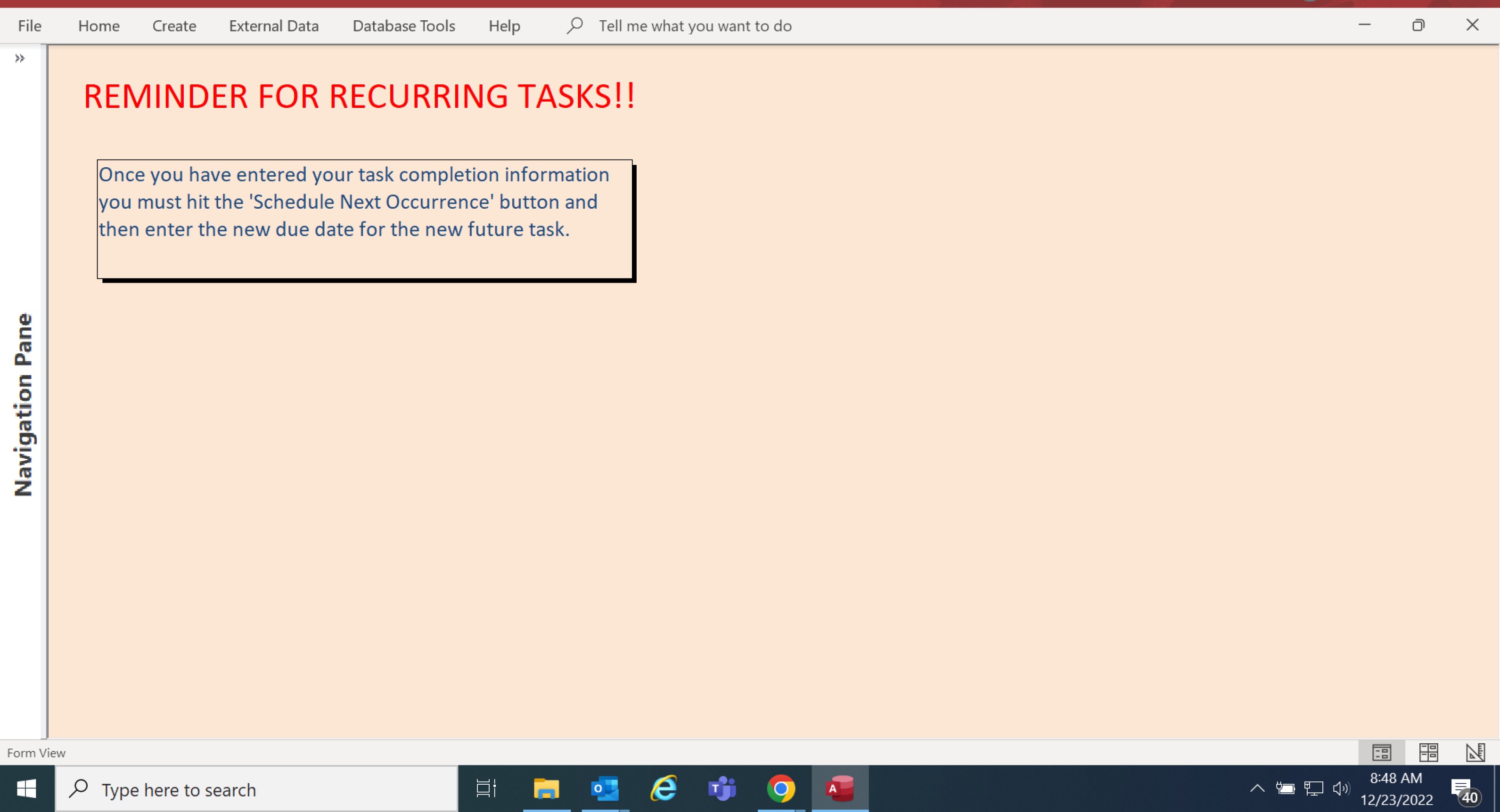
Yes, I just watched those video and made a nifty message box but am having a crazy problem.  No matter what I do the form keep popping up maximized.  I went in and changed the database settings to overlapping windows. I went in and made sure the autosize on the form was off.  I went in and made sure any excess space was removed from the form itself too.  I have it set so when the user clicks on the 'Date Completed' field, the message box is supposed to pop up.  It does that, but still is coming up maximized every time no matter what I do.  Help!!
Debra Triolo OP  @Reply  
     
4 years ago

Debra Triolo OP  @Reply  
     
4 years ago

Debra Triolo OP  @Reply  
     
4 years ago
Ignore the color- I will be changing it lol.
Debra Triolo OP  @Reply  
     
4 years ago
I should add that the underlying window automatically loads Maximized- so I am trying to get the message box to pop up on top of that- I thought making it overlapping would solve it, but its not. I am out of options to try.
Debra Triolo OP  @Reply  
     
4 years ago
NVM I figured it out! I had to adjust the pop up and modal settings to Yes and now it works!
Juan C Rivera  @Reply  
            
4 years ago
Nice job.  have fun and happy holidays
Debra Triolo OP  @Reply  
     
4 years ago
Happy Holidays to you as well!
Debra Triolo OP  @Reply  
     
4 years ago
Juan - I posted an issue in one of the other forums, but no one has responded. Would you mind taking a look at it for me please? The post is here... https://599cd.com/blog/display-article.asp?ID=2198&CommentID=62299#StartOfComments
Juan C Rivera  @Reply  
            
4 years ago
I think Adam answer you.
Debra Triolo OP  @Reply  
     
4 years ago
Yes I just saw that, thank you!

This thread is now CLOSED. If you wish to comment, start a NEW discussion in Duplicate Record.
 

Next Unseen

 
New Feature: Comment Live View


The following is a paid advertisement
Computer Learning Zone is not responsible for any content shown or offers made by these ads.
 

Learn
 
Access - index
Excel - index
Word - index
Windows - index
PowerPoint - index
Photoshop - index
Visual Basic - index
ASP - index
Seminars
More...
Customers
 
Login
My Account
My Courses
Lost Password
Memberships
Student Databases
Change Email
Info
 
Latest News
New Releases
User Forums
Topic Glossary
Tips & Tricks
Search The Site
Code Vault
Collapse Menus
Help
 
Customer Support
Web Site Tour
FAQs
TechHelp
Consulting Services
About
 
Background
Testimonials
Jobs
Affiliate Program
Richard Rost
Free Lessons
Mailing List
PCResale.NET
Order
 
Video Tutorials
Handbooks
Memberships
Learning Connection
Idiot's Guide to Excel
Volume Discounts
Payment Info
Shipping
Terms of Sale
Contact
 
Contact Info
Support Policy
Mailing Address
Phone Number
Fax Number
Course Survey
Email Richard
[email protected]
Blog RSS Feed    YouTube Channel

LinkedIn
Copyright 2026 by Computer Learning Zone, Amicron, and Richard Rost. All Rights Reserved. Current Time: 3/14/2026 10:54:23 PM. PLT: 1s