Parts of an Access Database
By Richard Rost

 5 years ago
What are the Parts of a Microsoft Access Database?
An Access Database consists of data and the tools to work with that data. These tools include tables, queries, forms, reports, macros, and modules.
PrerequisitesWhat's NextRecommended Courses
Keywords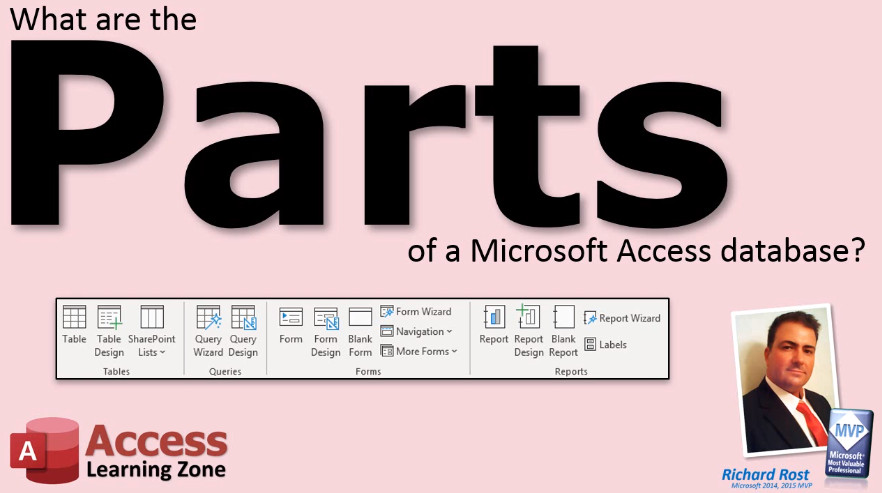 TechHelp Access, parts of an access database
More InformationTranscript What are the parts of a Microsoft Access Database? Let's talk about the parts of a Microsoft Access Database.
An Access Database consists of data and the tools to work with that data. What are these tools? An Access Database consists of tables, queries, forms, reports, and optionally macros and modules.
Tables are used to store data. All of the data in your Access Database will be stored in one or more tables.
Queries are generally used to organize data.
Forms are used to display data on the screen and to edit that data.
Reports are for printing out data or formatting information for the printed page.
Optionally, for more advanced users, macros are used to automate tasks, and modules give you the full Visual Basic programming language inside your Access Database.
Now I have macros and modules grayed out because you can build a fantastic database in Microsoft Access without ever using a macro or writing a line of code. I cover macros and VBA module programming in my developer level classes.
But all you really need are tables, queries, forms, and reports. Intro In this video, we'll talk about the main parts of a Microsoft Access database, including tables, queries, forms, and reports. I'll explain the purpose of each part, how they work together, and briefly mention optional features like macros and modules for more advanced users. This overview is perfect if you want to understand what makes up an Access database and which components you need to build one. Quiz Q1. What are the main parts of a Microsoft Access Database?
A. Tables, queries, forms, reports, macros, and modules
B. Only tables and forms
C. Only tables, queries, and reports
D. Only macros and modules
Q2. What is the primary purpose of tables in Access?
A. To organize printed information
B. To create visual representations
C. To store data
D. To automate database tasks
Q3. What are queries generally used for in Access?
A. Printing data
B. Organizing data
C. Creating advanced code
D. Automating database tasks
Q4. Which part of an Access database allows users to display and edit data on the screen?
A. Queries
B. Reports
C. Macros
D. Forms
Q5. What are reports primarily used for in Access?
A. Data automation
B. Storing data
C. Editing screen layouts
D. Formatting information for printing
Q6. What is the function of macros in Access?
A. Storing raw data
B. Displaying and editing data
C. Automating tasks
D. Formatting printed data
Q7. What do modules provide to an Access database?
A. Basic table designs
B. Full Visual Basic programming capability
C. Printing options
D. Data organization tools
Q8. Is it necessary to use macros and modules to build a functional Access database?
A. Yes, they are required
B. No, they are optional and for advanced users
C. Only modules are required
D. Only macros are required
Q9. What four basic components are all you need to build a fantastic database in Microsoft Access?
A. Forms, queries, modules, macros
B. Tables, queries, forms, reports
C. Queries, forms, modules, macros
D. Tables, reports, macros, modules
Answers: 1-A; 2-C; 3-B; 4-D; 5-D; 6-C; 7-B; 8-B; 9-B
DISCLAIMER: Quiz questions are AI generated. If you find any that are wrong, don't make sense, or aren't related to the video topic at hand, then please post a comment and let me know. Thanks. Summary Today's video from Access Learning Zone covers the essential components that make up a Microsoft Access database.
A Microsoft Access database is made up of both the data itself and the tools you use to manage and interact with that data. The core parts of every Access database are tables, queries, forms, and reports. For more advanced scenarios, there are also macros and modules, which add automation and programming capabilities.
Tables are the foundation of any Access database; they store all the information you'll be working with. Every piece of data in your database lives in one or more tables.
Queries are tools you use to organize, sort, and filter your data. They can help you find specific records, calculate totals, or display data in a particular way.
Forms serve as the primary way to view and edit data on your screen. Forms make it much easier to work with your records, especially when you want a user-friendly interface.
Reports, on the other hand, are designed for output. They let you format and print your data or prepare it for presentation in a polished, organized manner.
For those interested in advanced functions, macros can be used to automate repetitive tasks. Modules allow for full programming using the Visual Basic for Applications (VBA) language, offering powerful customization and automation options within your database. However, I usually show these as optional, since you can create a robust and effective database in Access without ever having to use macros or write VBA code. I save those advanced topics for my developer-level classes.
In summary, the basic components you need to build almost any database in Access are tables, queries, forms, and reports. The advanced features are there if you decide to grow further.
You can find a complete video tutorial with step-by-step instructions on everything discussed here on my website at the link below. Live long and prosper, my friends. Topic List Tables and their role in storing data
Queries for organizing data
Forms for viewing and editing data
Reports for printing and formatting data
Macros for automating tasks
Modules for Visual Basic programming Primary Topics Access tables, Access queries, Access forms, Access reports Secondary Topics macros, modules, automation, VBA programming |




