Average Monthly Expenses
By Richard Rost

 3 years ago
Calculate Average Monthly Expenses in Access
In this Microsoft Access tutorial, I'll instruct you on how to calculate your average monthly expenses, even when you have other expenditures that may occur daily, weekly, or annually. We'll learn a method to convert these into a monthly calculation.
Members
There is no extended cut today, but here's the database:
Silver Members and up get access to view Extended Cut videos, when available. Gold Members can download the files from class plus get access to the Code Vault. If you're not a member, Join Today!
Prerequisites
Suggested Template
Links
Recommended Courses
Keywords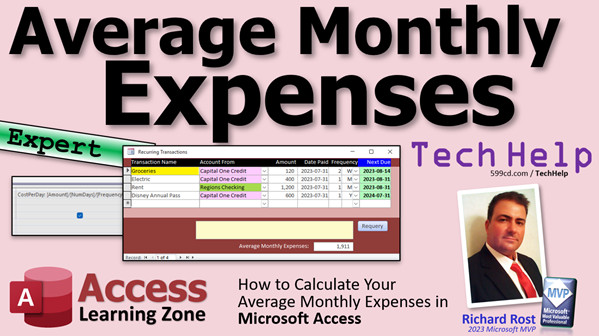
access 2016, access 2019, access 2021, access 365, microsoft access, ms access, ms access tutorial, #msaccess, #microsoftaccess, #help, #howto, #tutorial, #learn, #lesson, #training, #database, Calculate monthly expenses, Average Monthly Expenses, Access Database, Expense Calculation, Personal Finance, Money Management, Daily Expenses, Weekly Expenses, Annual Expenses, Expense Conversion, Consistent Monthly Calculation, Budgeting Tips, Expense Management, Expense Tracker, Financial Planning, Access Tutorial, Microsoft Access Expense Calculation, Expense Analysis, Financial Management Tools, Expense Tracking in Access
More InformationTranscript Today I'm going to show you how to calculate your average monthly expenses, even when you might have some other expenditures that occur daily, weekly, or annually. We'll show you a method to convert these into a monthly calculation to give you a good enough average so you know your monthly expenses roughly. Some things, if you pay them quarterly or annually, require a little math.
This video follows my expense tracker video that we did yesterday, and I'm going to be using the same database for that. If you haven't watched that video, go watch it first and come on back.
One of the things that happens when I build a database for myself to use in class is that as I'm using it and working with my own data, I always come across little things I want to add to it. What I wanted to do was add the ability to calculate average monthly expenses based on all my different expenses.
If you look at what we have here, we have groceries. Of course, that number is way under what it should be, but I have it for every two weeks. You have electric, $400 a month, every month, rent monthly, and an annual pass, which is yearly. With a little math, we can figure out what these should be monthly. It's not terribly hard math, but you just need to know how to do it. You can come up with average monthly expenses. It's not perfect but at least it lets you know what you need to make to survive every month.
Let's see how we do this in Access. The first thing I'm going to do is download the database from the expense tracker. If you're a Gold Member, go download it. If you're not, you can build that database by watching the video. It's right here. I'll put a link to it down below. I'm going to download this since I am a Gold Member on my own website. I would hope so.
I extracted the file and put it here in my account balances folder. Our recurring transactions are right there. Let's expand it so we can see everything. Just like the screenshot: two weeks, one month, one month, one year.
Now we're going to go and edit the query and put some calculations in the query that's under this form. What query is it? Let's take a peek. It should be the recurring transactions query, just what I thought it was.
We're going to close that, find that query. There we go. We try to do our calculations in queries. That's the best way to do it because I don't like putting calculations directly in forms, except maybe for the occasional sum or something.
If I look at this query, I've got an amount and the frequency ID that represents either daily, monthly, annually, and so on. We've got a frequency quantity. In other words, how many of those terms are there - two years, one year, that kind of thing.
Knowing that information, if I knew how many days were in that period, I could divide that cost by the number of days and then multiply by the number of days in a month. Makes sense.
If I'm paying $100 a month for something, let's pull up the calculator. $100 a month. Let's assume there are 30 days in a month. Divide by 30, so my cost is $3.33 roughly per day.
If it's an annual fee, right, if I'm paying $1,000 a year for something, I can divide by 365. That's my daily cost. Then I can multiply it by 30 to get my rough monthly cost.
Let's take a quick look at our frequency table. Let me close this down. In the frequency table, I added "week" when I was working with my data. You could do seven days, but I like one week better. That's something I discovered as I was using it. So just add "week". The DateAdd code for it is "ww", not just "w". "ww" gives you the week. "w" by itself gives you the weekday, which is a number from one to seven. You want this to get actual weeks.
Looking at each one of these things, what would I have to divide by to get days? Day by itself is just one. Week is easy because that's seven. Whatever number is in there, I can multiply it by seven to get that number, the number of weeks. Year is roughly 365. We're going to use 365.25 to take leap years into account. The number is actually longer than that.
Months, if you do the math and divide up all the months, the average number of days in a month over the course of a year is 30.42. Add all the days up and divide by 12. You get the answer.
What we need is a field in here to store the number of days in that period. Let's go back to our frequency table because we have to open up the backend. It's a split database. Here's my backend file. Let's design this.
We're going to call this field "numdays". We'll make it a number and I'll make it a double. Either we use Long Integer or Double. We don't use the other types; they're for more advanced people.
Now we'll put the number of days in here. That's 1 for day. For month, it's 30.42. For year, 365.25. For week, 7.
Now we know how many days are in each one of those periods.
Now I can go to my recurring transaction query and from here, add the "numdays" field. If I run this now, you'll see you get the number of days for each of those periods in there: monthly, monthly, annual, weekly.
The next step is to figure out your cost per day. We have the total cost, which is the "amount". We also know the number of days in that period. So now we can figure out our cost per day.
Come over here to the next column. I'm going to zoom in so you can see it better. My cost per day is going to be the amount divided by the number of days, divided by the frequency quantity, because there might be two months. So if that's the cost per two months, then divide that by two to get your daily cost. Normally this is just one.
Let's open it up again. There's your cost per day. Let's see if these make sense. Twelve hundred dollars per month is thirty-nine dollars a day, twelve hundred divided by 30.42. Math works out. Six hundred dollars per year, $1.64; that seems about right. Now we have our cost per day.
Now we're going to turn this into the cost per month, which is just multiplying it back by the number of days per month.
One more time, cost per month is going to be: we're going to round that cost per day times 30.42, which we already know is the number of days per month over the course of a year by average, comma zero decimal places since I don't worry about cents. Click OK.
Run it. Now the monthly ones should just go back to their original number. Let's see, move this over here. The monthly ones should just go back to that because you're dividing by 30.42 and multiplying by 30.42. The annual one - fifty, this guy - two sixty-one. That was $120 every two weeks. Divide by fourteen, $8.57 is your cost per day. Then to get the cost per month, multiply it by 30.42. There you go, $260.7, so it's about rounded off to $261. Close enough.
Now we have the cost per month for each of our recurring transactions. Save that, yes. Now we can go into our recurring form and put a total down at the bottom.
You don't have to have the field in here as long as it's in the underlying table or query. I'll just grab a note here, add it down below. Open it up, set the control source. We want our cost per month, but I want to sum that up. So it's going to be =Sum([CostPerMonth]).
If you've never done form footer totals before, go watch this video. It's a really good video. Then we'll give it a good name. I like to call it "SumCostPerMonth". It's the name of the field itself. Here, we'll put "average monthly expenses" and make it a little bit bigger so we can read it. There you go.
Save it, close it, open it. Wrong one - we didn't put a button to it in the last video. Here it is. There you go: 1911.
Let's add something else. Let's add in here, just XXX, whatever. Let's say it's $100 a month. Boom, 2011. Let's add something in here that is $1 per day. It went up $30 a month. That's about right.
How about something quarterly? Let's do $100 every three months. We're at $2041 now. $2074; that seems about right. $30 a month is $100 a quarter. That works.
It's not hard. It's just a little bit of math. Again, I stress that this is a rough number just to give you an idea. You need to make $2,074 per month. That's all this is for. We're not trying to be accounting exact here. As we all know, some months are bad. Some months have 28 days, and you still have to pay the same mortgage.
This is another one of those features that I added just this morning, in fact, to my Account Balances and Recurring Expenses template. I took all the lessons from the account balance stuff and the expenses, put them all together, and I'm adding new stuff. I added a whole bunch of things today. In fact, I'm going to put another video up on this page to explain all the new stuff that's in here. As I make new stuff, I'll be sure to add it to this template. Check it out if you want to.
So that is going to be your TechHelp video for today. I hope you learned something, my friends. Live long and prosper. I'll see you next time. Intro In this video, I will show you how to calculate your average monthly expenses using Microsoft Access, even when some of your expenses are paid daily, weekly, quarterly, or yearly. We'll work through converting these different frequencies into a consistent monthly amount using a simple formula in queries, and I'll demonstrate how to set up your database so you can see your total average monthly expenses at a glance. This method gives you a rough idea of what you need to cover your recurring monthly costs with real-life examples in an Access database. Quiz Q1. What is the main goal of converting all types of expenses (daily, weekly, yearly, etc.) to a monthly calculation?
A. To have an approximate idea of how much you spend each month
B. To identify unnecessary expenses
C. To calculate your yearly budget directly
D. To compare expenses with friends
Q2. What is the recommended place to perform calculations when working with Access databases?
A. Directly in the form controls
B. In the underlying query
C. In the table itself
D. In spreadsheet software outside Access
Q3. When calculating the cost per day of a recurring transaction where the amount represents several periods (like two months), what is the correct formula?
A. Amount divided by the number of days only
B. Amount divided by frequency quantity only
C. Amount divided by (number of days multiplied by frequency quantity)
D. Amount divided by number of days, then divided by frequency quantity
Q4. What average number of days per month should you use for converting daily or other periodic amounts into a monthly average?
A. 28.00
B. 30.00
C. 31.00
D. 30.42
Q5. For annual expenses, what number of days should be used to take leap years into consideration in your calculations?
A. 360
B. 364.25
C. 365.25
D. 366
Q6. In terms of Access fields, what type of number should you use for storing "number of days" values in the frequency table?
A. Short Text
B. Currency
C. Double or Long Integer
D. Yes/No
Q7. Why is it important to divide the amount by the frequency quantity when calculating cost per day?
A. Because it spreads costs evenly over each occurrence
B. Because frequency quantity represents time in hours
C. Because frequency quantity is always equal to one
D. Because it is required for table creation in Access
Q8. When adding a week as a frequency in the frequency table, which DateAdd code should you use in Access?
A. "w"
B. "ww"
C. "d"
D. "m"
Q9. What function do you use in an Access form footer to show the total of a calculated field (like average monthly expenses)?
A. =Average([CostPerMonth])
B. =Sum([CostPerMonth])
C. =Count([CostPerMonth])
D. =Multiply([CostPerMonth])
Q10. What is the purpose of rounding the final calculated monthly cost in your queries or forms?
A. To avoid decimal values and make the amounts easier to understand
B. To reduce storage space in the database
C. Because Access does not allow decimals
D. To comply with accounting standards
Q11. According to the video, what is the primary reason for using this monthly averaging method?
A. Achieve perfectly accurate accounting
B. Provide a rough estimate of monthly needs for planning purposes
C. Satisfy tax authorities
D. Clearly identify non-recurring expenses
Answers: 1-A; 2-B; 3-D; 4-D; 5-C; 6-C; 7-A; 8-B; 9-B; 10-A; 11-B
DISCLAIMER: Quiz questions are AI generated. If you find any that are wrong, don't make sense, or aren't related to the video topic at hand, then please post a comment and let me know. Thanks. Summary Today's TechHelp tutorial from Access Learning Zone will show you how to calculate your average monthly expenses using Microsoft Access, even when you have some costs that recur daily, weekly, or annually. I will guide you through the process of standardizing these various expense intervals so you can see a reliable monthly average and better understand what you need to cover your expenses each month. This approach comes in handy, especially when certain bills are paid quarterly or annually and need a bit of extra math to fit into your monthly planning.
This lesson picks up from my previous tutorial on building an expense tracker database in Access. If you have not watched that yet, I recommend starting there to get your database set up.
Whenever I build a database for class projects or personal use, I often discover new features to add as I use the database with real data. One essential function I wanted was the ability to calculate average monthly expenses across different billing periods.
To illustrate, consider some typical entries: you might buy groceries every two weeks, pay for electricity monthly, cover rent monthly, and have an annual pass or subscription. Converting all these into a monthly cost using some straightforward calculations makes managing your expenses more meaningful. This is not precise accounting, but it gives you a practical average to work with for budgeting.
Let me explain how to handle this in Access. The process starts by using the expense tracker database, which you can download if you are a Gold Member, or you can build yourself by following the tutorial.
In your recurring transactions table, you likely have fields such as amount, frequency (such as daily, monthly, annually), and frequency quantity (like two weeks, or one year). With this information, if you know how many days are in each period, you can calculate the per-day cost, then multiply it by the average number of days in a month to find your average monthly expense.
For example, if a bill is $100 monthly, assuming 30 days in a month, the daily cost is about $3.33. For an annual bill of $1,000, divide by 365 to get the daily amount, then multiply by 30 for a monthly average. If you track weekly expenses, treating one week as seven days makes the calculations straightforward.
You will need to adjust your frequency table to support these conversions. For instance, with weeks, add an entry for "week" and make sure the proper code for calculations is set to "ww" to distinguish an actual week from a weekday.
Every frequency needs an associated day count: a single day is 1, a week is 7, a month averages 30.42 days (since 365 days divided by 12 months gives you this average), and a year is 365.25 days (to account for leap years).
Once you have these values, add a "numdays" field to your frequency table. Set its data type as Double to accommodate decimal values like 30.42 for a month or 365.25 for a year. Populate this field for each frequency as needed.
Now you can modify your recurring transactions query to include the "numdays" field. Use this to calculate the cost per day by dividing the amount by the number of days and adjusting for the frequency quantity. If you are billed every two weeks, for example, the total cost covers 14 days, so use that in your calculation.
After verifying your cost per day, the next step is to work out the cost per month. This is as simple as multiplying the daily rate by the average number of days in a month, 30.42. For clarity and easier reading, I recommend rounding this value to the nearest whole dollar, since most people are not concerned with cents when budgeting monthly expenses.
Your recurring transaction query should now provide a column showing the cost per month for each expense, regardless of original frequency. The monthly expenses will match their original amount, while quarterly, annual, or other intervals will be suitably converted.
With the monthly cost stored in your query, you can now update your recurring transactions form to display the total of all monthly expenses. In the form footer, simply add a control that calculates the sum of the "CostPerMonth" field across all records. Give this control a meaningful name, such as "SumCostPerMonth," and use a label like "average monthly expenses."
Test your result by adding different types of entries: a monthly bill, an expense charged per day, or something billed quarterly. Check the total at the bottom of your form and you will see that each addition updates the average monthly expense figure as expected.
This is a straightforward process and does not require advanced math. The final number gives you a ballpark figure for how much you need to cover your monthly recurring expenses. It is not meant for strict accounting, but it is useful for practical budgeting.
This feature is new to my Account Balances and Recurring Expenses template, and I regularly add improvements as I use it myself. Watch for updates and new features on the same page. I will post additional videos for any major changes or new ideas added to this template.
For a full video walkthrough, including step-by-step instructions on everything discussed here, visit my website at the link below. Live long and prosper, my friends. Topic List Calculating average monthly expenses from varying frequencies
Converting daily weekly monthly and annual expenses into monthly amounts
Editing queries to perform expense calculations in Access
Using a frequency table to handle different expense intervals
Adding a numdays field to define days per expense period
Calculating cost per day based on amount and frequency
Handling frequency quantity in expense calculations
Calculating cost per month from cost per day
Rounding monthly costs to whole numbers
Adding calculated monthly expense totals to forms
Summing monthly expenses in form footers
Testing expense entries with various frequencies to verify calculations Primary Topics recurring expenses, Access queries, frequency normalization, average monthly expenses, cost conversion, database design, form totals, splitting databases
Secondary Topics field types, DateAdd function, frequency table, control sources, none
|






