Aggregate Query
By Richard Rost

 5 years ago
Aggregate Query to Show Customer Count by State
In this video, I'll show you how to use an Aggregate Query in Microsoft Access to count up the total number of customers you have in each state.
Anabel from Durham, North Carolina (a Platinum Member) asks: I need to create a list showing a count of how many customers we have in each state. How can I do this in Microsoft Access?
Members
I'll show you how to calculate the sum total of all paid orders for each customer, and then we'll create a list of each of your customers and the most recent date you've contacted them (great for salespeople). We'll put a contact listbox on your Main Menu so you can see it at a glance.
Silver Members and up get access to view Extended Cut videos, when available. Gold Members can download the files from class plus get access to the Code Vault. If you're not a member, Join Today!
 Links Links
Query Design: https://599cd.com/QueryDesign
Is Null: https://599cd.com/IsNull
Access Expert 11: https://599cd.com/acx11
Access Expert 29: https://599cd.com/acx29
Sales By Month: https://599cd.com/SalesByMonth
Calculations on Aggregate Query Results: https://599cd.com/1353
Domain Aggregate Functions: https://599cd.com/Dlookup
More InformationTranscript Welcome to another TechHelp video brought to you by AccessLearningZone.com. I am your instructor, Richard Rost.
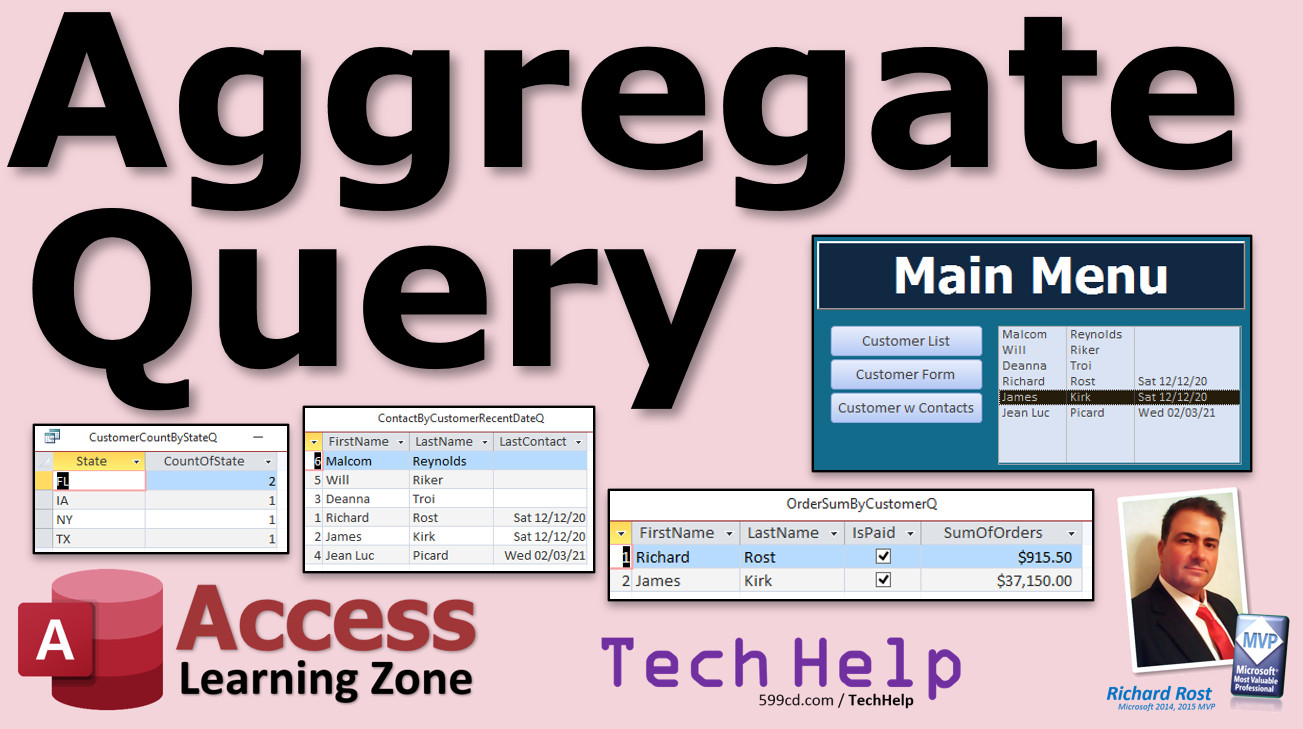
In today's video, I'm going to show you how to use an aggregate query in Microsoft Access to get a count of the number of customers that you have grouped by state. You can see right there, I've got two from Florida, one from Iowa, one from New York, and one from Texas. I do not have a lot of customers. I only have a couple. But in this video, I'll show you how to count them all up.
Today's question comes from Annabelle in Durham, North Carolina, one of my platinum members. Annabelle says, I need to create a list showing a count of how many customers we have in each state. How can I do this in Microsoft Access?
Well, Annabelle, this is pretty easy to do. We're going to create something called an aggregate query. Watch this.
Here I am in my TechHelp free template. This is a free template you can download from my website if you want to. I'll put a link down below in the links section. It's really simple. We've got a customer list. Here are my customers. Open up any one of them and you can see their address right here. There is the state.
Let's take a look at the table, the CustomerT table. There are my six customers. Here are the states they are all from right there. As you can see, I have two from Florida, one from New York, one from Texas, and one from Iowa, and then one blank one because this person is from Paris, so there is no state here. I'll show you how you can leave out the blanks if you want to.
Let's go create an aggregate query. We start off by creating a query just like normal. Go to Query Design. If you've never built a query before, go watch my Query Design video. I'll put a link down below to that too.
Bring in the Customer table. That's where the data is that we want. Close that. First, we're going to bring in the field that we want to see the count of. In this case, it's State. If I run this now, you can see there is just a list of all the states.
What I want to do is group the like states together. I am going to use the Group By operator once I create my aggregate query. How do we do that? Over here under Show/Hide, Total, see that little Greek sigma letter? Click on that. Notice this is Total: Group By. Group By is going to group all the like records together. If I run it now, there you go. See they are all grouped together. There are no more two Floridas. There is just one Florida.
If you do not want to see blanks, just come in here for the criteria and put Is Not Null. I talk about Is Not Null and Is Null in my Is Null video. I'll put a link to that down below. Now if I run this, you can see there are no blank rows in here.
That's how you group them together. How do I get a count of the total number of states? There's going to be a Count operator also. Add State again a second time. This time, where it says Total, change Group By to Count. There are a whole bunch of functions in here: Sum, Average, Min, Max. Count is the one we want for this problem. Now run the query and there you go. You get State and the count of the states. You can see I've got two for Florida and one of everybody else. I'll save this as my Customer Count by State query.
That's it. That's how you make an aggregate query.
Want to learn more about aggregate queries? There is tons to learn about aggregate queries. I just scratched the surface. In the Extended Cut for members, I'll show you how to do two different aggregate queries. We'll do a sum of orders by customer so you get a list of all your customers and the total amount they have spent with you. We will do recent contacts by customer. If you are in sales, this is very important. You want to list your customers and you want to see who you have not called in a while. We will sort that by date ascending so I can see that I have not talked to this person since December, I have not talked to this person since January, and I have not talked to these three people ever. You will see the Max of their contact date in the system.
Then we'll take that query and make a cool little list box that you can put right on your main menu. You can open up your database and see that you have to call these three people today. You can do that with reminders, with tasks. I use contacts in my database but it's all the same stuff.
That's in the Extended Cut for members. Silver members and up get access to all my Extended Cut videos. We're approaching 100 of them. Tons of stuff to watch.
Like I said earlier, I also cover aggregate queries in Access Expert Level 11 on my website. I'll put a link down below. Lots of stuff. We cover all kinds of topics, sales total by month, all kinds of different things. You can see all the different things covered in this lesson.
In Expert Level 29, two hours long, we go over all kinds of domain aggregate functions like DLookup and others. DCount, DMax, DSum. If you want to learn more about this, I've got tons of material on my website.
I've also got a couple of other TechHelp videos that cover aggregate queries. Here is one that is group sales by month. This one is about two months old. I'll put links to these down below in the links section. This is group sales by month. This one is a little more advanced. This is doing calculations on aggregate query results. Say that ten times fast. So check these out.
If you have any questions, post them in the comments down below. Thanks.
Don't forget the Extended Cut. Get it right now. How do you become a member? Click the Join button below the video. If you click the Join button, you will see a list of all the different types of membership levels that are available.
Silver members and up will get access to all of the Extended Cut TechHelp videos, live video and chat sessions, and more.
Gold members get access to a download folder containing all the sample databases that I've built in my TechHelp videos, plus my Code Vault where I keep tons of different functions that I use.
Platinum members get all the previous perks plus access to my full beginner courses and some of my expert courses. These are the full-length courses found on my website and not just for Access. I also teach Word, Excel, Visual Basic, ASP, and lots more.
Do not worry, these free TechHelp videos are going to keep coming. As long as you keep watching them, I'll keep making more.
If you liked this video, please give me a thumbs up and feel free to post any comments that you have. I do read them all. Make sure you subscribe to my channel, which is completely free, and click the bell icon and select All to receive notifications when new videos are posted.
Click on the Show More link below the video to find additional resources and links. You will see a list of other videos, additional information related to the current topic, free lessons, and lots more.
YouTube no longer sends out email notifications when new videos are posted, so if you would like to get an email every time I post a new video, click on the link to join my mailing list.
If you have not yet tried my free Access Level One course, check it out now. It covers all the basics of building databases with Access. It's over three hours long. You can find it on my website or on my YouTube channel. If you like Level One, Level Two is just one dollar, and it's also free for all members of my YouTube channel at any level.
Want to have your question answered in a video just like this one? Visit my TechHelp page and you can send me your question there.
Click here to watch my free Access Beginner Level One course, more of my TechHelp videos, or to subscribe to my channel.
Thanks for watching this video from AccessLearningZone.com. Intro In this video, I will show you how to create an aggregate query in Microsoft Access to count the number of customers you have in each state. We'll go step by step through building the query, grouping customers by state, and using the Count function to display the totals. I'll also show you how to exclude blank state values using the Is Not Null criteria. This video is perfect if you need to quickly summarize customer data by location in Microsoft Access. Quiz Q1. What is the primary purpose of the aggregate query demonstrated in the video?
A. To group customers by their last purchase date
B. To count the number of customers in each state
C. To list all customers alphabetically
D. To sum total sales per customer
Q2. Which field is used to group customers in the aggregate query example?
A. City
B. State
C. Country
D. Customer Name
Q3. What operator do you use to group like records together in Access queries?
A. Average
B. Sum
C. Group By
D. Sort
Q4. How do you access the aggregate (Total) options in Query Design view?
A. Click the 'Filter' button
B. Select 'Totals' from the Show/Hide section (Sigma symbol)
C. Go to File > Totals
D. Use the Format tab
Q5. If you want to exclude records with blank states from your results, what criteria should you use?
A. Is Null
B. <>
C. Is Not Null
D. Blank Only
Q6. What function do you select to get a count of the number of records in Access?
A. Min
B. Sum
C. Average
D. Count
Q7. If you want to show both the state and the number of customers in each state, which field should be added a second time to the query grid?
A. Customer Name
B. City
C. State
D. Zip Code
Q8. Besides Count, which other aggregate functions are mentioned in the video?
A. If, Then, Else
B. Sum, Average, Min, Max
C. Concat, Mid, Left, Right
D. Rank, Median, Mode, Quartile
Q9. What membership level is required to access Extended Cut TechHelp videos?
A. Gold members only
B. Bronze members only
C. Silver members and up
D. Free membership
Q10. Which of the following is NOT a domain aggregate function mentioned in the video?
A. DLookup
B. DCount
C. DMin
D. DSort
Answers: 1-B; 2-B; 3-C; 4-B; 5-C; 6-D; 7-C; 8-B; 9-C; 10-D
DISCLAIMER: Quiz questions are AI generated. If you find any that are wrong, don't make sense, or aren't related to the video topic at hand, then please post a comment and let me know. Thanks. Summary Today's video from Access Learning Zone shows how to use an aggregate query in Microsoft Access to count the number of customers you have in each state. I walk you through the process of grouping customers by state and getting a total for each one.
The question for today comes from a viewer who needed to create a list showing the count of customers in each state. Achieving this in Microsoft Access is straightforward when you use what is known as an aggregate query.
To demonstrate this, I use my TechHelp free template, which you can download from my website. In the sample database, I have a small customer table with fields that include each customer's state. Some customers have no state listed, such as one from Paris. I also show you how to exclude records where this field is blank, so your count only includes valid states.
The process begins with creating a query in Query Design. If you have not built a query before, I recommend watching my introductory Query Design video, which is also available on my website. Once in design view, you add the Customer table to the query and include the State field. Initially, this simply lists out all the states for each customer.
Next, to group customers by their state, you use the 'Group By' operation. In Access, you enable this by clicking the Totals button, represented by the Greek sigma symbol. Once it is turned on, Group By will find all records with the same state and group them together in your query results. If you do not want to see any rows where the state is blank, simply set the criteria for the State field to Is Not Null. This way, only rows with a valid state value appear in your results.
To count the number of customers in each state, you add the State field to the query a second time. Then, instead of using Group By for this new instance, change it to use the Count operator. The results now show each state with the corresponding count of customers. For example, the query would show two customers from Florida, and one each from the other states listed in the table. I save this as the 'Customer Count by State' query.
While this covers a basic aggregate query, there is much more to learn on the topic. In the Extended Cut video for members, I go further and show how to summarize sales by customer, so you can see how much each customer has spent. I also demonstrate how to create a list of recent contacts by customer, which is essential for sales roles where you want to track the last time you reached out to each client. You can sort this list ascending by date, making it easy to spot customers you have not contacted in a while. We will also look at creating a list box on your main menu to keep track of the customers who need a follow-up call.
All of these more advanced topics and techniques are covered in the Extended Cut, available to Silver members and above. If you are interested in aggregate queries, I offer a variety of resources. My Access Expert Level 11 course covers aggregate queries in depth, including many practical examples such as calculating monthly sales totals. In Access Expert Level 29, I teach about domain aggregate functions like DLookup, DCount, DMax, and DSum, which let you summarize data in different ways.
On my website, you can also find other TechHelp videos covering aggregate queries, like grouping sales by month or performing calculations on aggregate query results.
If you have questions, feel free to post them in the comments section. For those who want even more, consider joining as a member. Silver members and up get access to all Extended Cut videos, live sessions, and more. Gold members can download all of my sample databases and access my Code Vault, which contains a collection of useful VBA functions. Platinum members receive all previous perks plus access to my full beginner and some expert courses for not just Access, but also Word, Excel, Visual Basic, ASP, and more.
Rest assured that I will keep making free TechHelp videos as long as there is interest, so continue to watch, like, and subscribe. Make sure to check the description for additional resources, related videos, and information about my free Access Level One course, which is over three hours long. If you enjoy Level One, Level Two is just one dollar, and it is free for all YouTube channel members at any level.
If you would like to have your question answered in a future video, visit my TechHelp page and submit it there.
You can find a complete video tutorial with step-by-step instructions on everything discussed here on my website at the link below. Live long and prosper, my friends. Topic List Opening a Customer Table to View State Data
Identifying and Excluding Records with Blank State Values
Creating a Query in Query Design View
Adding Fields to a Query
Using the Total Row to Create an Aggregate Query
Applying Group By to Group Records by State
Filtering Out Null State Values with Is Not Null
Adding a Count Field to Display Customer Counts
Changing the Total Row from Group By to Count
Saving and Naming the Aggregate Query
Viewing Results Grouped and Counted by State Primary Topics Access aggregate queries, Group By operator, Count function, query design, filtering nulls, customer data grouping
Secondary Topics use of Is Not Null, summary queries, extended features in paid content
|







