Is Nothing
By Richard Rost

 8 months ago
Set Optional Form Parameters Using Is Nothing in VBA In this video, we will talk about handling optional form parameters in Microsoft Access VBA using the Is Nothing keyword. I will show you how to create a single status message routine that works across multiple forms, explain why standard techniques like checking for Null do not work with form objects, and demonstrate how to safely default to a particular form - such as your main menu - when no parameter is provided. This technique can help you streamline your code and avoid having to update every call in your database. Clayton from Louisville, Colorado asks: How can I create a status message routine in Access VBA that can accept an optional form parameter, defaulting to the main menu form when no form is passed in? MembersThere is no extended cut, but here is the file download: Silver Members and up get access to view Extended Cut videos, when available. Gold Members can download the files from class plus get access to the Code Vault. If you're not a member, Join Today!
PrerequisitesLinksRecommended Courses
Keywords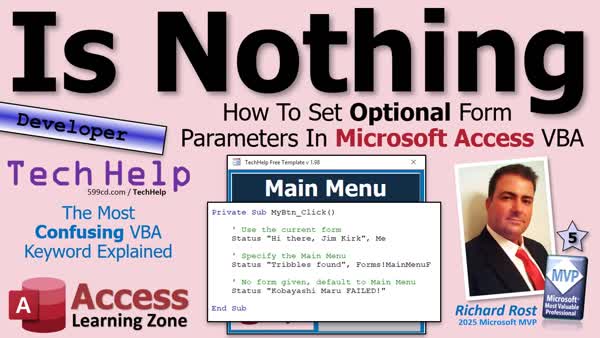 TechHelp Access, optional form parameter, VBA Is Nothing, global status box, passing form as parameter, object variable not set, status function, default to main menu, Optional F As Form, Set F = Nothing, debug compile, form reference, global module, status message routine, control existence check, override default form
 Subscribe to Is Nothing
Get notifications when this page is updated
More InformationTranscript Never try to pass a form into a VBA routine as a parameter, but you want that parameter to be optional and you do not know how to detect when it was not passed. That is where Is Nothing comes into play.
Welcome to another TechHelp video brought to you by AccessLearningZone.com. I am your instructor, Richard Rost. Today, we are going to talk about optional form parameters in Access VBA and how to safely handle the case where no form gets sent in at all. I will show you how to check for Nothing properly and then automatically default to a form like your main menu so you do not have to update every single line of code in your database.
Before we get started today, let's take a look at some prerequisites - things you should know before watching this video. Obviously, you should know some VBA. If not, go watch this; it is about 20 minutes long. It will teach you everything you need to know to get started.
If you are not familiar with my status box function, go watch this video. I show you how to get it to work on one form, and then in this video, I show you how to make it global. So the function itself is global, but it still always points back to the main menu.
In today's video, we are going to make it so that anybody can have their own status box and you can send it to that form, whatever form you want. You should know what optional parameters are. Go watch this video on passing a form as a parameter. These are all free videos; they are on my YouTube channel and on my website. Go watch those and then come on back.
Today's question comes from Clayton in Louisville, Colorado. I did not know there was a Louisville, Colorado. I had to look it up. Looks like it is right there between Boulder and Denver. Pretty cool. Been to Denver a couple of times, a really cool city. Never been up to Boulder, though. I just love it when I get questions from people and I am like, where is that city?
Clayton asks, how can I make one status message routine that works on multiple forms without rewriting it for every form? Building an Access database for a small warehouse, I am the lucky one who got assigned to it, and I added a little status box that shows messages like 'saving record' or 'export complete' with a timestamp. I already got it working so one global status routine can update any form if I pass the form to it. I watched your video about sending a form as a parameter, so I understand that part. But what happens if I do not pass a form at all? I'd love for it to automatically use my main menu form as the default, but right now that means I have to go through my whole database and update every call to include that form. I can make optional parameters for text and numbers, but I can't figure out how to make a form parameter optional or how to tell if nothing was sent in. You got the keyword right there - nothing. How do I check for that and use a default form?
Very cool. This is something I have not covered before in the TechHelp video. I have done this in a developer class, but let's talk about how to do this.
Here I am in my TechHelp free template. This is a free database you can grab off my website if you want to. By now, you should be familiar with my status box function. It lives in here.
Move that over. There we go. It is status 'Hello World' and all status does is it passes a string to the status function which is global. It lives in my global module and then it says Forms!MainMenuF!StatusBox = and then whatever. If you watched my status video, you know how this works.
What if you want to have multiple status boxes on different forms? I do this myself sometimes. If, like, on your customer form, you want a status box there too, you can, and you can do it without having to rewrite a custom status function for every form. You just have to pass the form into it.
If you watched my other video on passing a form, all you have to do here is say F as Form. Now, instead of saying Forms!MainMenuF, you just say F. So, F!StatusBox, and then over here, F!StatusBox - and that is it. That is all you have to do. Now, let me save this. Move this out of the way here.
Let's say this guy needs to say 'Hello World,' and then F for this one would be Me. You can send it Me. Me is the MainMenuF because we are in a code module here. Click here on a different - let's say another different global module - you can say Forms!MainMenuF like that and that's the name of that form. Here is Me, so use Me there.
Now let's say we have a different form. Let's make sure this still works. So we are working. Let's go to here now. Let's say we got a status box on the customer form. Let's copy this one. I am going to copy. I will just drop it over here, design, and paste. My copy-paste is being weird. Watch: copy-paste. I have to do it real fast. It's been weird for months. I will slide you down here. It should have the same name. StatusBox is the same name.
Let's make a button. I will just grab this one: copy-paste, slide it down here. I will use this one to test the status. Name: StatusButton. Now, in here, build event. I want to be able to just call Status again. So: Status "Customer form status," Me. I am going to send it this form so the status function in the global module knows which form to use. Save it. The button pile wants it as well. Let me close it. Open it. Move you over here so you can see them both. This guy's status is here. This guy's status is there.
You can change this. You can have them use each other's boxes if you want to. You can make the customer form go to Forms!MainMenuF just like that, and now this form is statusing over there. So you can tell any form to status to a different form just by sending it a reference to that form.
Now, the problem Clayton is having, I believe, is he wants to be able to make optional parameters - because he does not want to go through all of his code and add this in all the places in his database where he has status. He wants to say if there is nothing here, default to the main menu. I get it. My database probably has 5,000 or more. We could do a global search and replace, but that is going to be tough too because you have to add a second parameter on the end here. That would be tricky.
How do we program status so it can take an optional parameter? Let's give it a try. If we debug-compile now, we are going to get yelled at: 'Argument not optional.' So we have to go in here. It has to be optional. So the definition: we could put in here Optional F As Form. That will at least let us compile.
Let's try to run it though. What happens if I come over here and hit Status? 'Object variable or With block not set.' Because we did not give it an F at all. So we have to try to say, if F Is Nothing - I just gave it away - that's literally what we have to say. We cannot say in here: If IsNull(F) Then F = Forms!MainMenuF. We cannot do that. Let's debug-compile. 'Invalid use of property.' Why is that? That is another good teaching moment.
This is an object. A form is an object. A table is an object. What do we have to do with object variables? We have to Set them. And if you set it, you have to 'forget it.' So 'Set F = Nothing.' Now, that's the clue right there. 'F Is Nothing' is what we have to do. Let's take it one step at a time.
Debug-compile. It compiles. Now let's try it. Click. 'Object variable not set.' So it's not going to be 'F Is Null.' We can't check for a null string. We can't check for an empty string. We can't check for a zero. What do we check for? We check to see if it is Nothing. That's the key.
Here is what we have to put in here: If F Is Nothing. I know it is not equals; it is Is. 'If F Is Nothing Then' - debug-compile. I did not come up with the VBA syntax; I just teach you how to use it.
Ready? Click. And now it is going over to the main menu because we are saying he did not send in an F. So, 'If F Is Nothing,' then that. If you put equals here, put 'equals' there, save it, debug-compile: 'Invalid use of object.' You can set it equal to Nothing, but you can't check to see if it is equal to Nothing. It has to be Is Nothing. That is confusing, but that is why I am showing you debug-compile will teach you every step of the way what you did wrong most of the time - not always, but most of the time.
Now, all the rest of your code in the database that has just this will go to the main menu. That is all.
If you really want to make this super cool, you could check to see if there is a control on the form you are sending it from that has a StatusBox. If it has its own StatusBox, you could use that one. But that is a story for another day. If you want to see how to do that, post a comment down below, and maybe I will do another video on it.
If you like this kind of stuff, check out my Access developer lessons. I teach you everything you need to know to be an awesome developer, and I teach it in the right order so there is no hopping around for different videos. Take Level 1, Level 2, Level 3, in order. Trust me, you will be awesome in no time.
Today's key takeaway: if you want to pass a form as a parameter into a procedure, sub, or function, and you want it to possibly be optional, that is fine. Just check if F Is Nothing; if the form is Nothing, then put your default form right there. You can't specify it up in the parameter declaration, but you can put it down in your code. It is the same trick I do with dates. You can't have a date parameter be 'equals Now' up in the parameter declaration, but you can set it to something like January 1, 1900, and then later in the code, say if the date is January 1, 1900, assume you want Now. There are all kinds of tricks you can play with that. I think I have a whole separate video on that one; yes, I do.
You cannot send it like Now or Date in - that gives you an error. But you can send in January 1, 1900, and then say, if it is that, make it today's date in the code.
Doing this prevents you from having to go through your whole database, updating every single call to that function, and you can give the user the option to override it if you want to. It is really cool stuff.
Post a comment down below and let me know how you like today's video, and tell me how you plan to use this in your database. I love hearing the different ways that you folks put stuff to work that I give you in these classes. It is awesome. I love getting stories, and when you post screenshots on my website in the forum, that is amazing too. I get a lot of great screenshots people post.
But that is going to be your TechHelp video for today, brought to you by AccessLearningZone.com. I hope you learned something. Live long and prosper, my friends. I will see you next time.
If you enjoyed this video, hit that thumbs up button right now and give me a like. Also, be sure to subscribe to my channel, which is completely free. Make sure you click that bell icon and select All to receive notifications whenever I post a new video.
Do you need help with your Microsoft Access Project? Whether you need a tutor, a consultant, or a developer to build something for you, check out my Access Developer Network. It is a directory I put together personally of Access experts who can help with your project. Visit my website to learn more.
Any links or other resources that I mentioned in the video can be found in the description text below the video. Just click on that Show More link. YouTube is pretty good about hiding that, but it is there. Look for it.
If you have not yet tried my free Access Level 1 course, check it out. It covers all the basics of Microsoft Access, including building forms, queries, reports, tables, all that stuff. It is over four hours long. You can find it on my website or my YouTube channel. I will include a link below you can click on. And did I mention it is completely free?
If you like Level 1, Level 2 is just one dollar. That is it. And it is free for members of my YouTube channel at any level.
Speaking of memberships, if you are interested in joining my channel, you get all kinds of awesome perks. Silver members get access to all of my extended cut TechHelp videos, and there are hundreds of them now. They also get one free beginner class each month, and yes, those are from my full courses.
Gold members get the previous perks plus access to download all of the sample databases that I build in my TechHelp videos, plus you get access to my Code Vault, where I keep tons of different functions and all kinds of source code that I use. Gold members get one free expert class every month after completing the beginner series.
Platinum members get all of the previous perks plus they get all of my beginner courses, all of them from every subject, and you get one free advanced or developer class every month after finishing the expert series.
You can become a Diamond Sponsor and have your name listed on the sponsor page on my website.
Once again, my name is Richard Rost. Thank you for watching this video brought to you by AccessLearningZone.com. I hope you enjoyed it. I hope you learned something today. Live long and prosper, my friends. I will see you next time. Intro In this video, we will talk about handling optional form parameters in Microsoft Access VBA using the Is Nothing keyword. I will show you how to create a single status message routine that works across multiple forms, explain why standard techniques like checking for Null do not work with form objects, and demonstrate how to safely default to a particular form - such as your main menu - when no parameter is provided. This technique can help you streamline your code and avoid having to update every call in your database. Quiz Q1. What is the key advantage of making a form parameter optional in a VBA routine?
A. It allows the routine to be used more generically without requiring updates everywhere it is called.
B. It reduces memory usage in your application.
C. It prevents forms from opening more than once.
D. It eliminates the need to write any parameters at all.
Q2. When passing a form as an optional parameter in VBA, what value indicates that no form was passed?
A. Null
B. 0
C. Nothing
D. Empty
Q3. Which statement correctly checks if an object variable such as a form is not set in VBA?
A. If F = Nothing Then
B. If F Is Nothing Then
C. If IsNull(F) Then
D. If F = "" Then
Q4. In the default status box function, what is typically used if no specific form is provided to display the status?
A. The currently open report
B. The last edited form
C. Any form with the name 'StatusBox'
D. The main menu form
Q5. Why can't you use "If IsNull(F) Then" when checking an object parameter like a form?
A. Because IsNull only works with numbers
B. Because IsNull only works with strings
C. Because IsNull does not work with object variables
D. Because it triggers a syntax error in VBA
Q6. When you want a default form to be used if no parameter is passed, where do you specify this logic?
A. Inside the parameter declaration
B. Nowhere, VBA does this automatically
C. Within the code body using If F Is Nothing Then
D. In a separate configuration file
Q7. What does setting "Optional F As Form" in a procedure allow?
A. Making it mandatory to always pass the form
B. Allowing the form parameter to be omitted when calling the procedure
C. Forcing the use of the Forms collection only
D. Creating a new form every time
Q8. What do you have to use when assigning an object variable in VBA, such as a form reference?
A. Set keyword
B. Let keyword
C. Assign keyword
D. Link keyword
Q9. If you wanted to test in code whether the form you passed in has a control called StatusBox, what must you do first?
A. Assume it always exists
B. Check the Controls collection of the form
C. Use a global variable
D. Directly reference the control by name
Q10. Why is using "F Is Nothing" preferred over "F = Nothing" in VBA when checking objects?
A. "F = Nothing" deletes the object
B. "F = Nothing" closes the form
C. "F = Nothing" is invalid syntax for checking object reference equality
D. "F = Nothing" returns a Boolean value
Q11. What happens if you attempt to pass Now or Date as a default value for a date parameter in the parameter declaration in VBA?
A. It works as expected
B. Nothing happens
C. It gives you a compile-time error
D. The parameter always becomes Null
Q12. How does this technique help avoid mass updates throughout your codebase when changing parameter usage?
A. By requiring fewer developers to maintain the code
B. By allowing default logic in a central routine
C. By removing the need for parameters altogether
D. By rewriting the entire database automatically
Answers: 1-A; 2-C; 3-B; 4-D; 5-C; 6-C; 7-B; 8-A; 9-B; 10-C; 11-C; 12-B
DISCLAIMER: Quiz questions are AI generated. If you find any that are wrong, don't make sense, or aren't related to the video topic at hand, then please post a comment and let me know. Thanks. Summary Today's video from Access Learning Zone focuses on handling optional form parameters in Access VBA. I often get questions about how to allow for an optional form reference in a VBA procedure, subroutine, or function, and how to detect when no form is actually passed in. This subject revolves around using the Is Nothing check in your code, which is essential when dealing with object variables like forms.
To set the stage, you should already be familiar with the basics of VBA. If you are not, I have a beginner video that you should check out first for foundational knowledge. Also, if you have not yet learned how my status box function works, I recommend watching my earlier videos on making the status box global and how to pass a form as a parameter. These are foundational concepts for understanding today's lesson.
The inspiration for today's topic comes from a question I received about how to create one status message routine that can work across multiple forms, without needing to rewrite the function for every single form in the database. Imagine you have a small warehouse Access database. You want a status box on your forms that shows messages with timestamps and you want your status update routine to work with any form, ideally defaulting to the main menu when no particular form is specified.
First, let's clarify how passing a form as a parameter works. In my previous videos, I demonstrated how you can pass a reference to a form (using the Me keyword, for example) to a status routine, so it knows where to put its status message. This lets you reuse one global status function everywhere, only needing to specify which form's status box to update.
However, there is a challenge when making the form parameter optional. If you don't pass a form, you want your function to automatically default to your main menu form. You might wonder if you can just check if that parameter is missing, similar to how you might handle missing numbers or strings. With object variables like forms though, you need to approach this differently.
The right way to do this is to declare your form parameter as Optional. But unlike numbers or strings, you cannot just check if a form is Null or set a default value in the parameter declaration. Instead, you need to check if your form object variable Is Nothing. If the form variable hasn't been assigned, it will be Nothing, and your code can then default to another form, such as your main menu. You cannot use the equals sign for this comparison; you need to use the Is keyword: If F Is Nothing Then.
You also need to remember that with object variables, you use the Set statement when assigning them, and when checking their state, you check for Is Nothing rather than comparing to Null or empty strings. If you try to use the equals operator, VBA will throw an error. Debug-compile your code often to catch these kinds of syntax errors.
Once you update your status routine to check for Is Nothing, all the procedure calls throughout your database that do not specify a form will automatically fall back to the main menu form. This saves you from having to track down and update every single call to the status function.
For those interested in taking this concept further, you could enhance your function to check whether the form it is given contains a status box control and adapt accordingly. That, however, is an advanced topic for another time.
If you find these kinds of lessons helpful, you should look into my Access developer tutorials. I present material step-by-step, ensuring you build a solid foundation with each subsequent lesson.
To sum up, if you want to pass a form as an optional parameter and safely assign a default when none is given, use the Is Nothing check. This lets your function handle both scenarios cleanly. It's a common trick I use in other cases, too, like with date parameters. You cannot set a date parameter's default to Now directly in the declaration, but you can use a placeholder value and handle it within your code.
This approach keeps your codebase maintainable and provides flexibility for anyone using your routines.
If you want detailed, step-by-step demonstrations of everything covered here, you can find a complete video tutorial on my website at the link below. Live long and prosper, my friends. Topic List Creating a status message routine that works on multiple forms
Passing form references as VBA function parameters
Setting up a status box on different Access forms
Making a VBA form parameter optional
Checking if a form object parameter was passed
Using If F Is Nothing for object variables
Defaulting to a main menu form when no form is passed
Using Set when working with object variables
Avoiding common mistakes with object variable checks
Updating old code to work with new optional parameters Article A common challenge when writing VBA code in Microsoft Access is making routines that can update controls, like a status box, on different forms. You might have a function that updates a status message on your main menu form, but later you want to reuse that code on another form, such as a customer form, without rewriting your routine every time. The solution is to pass the form itself into your routine as a parameter, allowing a single function to update status boxes on any form you specify.
Suppose you have a Status function in a global module that updates a text box called StatusBox on your MainMenuF form. Normally, the code might look something like this:
Forms!MainMenuF!StatusBox = message
You can generalize this by passing the form as a parameter, like so:
Public Sub Status(message As String, F As Form)
F!StatusBox = message
End Sub
You can then call the function from your form's code module using Me (which refers to the current form):
Call Status("Saving record...", Me)
Or from outside the form by referring to it by name:
Call Status("Export complete", Forms!MainMenuF)
Now, the tricky part comes when you want the form parameter to be optional. This is useful if you already have calls to Status throughout your database that only pass in the message string, and you want those existing calls to default to updating, say, the MainMenuF status box. If you simply declare the parameter as optional, like this:
Public Sub Status(message As String, Optional F As Form)
you'll find that it compiles but throws an error at runtime if you try to use F without it being set.
The way to handle this situation is to check in your code whether the optional form parameter was actually supplied. With object variables such as Form, the way to check if they have been provided is by testing whether the variable Is Nothing. You cannot use IsNull or compare to an empty string, because those are only valid for value types and strings. For objects, Nothing is a special value indicating no object has been assigned.
Here is the recommended approach:
Public Sub Status(message As String, Optional F As Form)
If F Is Nothing Then
Set F = Forms!MainMenuF
End If
F!StatusBox = message
End Sub
Now, if you call Status with just the message, like Status("Hello World"), it will automatically use Forms!MainMenuF. If you want to update the status box on another form, just pass Me or the form reference as the second parameter, and it will use that form's status box instead.
A key point here is syntax: you must use Is Nothing when checking if an object variable is uninitialized. Do not use an equals sign (F = Nothing), which is invalid for this purpose. Instead, the correct check is If F Is Nothing Then.
This approach means you do not need to update every single routine in your database that calls Status. They will all automatically default to the main menu form unless you intentionally specify a different form. This greatly simplifies maintenance of your code and allows for more flexible reuse.
It is worth mentioning that this technique works for other object parameters as well, not just forms. Whenever you have an optional object parameter and want to check if it was provided, use the Is Nothing comparison.
If you want to take this a step further, you might consider adding checks to make sure the control exists on the form, so your routine does not throw an error if the form does not have a StatusBox control. But the core approach is the same: use Optional parameters in your routine and check Is Nothing to determine whether to use a default object.
In summary, to make an optional form parameter in a VBA routine, declare it as Optional, check Is Nothing inside your routine, and assign your default form reference using Set. This allows for backward compatibility with existing calls in your code and gives you the flexibility to target any form you want by providing a reference when needed. This technique will save you time and make your Access projects more robust and maintainable. Primary Topics Access VBA, optional parameters, form object variables, Is Nothing, default parameters, global functions, status message routine Secondary Topics Set keyword, object variable errors, parameter detection, best practices |




