Fitness 69
By Richard Rost

 6 months ago
How To Design a Workout Database Schema in Access In this lesson, we will begin designing the exercise tracking portion of our fitness database in Microsoft Access. I will show you how to lay out the database schema, including tables and relationships for muscle groups, exercises, programs, routines, session tracking, and session details. We will discuss approaches to keep the system flexible for different workout programs and routines, plan out the necessary tables and fields, and look at how data will be organized to make tracking workouts effective and adaptable. This video focuses on schema planning before building the actual database tables. PrerequisitesRecommended CoursesUp Next
Keywords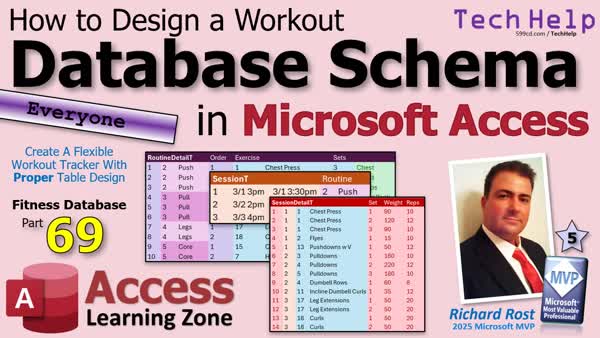 TechHelp Access, AccessLearningZone.com, fitness database, workout schema, exercise tracking, table relationships, muscle groups, routine design, program structure, body composition tracking, combo boxes, session detail, set tracking, weights reps, flexible database, Excel schema design, foreign key, primary key
 Subscribe to Fitness 69
Get notifications when this page is updated
More InformationTranscript Are you tired of workout apps that force you to change your routine just to fit how the software works?
Welcome to another TechHelp video brought to you by AccessLearningZone.com. I'm your instructor Richard Rost. This is part 69 of my series on building a fitness database.
In previous lessons, we focused on the food tracking side of the system and added body composition tracking. Now, we're going to start a brand new section of the database focusing on the exercise side. In today's video, we're going to focus on the design of the schema, which is laying out all the tables, fields, and relationships for muscle groups, exercises, programs, routines, session, and all that stuff.
We're going to plan everything out so everything makes sense before we start actually building it in Microsoft Access, and we're going to build a system that's flexible enough so you can change your workouts easily in the software instead of having to change your workout to fit the software. It's kind of like finance software - you don't want to change your business processes to match how your software does accounting. You want accounting software that matches how you do business. That's why we use Microsoft Access - same thing for fitness here. We're going to build software that's flexible enough to work around how you work out - at least how I work out, and then if you want to change it for your workouts you can.
That's why I'm teaching you all these tools for your toolbox so you can change them around and put the Legos together however you want.
Do you have to watch all of the previous videos to follow along? You don't have to, but I recommend it because I covered a lot of useful Access techniques earlier, like the special combo boxes we did in some of the events and some really cool stuff like building meals. I'm going to use a lot of those same techniques here, but I'm not going to go back and re-explain everything so I might just say go back and watch that lesson where I built the combo box.
Most importantly, even though this example uses fitness for the database, the real value here is learning solid Microsoft Access design techniques that apply to any kind of database you want to build. Today is another great example of laying out your database schema so you can see all the tables and the fields and all that kind of stuff that goes into building a database because your table schema is one of the most important things. If you don't have good blueprints for the house, the builders are going to have a tough time putting it together. You have to have that solid plan before you start building, so that's what we're doing today - we're putting together the plan for this part of the database.
All right, we're back to the fitness database. I know it's been a couple of months since I did the previous fitness 68 and the body composition tracking and all that. I really like to be able to sit down and do a handful of lessons at once so that I can focus on it because when you put it on the shelf and then come back to it you have to take a while to figure out where you left off. Now that I've got some other projects out of the way, like my SQL Server database videos and stuff like that, now I can take a couple days and focus back on fitness so we're ready to start the exercise portion of it.
I'm going to show you how I like to build this. It might be a little different from some ways that you've seen other fitness trackers or other apps have done it. I'm going to make this versatile in database speak so that it's easy to change things up based on how you want it because I change up my exercise routines a lot.
Again, I have to give the standard disclaimer that I am not a fitness professional. I'm just sharing with you what I've done over my life and it's pretty straightforward, but I like to mix things up. For example, sometimes I go on a week or two where I do full body workouts two or three days a week. Other times I'll do a four day split - I'll do push one day, pull one day, legs, and then core. Some days, like right now, I'm doing a 10 day split where I break it up into, okay, today I'm doing just biceps. Tomorrow I'm doing just chest press, you know, do a half an hour or just that.
It all depends, so I want to build this database so it's flexible so we can have multiple different programs like what program are you on right now. Or, right now, I'm doing a four day split so today's push, tomorrow is going to be pull, take a day off, then I'll do core. If you don't know what any of this is, don't worry about it, because again, this is all about building the database. What we're actually doing doesn't matter.
You're going to see some other cool tricks too. I've got some new stuff up my sleeve that we didn't cover with the food portion of it so you're going to learn some cool stuff.
First, let's break down the exercise routine. Here we are back in Excel. I like to do my schema design in Excel. I think it's easy to lay out the tables and the fields.
The first table we're going to start off with is a muscle group table. I like to know all the exercises that I do, I need to be able to specify what body part I'm working - basically chest, upper back, lower back, shoulders, all that. These are the different groups that I like to work on. I don't do all of these groups in every exercise or even every program, like sometimes I skip obliques or sometimes I skip glutes because my glutes are already perfect. Just kidding. Sometimes I just do the major ones, but those are the basic muscle groups.
A table for that is going to basically be: muscle group ID, a description, and some notes. That's all you need for that.
Next, we're going to set up an exercise table that's going to track each of the individual exercises that I do. For example, for chest, I do chest press and flies. There we have the exercise ID and a description. These are both for the chest muscle group so we're also going to track that. Both get a foreign key that is the muscle group ID.
The same with the upper back exercises: pull down, dumbbell rows, bent over rows. Those are all upper back exercises, so we store that foreign key here. Yes, I know there's lots more chest exercises. I'm keeping it simple for class. I've actually got six or seven pages of different exercises that I rotate through - gotta keep those muscles guessing. You don't want to do the same exact exercises every time.
There's the rest of the groups. This is what this is going to look like: lower back exercises, shoulder exercises, biceps, triceps, abs, quads, whatever.
This table is going to be: exercise ID (our primary key), muscle group ID that links back to this guy. This data here would not be stored in the table as you know - you would only have the ID, I'm just including it here to show you what it is. A description, notes (type in whatever you want), and I like to put a URL for each exercise because sometimes I have some weird, "What's a Romanian deadlift? How do I do that again?" So I like to include a link where I can put it to either a YouTube video or a page on the web that explains how this exercise works. Sometimes you want to do these weird exercises you want to do once in a while to work those weird muscle groups, but you don't always remember the exercise or how to do the proper form, so a URL is nice there.
Next, we have programs. A program to me, like I said earlier, is what kind of program I'm working on right now. I'll do a full body workout for two or three weeks in a row, or then I'll switch to maybe a four day, whatever I feel like. I like to keep it mixed up; that way you don't get bored, that way your muscles keep guessing.
For each of these programs you'll have routines that will describe what that program is all about. For example, the full body program would just have one routine - that's the thing you do for that day is your routine, and a full body workout is just a full body routine, that's pretty much it. The four day program is going to have four separate routines in it: push day, pull day, legs day, core day, or whatever you want to break it up. Sometimes I'll do a three day routine; the 10 day routine has a lot of stuff in it. It's got pretty much each of these as its own day. I think I do obliques, glutes, and calves on the same day because those are all pretty much just simple little isolations, but I'll do a whole day of just shoulder exercises and then a whole day of just upper back exercises.
I'm not going to put all that here though. Let's see how that works. This would be a program - a program is broken up into multiple routines. This table looks like that: routine ID, what program it's part of (foreign key), description, and notes. You can have notes in every table; if I don't put it on there, it's in every table.
Now, here's where stuff starts to get interesting - the routine detail. For each of these, when you do your push routine, what does that entail? In fact, I'm going to move it back so you can also see the exercises, because for each routine, like push, you're going to have different exercises in that routine.
We're going to skip full body for now, because full body will just be a bunch of stuff, but let's do the push routine. Let's say the first exercise in your push routine is a chest press, and you want to do three sets of chest presses, so we'll put three sets here for chest presses, trying to keep everything on the screen. Since we know that this is a chest press, it's exercise one. We can derive that it's from the chest body group without storing that in this table.
What do we need for fields over here? We've got the routine detail ID (auto number), the routine ID (which is the foreign key), the exercise ID, a sort order (I'd put a sort order in here), so that's what the first exercise you do as part of your push routine is - three sets of chest presses.
What's next in the push routine? Next in the push routine, which is routine number two (push number two), sort order is two, so this is the second exercise I do in this routine. I'm going to do exercise two, which are flies, and I'm going to do one set of those, and it's a chest exercise.
Finally, for the push routine, order three, I'm going to do exercise 13, which is triceps push downs with a little v handle, and one set of that. Where do the weights and the reps and all that go? That's coming, don't worry - we're going to get to that. This is just tracking what each routine includes. That's our push day.
Here's our pull day. There's our pull day routine three, pull: order one, two, three exercises - pull downs, dumbbell rows, and incline dumbbell curls. A pull day - three of those, one of those, one of those.
There's our leg day - routine four, legs one and two. We've got leg extensions and hamstring curls, two sets of each. Don't skip leg day.
Finally, our core day, we've got cable crunches and hyperextensions. I don't really like these that much, but I do them anyway. It's really on the bench and then you lift up your back so it's the opposite of a crunch, basically.
Routine detail: routine ID, exercise, sort order, sets, a description, and notes. The description could be something like if you want to put a special note on this one, like sometimes I want to add a note to do this a certain way for this routine, and it'll be in this routine detail.
Another thing - when it comes to sets, I know because I've been doing this for years, that when I have three sets of a chest press, I know my first set is supposed to be lighter (a warm-up set), then I'll do a heavy set, and then a lighter set to finish. That's just if you want to have three sets - you could actually have a separate exercise over here that's chest press warm-up if you care about tracking the separate weights for that, which we'll get to, but tracking the weights and the reps and all that is coming in a minute. I know if I have three sets of chest press, the first one I do lighter, then a heavy set, then a little triangle, or you could do drop sets. There are all kinds of ways to do this. You can track it however you want, but again, I'm trying to keep this basic for now.
Now, we know what our routines are, and we know what our routine details are. For each routine, here are the details. So, when it's pull day, I'm doing this: three sets of pull downs, one set of dumbbell rows, one set of inclined dumbbell curls - that's my pull day.
Now it's time to track when I actually do these workouts. That will be our session table. Session one was on March 1 from 3 pm to 3:30 pm, so it was a half hour long. We can derive that later; we don't have to store that. We don't store values we can easily derive.
So, on March 1 at 3:00, I did my push day. March 2 at 2 pm, I did my pull day. March 3 at 4 pm, I did my leg day. Session ID, start and end, and what routine it was. Of course, notes: felt like crap today, today was diesel, whatever notes you want to add in there.
Finally, we come to our session detail table. This is what we actually did in each of these workout sessions. Auto numbers: now for session one, it was a push day, so when we select that we're doing our push day, the database is going to know that this is what we need - three sets of chest press, one set of flies, one set of push downs. The database knows we need five sets total, and it's going to add those records to the table for us.
Then we can put in the sets, weights, and reps. This will be put in for us, right: set one, set two, set three - that'll just be a counter. For set: 90 pounds, 10 reps; second set: 120 pounds, 12 reps; and so on. Yes, I've had a shoulder injury since I was younger so I don't bench heavy. If someone else asks you what you bench, that doesn't matter, it's meaningless. All you're doing is competing against yourself. Don't worry about what anyone else is doing. You just want to make yourself better, either increase the number of reps or the weight from the last time you worked out and just try to improve the best you can.
So, now the next time I sit down and pick, okay, it's push day, the database will know to load this in so you can see what you did last time. I think maybe we're going to do a default - I haven't built this yet - where it loads in this stuff here, and then you can set it to increment that by one. I personally work in the eight to twenty rep range. I do a higher rep workout. I know the young kids all do three to six reps or whatever. I'm over 50. When you're over 50, your muscles might be able to keep up with the growth and all that, but your joints can't. Yeah, I take some joint supplements and all that, but like I said, I've got a shoulder problem, a problem with my wrist, too many years of playing baseball. So, I work in the high rep range. Once I hit 20, then I increase the weight a little bit and then move back down to eight.
If I can do 10 or 12, I'm happy. I'm thinking about making it a setting in the system so it says if this hits 20, then it'll remind you to increment that weight a little bit, maybe go up 10 percent. We'll figure that out when I get to it. I've been using a white board for the past 10 years so this will be a step up for me too.
Next up, pull day - boom, there you go. It knows you need three sets of pull downs. There's your weights. You type them in the first time. The computer is not going to know what you're doing. The second time, it can pull up what you did the last time.
Finally, we've got our leg day. I don't think I did another one, so just those three, then your core day right after that, and then you just rinse and repeat.
So, this table is going to have the session detail ID, the session ID, the exercise ID, then the set - it will automatically fill in for you, and we'll make it so you can add more if you want to. Honestly, I don't really bother tracking this myself, but I know a lot of you are probably going to want to. I'll just put three sets, and like I said, I track my max weight. I know my max is 120 at 12 or whatever, I know to start at 90, start light, about two thirds that weight, then I do a heavy set, then a finisher to exhaust the muscles. I don't personally need this much detail, but I know a lot of you want to track each set individually. If you want to make a separate exercise item that is chest press warm up, you could do that too.
Sets, weights, reps, notes - pretty straightforward. That's it - that's the whole schema right there for the exercise. That's the way I drew it out, and there we go - that's not too bad.
Now, the next step is to build all the tables for this, and we'll pick up there in tomorrow's video. Today's big takeaway is how to design a flexible workout database schema that lets your routine drive the software, not the other way around. In the next part, we'll start building these tables in Microsoft Access and wiring everything together so it actually works.
Post a comment down below. Let me know what you thought of today's video and how you might use this stuff in your own database.
That's going to do it for your TechHelp video for today, brought to you by AccessLearningZone.com. I hope you learned something. Live long and prosper, my friends. I'll see you soon for part 70.
If you enjoyed this video, hit that thumbs up button right now and give me a like. Also, be sure to subscribe to my channel, which is completely free, and make sure you click that bell icon and select all to receive notifications whenever I post a new video.
Do you need help with your Microsoft Access project? Whether you need a tutor, a consultant, or a developer to build something for you, check out my Access Developer Network. It's a directory I put together personally of Access experts who can help with your project. Visit my website to learn more.
Any links or other resources that I mentioned in the video can be found in the description text below the video. Just click on that show more link right there. YouTube is pretty good about hiding that, but it's there - just look for it.
If you have not yet tried my free Access Level 1 course, check it out now! It covers all the basics of Microsoft Access, including building forms, queries, reports, tables, all that stuff. It's over four hours long. You can find it on my website or my YouTube channel. I'll include a link below you can click on, and did I mention it's completely free? If you like Level 1, Level 2 is just one dollar, that's it, and it's free for members of my YouTube channel at any level.
Speaking of memberships, if you're interested in joining my channel, you get all kinds of awesome perks. Silver members get access to all of my extended cut TechHelp videos, and there's hundreds of them by now. They also get one free beginner class each month, and yes, those are from my full courses. Gold members get the previous perks plus access to download all of the sample databases that I build in my TechHelp videos, plus you get access to my Code Vault where I keep tons of different functions and all kinds of source code that I use. Gold members get one free expert class every month after completing the beginner series. Platinum members get all of the previous perks, plus they get all of my beginner courses, all of them from every subject, and you get one free advanced or developer class every month after finishing the expert series. You can become a Diamond Sponsor and have your name listed on the sponsor page on my website.
That's it! Once again, my name is Richard Rost. Thank you for watching this video brought to you by AccessLearningZone.com. I hope you enjoyed it, I hope you learned something today. Live long and prosper, my friends. I'll see you next time. Intro In this lesson, we will begin designing the exercise tracking portion of our fitness database in Microsoft Access. I will show you how to lay out the database schema, including tables and relationships for muscle groups, exercises, programs, routines, session tracking, and session details. We will discuss approaches to keep the system flexible for different workout programs and routines, plan out the necessary tables and fields, and look at how data will be organized to make tracking workouts effective and adaptable. This video focuses on schema planning before building the actual database tables. Quiz Q1. What is the main objective of the video described in the transcript?
A. To sell a workout tracking application
B. To teach viewers how to design a flexible workout database schema in Microsoft Access
C. To provide a full body workout plan
D. To demonstrate advanced SQL Server techniques
Q2. Why does the instructor prefer designing the database schema in Excel before building it in Access?
A. Excel automatically generates Access tables
B. It is easier to lay out tables and fields in Excel for planning purposes
C. Excel offers better security tools than Access
D. The final application will run in Excel
Q3. What is the advantage of making the workout database schema flexible?
A. It can only be used for one specific workout routine
B. It allows users to adjust their workouts without changing the software
C. It is necessary for certification
D. It requires less knowledge of Access
Q4. Which table is responsible for storing information about different muscle groups?
A. Exercise table
B. Session table
C. Muscle group table
D. Routine detail table
Q5. What key field is used to link exercises to their respective muscle groups?
A. Program ID
B. Session ID
C. Muscle group ID
D. Routine ID
Q6. What additional field does the instructor suggest adding to the exercises table for reference?
A. A photo of each exercise
B. The duration of each set
C. A URL for instructional videos or details
D. Trainer information
Q7. How does the structure accommodate different workout routines (such as push/pull or full body)?
A. Every routine is stored in a separate database
B. Programs can contain multiple routines, each describing different workout days
C. Only one routine per program is allowed
D. Users cannot create new routines
Q8. What is the purpose of the routine detail table?
A. To track nutritional intake before workouts
B. To outline which exercises, sets, and order are part of each routine
C. To store user login details
D. To generate workout summaries
Q9. Which table is used to record information about specific workout sessions (date, time, routine)?
A. Program table
B. Session table
C. Exercise table
D. Routine table
Q10. Where are the results and details of each set (such as weight and reps) for a session stored?
A. Routine detail table
B. Muscle group table
C. Session detail table
D. Program table
Q11. Why is it unnecessary to store the duration of a workout session in the session table?
A. Because it should be calculated from start and end times
B. Because duration is not important
C. It complicates the schema
D. It uses too much storage space
Q12. According to the instructor, what is the most important takeaway from designing a database schema first?
A. It reduces development time by half
B. It ensures the project will be bug-free
C. Having a solid plan (schema) before building makes development easier and the system more reliable
D. Schemas are only for expert users
Q13. How can the system help users improve over time?
A. By letting them compete with others online
B. By helping track sets, weights, and reps for each exercise, making it easier to push for progress
C. By suggesting new exercises each day
D. By sending automatic workout reminders
Q14. What analogy does the instructor use to stress the importance of having a solid schema?
A. Building a schema is like painting a picture
B. Good blueprints for a house make construction easier
C. Schemas are like cooking recipes
D. Databases are like cars
Q15. Which of the following is NOT mentioned as a field commonly present in most tables in the instructor's schema?
A. ID (primary key)
B. Description
C. Notes
D. Price
Answers: 1-B; 2-B; 3-B; 4-C; 5-C; 6-C; 7-B; 8-B; 9-B; 10-C; 11-A; 12-C; 13-B; 14-B; 15-D
DISCLAIMER: Quiz questions are AI generated. If you find any that are wrong, don't make sense, or aren't related to the video topic at hand, then please post a comment and let me know. Thanks. Summary Today's video from Access Learning Zone focuses on designing the schema for the exercise portion of our fitness database project in Microsoft Access. I'm your instructor, Richard Rost, and this is part 69 of our ongoing series. Up to this point, most of our attention was on food tracking and body composition, but now we're turning to the exercise side.
The goal of today's lesson is to lay out the tables, fields, and relationships that will let you manage muscle groups, exercises, programs, routines, and workout sessions in a way that supports how you want to work out. Too many fitness apps require you to change your approach to match their design. Here, we'll make the database adapt to your needs, just like how quality accounting software should fit your business practices rather than forcing you to adjust.
It's worth mentioning that while you don't have to watch the previous videos in this series, I suggest you do since I covered a lot of foundational Access techniques that you may find useful today, such as how to build special combo boxes. I'll be using some of those methods here, but I won't re-explain them in detail, so you may want to reference those earlier lessons if anything seems unfamiliar.
Also, even if your goal isn't to create a fitness database, the lessons here have broad application. Laying out a database schema is essential for any database project. If you don't start with a good plan, it's like building a house with bad blueprints. A well-designed schema is crucial, and that's exactly what we're focusing on today.
It's been a couple of months since the last installment in this series, but now that other projects are off my plate, I can give this my full attention again. My approach to workout routines may differ from what you've seen in other apps. Because I like to change up my methods frequently, I need a database that's versatile, so you can easily modify your routines and programs as needed. You'll see how to build that kind of flexibility.
A quick disclaimer: I'm not a professional trainer. I'm just sharing what has worked for me over the years, so feel free to adapt as needed for your own routines. For instance, I sometimes do full body workouts, or a split routine that focuses on pushing movements one day, pulling movements another, and so forth. The specific workout plan is less important than the way we build the system to track it.
I always start my schema design in Excel, because it's convenient to lay out tables and fields in a spreadsheet before building anything in Access. The first table in our design is one for muscle groups - chest, back, shoulders, arms, core, and so on. Not every group is included in every workout or program, but the table lets you list each group along with descriptions and notes. That's all you really need for the muscle group table.
Next, we'll need an exercise table. Each exercise (for example, chest press, flies) gets an ID, a description, and a foreign key back to the associated muscle group. You'll only store IDs in the actual table, but for planning it's helpful to list out which exercises belong to which groups. I also like to include a notes field and a URL link for each exercise, which is especially helpful for referencing videos or instructions for less common exercises or those you don't remember exactly how to perform.
On to programs: A program is the overall approach you're using at any given time (for example, a full body workout for a few weeks, then maybe a four-day split after that). Within each program are routines, which represent the logical units you train (e.g., push day, pull day, leg day, etc.). Each routine is part of a program, and again, we'll include the routine ID, program ID, description, and notes.
The next layer in the schema is routine detail. This is where you define which exercises are performed in each routine, the order they're performed in, and how many sets of each exercise. For instance, in a push routine, you might start with three sets of chest presses, followed by one set of flies, and so on. Each entry in the routine detail has a routine detail ID, routine ID, exercise ID, sort order, number of sets, description, and notes. The description can be used for anything specific you want to remember or adjust for that exercise within the routine.
This system is flexible enough to let you build routines in many different styles. For example, if you want specific instructions for warm-up sets or different weight progressions, you can adjust or add exercises accordingly. I'm keeping things basic for now, but you can build in as much complexity as you want later.
Once your routines and details are defined, you'll want to track when you do your workouts. This is managed by a session table, which records when each session started and ended, along with which routine you followed and any notes you want to record (for example, how you felt that day).
The final component is the session detail table. This table logs exactly what you did during each session: which exercises, which sets, what weights and reps you used, and any notes you want to record per set. When you log a session, the database will know, based on your selected routine, how many exercises and sets to create records for. You then fill in your actual performance - weights, reps, and so on. This can be as detailed as you want; you may prefer tracking only the max set or every single one.
This whole schema creates a foundation that meets your needs and your style of working out, and it's easy to extend or adapt to new requirements. In the next part of the series, we'll actually create all these tables and start connecting them in Access.
I invite you to leave comments and share how you might use these techniques in your own projects. That's the conclusion of today's TechHelp video from Access Learning Zone. Everything discussed here and a complete video tutorial with step-by-step instructions is available on my website at the link below. Live long and prosper, my friends. Topic List Designing a flexible workout database schema
Schema planning for muscle groups, exercises, and programs
Creating a Muscle Group table
Setting up an Exercise table with foreign keys
Adding a URL field for exercise technique reference
Building a Program table to track workout types
Creating a Routine table linked to Programs
Defining Routine Detail to specify exercises per routine
Using sort order and set fields in Routine Detail
Structuring a Session table to log workout dates and times
Recording workout details in a Session Detail table
Auto-populating sets, weights, and reps in Session Detail
Differentiating between routine planning and actual session data
Ensuring schema flexibility for varied fitness programs
Planning for notes fields across tables for custom notes Article Are you frustrated by fitness apps that force you to adapt your routine to fit their limitations? Many apps require you to work the way they think a workout should look, but with Microsoft Access, you can design a fitness database that adapts to the way you like to exercise, not the other way around. By focusing on solid database schema design, you can create a system that lets you easily customize, change, and evolve your approach as needed.
Let's step through how to plan out a good exercise tracking section for a fitness database in Microsoft Access. The key is to first design the core tables and relationships, so everything works flexibly and intuitively. By establishing a solid schema before you start building, you ensure your database adapts to any workout style, whether you're doing a classic three-day split, full-body routines, or a unique ten-day rotation.
Start with the basics. Begin by making a table for muscle groups. This table describes the major body areas you might want to target in a workout, like chest, upper back, lower back, shoulders, biceps, triceps, abs, quads, glutes, calves, and so forth. Each entry gets a unique ID, a description, and maybe some notes. For example, you might have one entry for Chest with the description "Pectorals," and you can jot down a note if there are special considerations.
Next, create an Exercise table. Every exercise you do is listed here, including details like exercise name, its associated muscle group (which links back to your Muscle Group table using a foreign key), a description, notes, and possibly a URL linking to a demonstration or explanation online. This is especially helpful for unusual or unfamiliar moves, so you can easily refresh your memory or check proper form. For instance, "Chest Press" and "Flies" would both be chest exercises, "Pull Down" and "Bent-Over Row" would be upper back exercises, and so forth.
The database needs to handle programs, which are individual training regimens you might follow for a given period. Maybe you do a "Full Body" program for a few weeks, and then switch to a "Four Day Split" (like push, pull, legs, and core). Each program can have one or more routines associated with it, where a routine represents a set of exercises for a particular workout session (like all the exercises you do on Push Day, or all the moves for Leg Day).
For that, make a Program table, which lists each program you use (like "Full Body," "Four Day Split," "Ten Day Routine," etc.), with IDs and descriptions.
Then, create a Routine table. This table stores each workout day or themed session within a program. For instance, in a four day split, you will have four routines, one for each day: Push Day, Pull Day, Legs Day, Core Day. Each routine is linked to its parent program by a foreign key.
Now you need to detail what each routine actually consists of. That's where the Routine Detail table comes in. For every routine, list out each exercise included, along with how many sets you intend to perform, and in which order. For example, on Push Day, maybe you start with 3 sets of Chest Press, followed by 1 set of Flies, and finally 1 set of Triceps Push-Downs. Each routine has a list of these details - routine ID, exercise ID, sort order, number of sets, descriptions, and notes (maybe you want to remind yourself to use a particular grip, or emphasize form).
Once you have designed how routines are composed, you need to track individual workout sessions: the actual exercise events that you complete. For that, set up a Session table. Each session records when it started and ended, and which routine you followed that day. You can toss in a notes field for anything relevant about that particular day - how you felt, environmental factors, or any modifications you made.
The final piece is the Session Detail table. This is where you track the precise sets, weights, and reps you performed in a given session. For example, on one Push Day session, for the Chest Press, maybe your three sets were 90 lbs for 10 reps, 120 lbs for 12 reps, and 100 lbs for 8 reps. The system is designed so, after you log which routine you performed, it fills in all the expected exercises and sets for you to enter specifics. If you need to adjust for the day, you can easily add or remove sets or alter details as you go.
For each session, the Session Detail table includes fields for the session ID, exercise ID, set number, weight, repetitions, and any notes you want to record - for example, if you had a shoulder tweak and had to use less weight, or tried a slower tempo.
The big advantage in this schema is flexibility. You can easily swap out routines, build custom workouts, add new exercises, and manage as many programs as you want, all without needing to redesign the whole system. You're not locked into one way of working; you decide how you want to train, and the database keeps up. For people who change their approach over time - switching from full body to splits, mixing up exercise selection, or adjusting set and rep schemes - this schema makes that process seamless.
Once your schema is outlined, you can start building the tables in Microsoft Access. Name your tables clearly, establish primary keys (with autonumber fields), and set up relationships so your foreign keys connect the appropriate tables. For instance, Exercise has a foreign key to Muscle Group, Routine points to Program, Routine Detail connects Routine and Exercise, and so on. After you lay out all of your tables, you can build forms to enter and select workouts, queries to analyze progress or spot trends, and reports to keep track of your history.
This design is not just for fitness; the principles you learn apply to any database project. Laying out a thoughtful, normalized schema before a single table is built makes all the difference when it comes to flexibility and future updates. Consider this your blueprint - the stronger the foundation, the better your database will serve you over time.
In the next stage of development, you'd proceed by building each of these tables in Microsoft Access, creating the necessary relationships, and then moving on to designing input forms and queries for easy data entry and tracking. As your needs evolve, the schema can be modified or expanded, but with this solid starting structure, you'll be able to track your workouts your way - without the software getting in the way. Primary Topics
Microsoft Access schema design, fitness database, exercise tracking, table relationships, normalization, flexible routine/program representation, session logging
Secondary Topics
personalization, best practices in table structure, transition from food/body tracking, schema prototyping in Excel
|




