|
||||||
Access Developer 5Commission Checks, List Boxes, Currency TextWelcome to Access Developer 5. In this course you will learn how to use a pay commissions form, configure list boxes to move items between them, and print checks with currency values converted to English text in Microsoft Access. We will discuss managing and tracking commissions, selecting items in forms, building reports for check printing, and highlight the importance of keeping Access versions current, while outlining how this course fits into the overall Access training series. Lessons
Resources
Currency to English VBA CodeIn case you don't want to download the database, you can get the VBA code to convert currency to English from this page in the Code Vault: Lesson SummaryWelcome! Move List Items & Print Checks - Welcome to Microsoft Access Developer Level 5. In this course we will continue building on skills from Level 4, including how to pay and print commission checks, move items between two list boxes in a form, and convert currency values to text for check printing. We will discuss creating and using a pay commissions form, working with list box item selection and movement, and developing reports to print checks with dollar amounts written in English. We will also cover the importance of upgrading Access versions and reference the structure of the beginner, expert, advanced, and developer series.
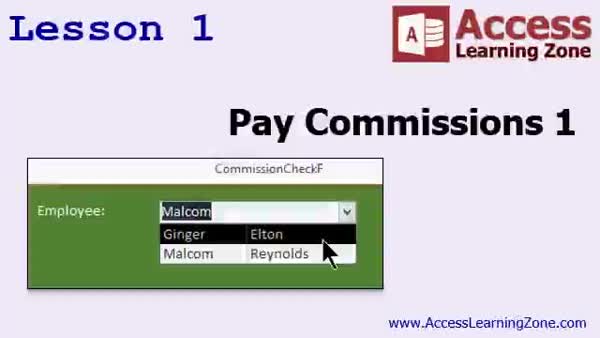
Lesson 1: Pay Commissions System Tutorial - In Lesson 1, we begin building our pay commissions system by setting up a process to approve employee commissions and prepare commission checks. We will review the commission table structure, discuss the logic behind using a two-step approval and payment process, and create related tables and queries needed to track approved but unpaid commissions. I will show you how to design the forms and queries necessary to select employees and their commissions, and discuss strategies for moving approved commissions to payment. This lesson sets up the foundation for managing and tracking pay commissions within the system.
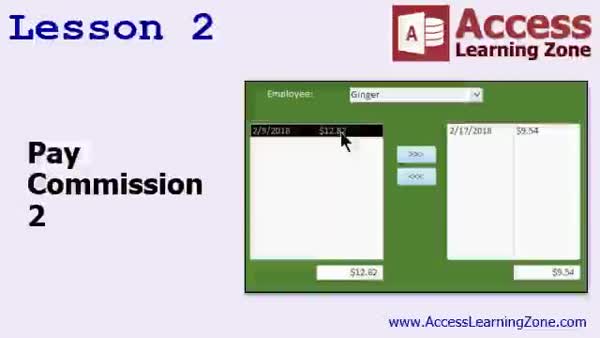
Lesson 2: Move Items & Track Selections - In Lesson 2, we continue working on paying commissions by building forms with two list boxes to manage commission items for each employee. We will walk through setting up list boxes that display commissions based on the selected employee, and we will implement functionality to move items between the boxes using buttons or double-clicks. We will also discuss how to use a temporary "is selected" field to track selected items, and how to display totals for each list. Finally, we will address common issues like managing selections when different employees are chosen.
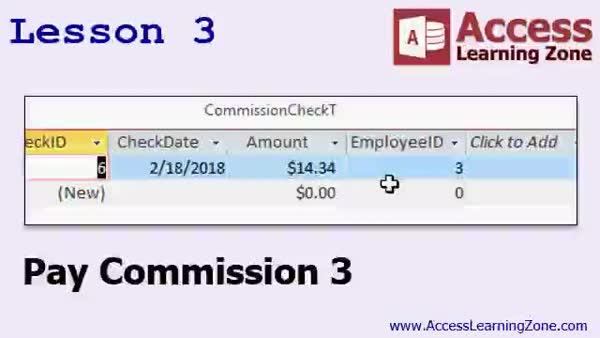
Lesson 3: Process Commissions & Update Checks - In Lesson 3, we continue building the pay commissions form by adding a "Process Check" button to save commission payments to the CommissionCheck table, confirm user actions, and properly assign checks to selected commission records. I will show how to retrieve the new CommissionCheckID reliably, update related commission records, address possible multi-user issues, and discuss design decisions such as adding EmployeeID directly to the Commission table for simplicity. We will also look at maintaining data integrity during these operations, preparing the database to later print checks from the pay commissions process.
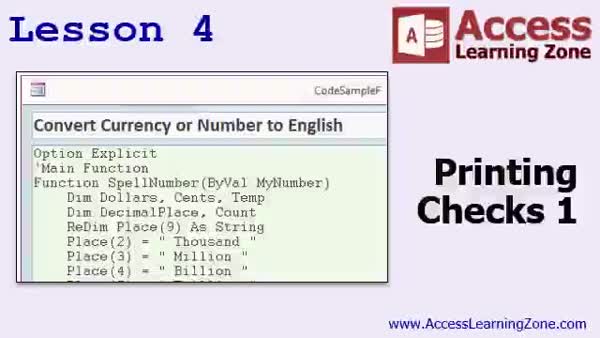
Lesson 4: Print Commission Checks w/Spell Number - In Lesson 4, we will begin the process of printing checks for employee commissions. We will talk about using the spell number function to convert numeric currency amounts into English words, and I will show you how to add this function into a global module for use throughout your database. We will also walk through updating your commission check table to include check numbers, automatically assigning them, and discuss marking checks as printed. This lesson focuses on printing a single check and preparing your database for check printing, with additional features to be covered in later lessons.
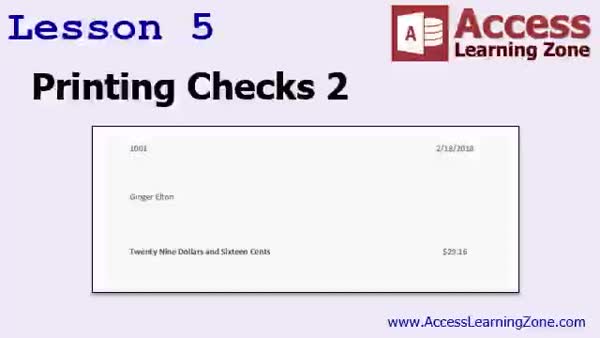
Lesson 5: Print Checks, Amt in Words, Mark Printed - In Lesson 5, we will walk through the process of printing checks using a custom Access report. We will set up a report based on the commission check query, arrange and format fields to fit on blank checks, and discuss tips for aligning printed fields properly. I will show you how to create a button to print all unprinted checks, mark them as printed, and manage their status. We'll also go over handling special cases such as multiple checks per page and tracking which checks have or have not been printed. Printing checks in Access will be fully demonstrated.
Lesson 6: Review & Next Steps - In this course we learned a variety of advanced Access developer topics, including suggestions for what to study next, information about upcoming lessons, tips for working with images and attachments in your database, managing file storage, and advice on database security. We also discussed available seminars and additional resources, ways to get help through student forums, and how to contact the instructor. Lastly, we reviewed guidelines regarding course usage and licensing, as well as how to stay connected for updates and provide feedback.
NavigationKeywordspay commissions, commission check, move items between list boxes, print checks, spell number function, currency amount to text, approve commissions, process commission payments, check printing, align printed fields, mark checks as printed, data integrity
More InformationTranscriptWelcome to Microsoft Access Developer Level 5, brought to you by AccessLearningZone.com. I am your instructor, Richard Rost. Today's class is going to continue what we learned in Level 4. We are going to learn how to pay those commissions that we started tracking in Level 4. We are going to learn how to move items between two list boxes. We will have list 1 and list 2. I want to click on an item and have it move over to list 2. It is almost like a click-and-drag kind of thing, but Access does not support click-and-drag, so I am going to show you another technique. We are going to learn how to print checks. To do that, we have to be able to convert currency into text, so if it says $100 and $6, we have to be able to spell that out in English. This class follows Access Developer Level 4. You should have completed my beginner, expert, and advanced series, plus Developer 1 through 4 before getting to this class. If you have not taken any of my classes before, there are 9 beginner lessons, and they cover all the basics of tables, forms, queries, and simple design. The expert series works mostly with relationships and covers some higher-level techniques. The advanced series starts getting into event programming and macros, which is the precursor to programming, and my developer series, which is what you are in right now, starts covering Visual Basic programming. Each series is broken down into different levels. Beginner had 9 levels, expert had 32, advanced only had 6, and developer right now has 5. This is Level 5. Go get 1 through 4 if you have not yet, and then we will talk about 5. I recommend that you build the database that I am building in class. I recommend you build it yourself from scratch, from lesson 1. If you have not, or if you have not been keeping up with it, you can download a copy of the database right there, find that ncd.com/databases. You will need your password, the password that you were given when you purchased this class. I am using Access 2016, but everything should work. I should change it to Access 2007 and through 2013, because for 2007, really most of this stuff is the same too. There, that is better. If you are using 2007, you might want to consider upgrading. Access 2016 is great, it is wonderful, and it fixed a lot of bugs. There are not a lot of major upgrades through the versions. Access has been pretty much the same since 2007, but the little bug fixes and incremental things that they have added really do make a difference in the long run. Unless you are in a company with 5,000 people using it, I would suggest upgrading. Let us take a more in-depth look at what is covered in each lesson today. In lesson 1, we are going to begin building our pay commissions form, or our commission check form. We are going to make it so we can take a look at all of the commissions that have been approved for each of our employees, mark which ones are going to get paid, and then cut the check for them. It will actually print checks out and such. So that is what we are going to start doing in lesson 1. In lesson 2, we are continuing on with paying commissions. Here we will work on our form so that we have a list box on the left. We will click on an item, click on the button, and move the item from listbox1 over to listbox2. In lesson 3, we are still working on our pay commissions form. In lesson 4, we are going to start getting down to printing the actual checks out for our employees' commissions. We are going to take a look at the spell number function to convert currency to English, and we will create our first global module. In lesson 5, we are finally going to get to printing our actual check. We are going to make a report that prints out the check, puts the dollar amount in English, $29.16, and so on. Thank you. IntroIn lesson 5 of my Microsoft Access Developer series, you will learn how to handle paying commissions tracked from previous lessons, move items between two list boxes in a form, and print checks for employee commissions. I will show you how to convert currency values into English text for use on printed checks, build a functional pay commissions form, and design a report to generate commission checks with spelled-out amounts. This lesson builds on Developer Level 4 and assumes you are familiar with the beginner, expert, advanced, and previous developer classes. QuizQ1. What is one of the main topics covered in Microsoft Access Developer Level 5? A. Importing data from Excel to Access B. Paying commissions tracked in Level 4 C. Securing Access databases with passwords D. Using Access for website development Q2. Why does the class cover moving items between two list boxes? A. To demonstrate click-and-drag functionality in Access B. Because Access does not support click-and-drag, so another technique is taught C. To teach VBA error handling D. To create automated data backups Q3. What is necessary to print checks with spelled-out currency amounts? A. Creating a macro to convert numbers B. Converting currency into text using a special function C. Editing the table design for check fields D. Using Excel formulas Q4. Before taking Developer Level 5, which courses are recommended as prerequisites? A. Only the beginner series B. Only the advanced series C. Beginner, expert, advanced, and Developer Levels 1 through 4 D. Only Developer Level 1 Q5. What does the expert series in AccessLearningZone.com focus on? A. Table design only B. Relationships and higher-level techniques C. SQL Server integration D. Security settings Q6. What is the first task covered in lesson 1 of Level 5? A. Creating a new table for commissions B. Building the pay commissions form C. Designing a navigation form D. Writing a macro for auto-login Q7. What is introduced in lesson 4 of Level 5? A. Subforms for data entry B. The spell number function and global modules C. Report filters for summaries D. Table normalization methods Q8. Why does Richard suggest considering an upgrade from Access 2007? A. Access 2007 is no longer supported by Microsoft B. Newer versions, like Access 2016, have important bug fixes and improvements C. Access 2016 is free D. Access 2007 cannot print reports Q9. What is the final goal of lesson 5 in this class? A. Exporting data to Excel B. Printing an actual check with the dollar amount in English words C. Importing bank statements D. Designing user login screens Answers: 1-B; 2-B; 3-B; 4-C; 5-B; 6-B; 7-B; 8-B; 9-B DISCLAIMER: Quiz questions are AI generated. If you find any that are wrong, don't make sense, or aren't related to the video topic at hand, then please post a comment and let me know. Thanks. SummaryToday's video from Access Learning Zone covers Microsoft Access Developer Level 5. I am your instructor, Richard Rost. In this class, we are going to pick up right where we left off in Level 4. One of our main goals will be to cover how to actually pay out the commissions that we started tracking previously. Additionally, I am going to show you how to move items between two list boxes on a form. You might be familiar with click-and-drag functionality from other programs, but since Access does not support that directly, I am demonstrating an alternative way to move selected items back and forth between lists. A major part of today's class is focused on printing checks. To do that, I will show you how to handle the conversion of currency numbers into written English, so that amounts like $100.06 get translated into their text equivalents. This Developer Level 5 class builds directly on Access Developer Level 4. Before tackling the material here, you should have completed my beginner, expert, and advanced series—along with Developer Levels 1 through 4. For those who are new, the beginner lessons introduce all the basics, including tables, forms, queries, and foundational design. The expert series goes further into relational databases and more advanced techniques, while the advanced series introduces you to event programming and macros, providing the backbone for the programming covered in the developer classes. If you have not completed these prerequisites, it is highly recommended that you start with them to ensure you have the foundational knowledge you will need. All of the lessons are organized in levels. The beginner series is made up of nine levels, the expert series has thirty-two, the advanced series has six, and this developer series is now up to five levels. If you have not taken Developer Levels 1 through 4 yet, be sure to do so before continuing with this course. As always, I encourage you to build the database yourself alongside the lessons. Hands-on practice is invaluable. If you have not been keeping up or you are starting partway through, you can still download the database file from my website using the password provided when you purchased the class. For these lessons, I am using Microsoft Access 2016. However, the content is generally compatible with versions as early as Access 2007. Most major features have remained consistent across recent versions, though there have been some valuable bug fixes and minor improvements along the way. I recommend upgrading to a newer version, especially if you are not tied down by a large corporate environment. Let me give you a breakdown of what each lesson covers: Lesson 1 focuses on constructing the pay commissions form, sometimes called the commission check form. Here, you will see how to view all commissions that have been approved for each employee, select which should be paid, and handle the process of cutting checks. Lesson 2 continues the theme of paying commissions, specifically working on the interaction between two list boxes within our form. You will learn how to select items from one list and transfer them to another. Lesson 3 keeps the attention on refining the pay commissions form, setting the groundwork for finalizing your process. Lesson 4 shifts to preparing the actual printed checks. We will examine how to use a function to spell out currency values in written English and introduce our first global module, which can be reused across your Access projects. Lesson 5 is dedicated to printing the check itself. You will learn how to build a report that formats the check, fills in the amount both numerically and in English, and prepares the final output ready for printing. You can find a complete video tutorial with step-by-step instructions on everything discussed here on my website at the link below. Live long and prosper, my friends. Topic ListBuilding a pay commissions form Selecting approved commissions for payment Marking commissions to be paid Cutting and printing checks for commissions Moving items between two list boxes on a form Programming buttons to move items between list boxes Printing commission checks for employees Using the spell number function to convert currency to words Creating a global VBA module for utility functions Designing a report to print commission checks Displaying dollar amounts in words on printed checks Primary Topicspaying commissions, moving list box items, printing checks, currency-to-text conversion, Access forms, reports, global modules Secondary TopicsVBA programming, Access version compatibility, checking approved commissions, module usage |
||||||||||||||||||||||||||||||||||||||
|
| |||
| Keywords: pay commissions, commission check, move items between list boxes, print checks, spell number function, currency amount to text, approve commissions, process commission payments, check printing, align printed fields, mark checks as printed, data integrity PermaLink Microsoft Access Developer 5 |