Title Case 2
By Richard Rost

 2 years ago
Convert Text to Title Case in for Movies, etc. Part 2
In this Microsoft Access tutorial, I will show you how to continue building our title case function by adding logic to handle small words correctly. We will also cover array manipulation, using the DLookup function to validate small words, and correctly formatting titles. This is part 2.
Members
In the extended cut, we will cover delimiters like colons or dashes, Roman numerals, and acronyms. I will show you how to create a table with items that should not be lowercased, thus enhancing the title case function to handle these specific exceptions.
Silver Members and up get access to view Extended Cut videos, when available. Gold Members can download the files from class plus get access to the Code Vault. If you're not a member, Join Today!
Prerequisites
Links
Recommended Courses
Keywords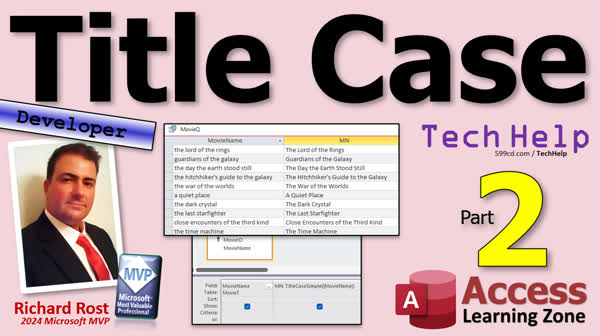
TechHelp Access, Title case Microsoft Access, convert text title case, movie title formatting, book title formatting, song title formatting, small words capitalization, title case function Access, Access VBA tutorial, Access string functions, dynamic title case function, DLookup Microsoft Access, string handling Access
 Subscribe to Title Case 2
Get notifications when this page is updated
More InformationTranscript Today is part two of my title case series where we're converting movie titles, book titles, song titles, whatever, into proper title case. Of course, this is part two, so if you haven't watched part one yet, go get out of here, go watch part one, then come on back.
Alright, so yesterday we built or started building our title case function. We converted the title to proper case. We split up the words into an array, an array, whatever you want to call it, and then we displayed what's in there. And we're going to say a title case and Superman, the movie, like that. And it got Superman, the movie.
Now the problem we got now is we got to look to see if the is in that table that we created over here. Right? The where is it? The small word T. And if it shows up, there it is, then don't capitalize it. Alright, so that's the challenge for today. So back in the code editor, turn this off for just a minute.
Alright, so instead of just debug printing that, we set aside a variable for it, curve word, current word, let's say, current word equals that. Okay? Now what we're going to try to do is we're going to try to look up that current word in the small table. So let's make another ID out here. Just we'll call it small word ID as a long. We're going to try and look it up.
Okay, so small word ID equals NZ, which handles the null case. D look up. What are we looking up? The small word ID from the small word table, where the small word equals whatever that current word is. Alright, now normally you'd think you can do this. But you got to remember, it's a string value. So you got to put it inside of double, double quotes, double, double quotes there. And double, double, double quotes there. Why? Because this turns into a set of double quotes inside the string. And so does that. But you have to put that after curve word.
I got a whole separate video on double, double quotes. If this is confusing, I'll put a link down below. I don't like using single quotes in here for several different reasons, and I explain why in that video. Alright, but we're not done because D look up might return a null value if that word does not exist. And we expect it won't. Most words won't. So if that's the case, comma zero says return a zero if the word doesn't exist.
Okay. So now I want to say, well, if the small word ID is greater than zero, in other words, it returned a valid ID, then the word is in the small word list, lower case it. Right? So now we're going to say that we're going to change the word in the array. So word array L, the current word that we're on equals L case, curve word. Or you could say L case of word array L, whatever you want. Okay. And then end if. And that should handle that.
Now all we have to do is put together the array back into a string down here and then return it. Now just like there is a split function, there's also a join function. So now we can say the name of our function, our return value title case equals join word array with spaces. Right? Put back together into a string. And that will do it for now.
There's one more thing we got to do. That's good enough for us to test it. Ready? Save it. And now we're actually, we actually have enough here to return the value. So we don't have to use the debug window anymore. We can actually come out here and check our query. Let's see. Would be cute. Ready? Go. Look at that. Looks pretty good. Pretty good. Pretty good. Right? Of the over here is fine. The there is fine. Okay.
One thing we didn't take into consideration, and that's the one thing I said we saw to do, is the first word. If it's the first word, leave it capitalized. Okay. How do we do that? Well, we know if we're at the first word because this is an array of words. Right? So if L is zero, just don't do that. Leave it capitalized. In fact, we don't even have to do the deal of couple which will speed things up. We can put it right here. If L is greater than zero, then. Don't, don't, don't, I don't replace first word. So if it's The Lord of the Rings, just tab all that in. And if save it, all of them are always good to throw in a debug compile once in a while.
Right? That's what it is. That's my spend of catchphrase. Debug compile once in a while. Alright. Moving cue. There we go. Looks pretty good, doesn't it? Now this will handle most movie titles or book titles, but not all of them. There are still some exceptions. If you want to make this function even better, for example, Lord of the Rings is not the title of the movie. It's the title of the series. The actual title would be something like the Lord of the Rings: The Two. I would just do all of the case, the two powers and look what happens. Right? That the is lower case, even though it's in the middle of the title. Right? The, the proper one left it, but it didn't do these ones.
So that's an exception. We have to say there are certain delimiters in the middle of the string. Colons, periods, dashes. That might say, hey, then don't capitalize the next word. How about something like this? Star Trek. Turk, Star Turk. Star Trek 2. The Wrath of, like that. That's how it should be and look what happens. It's hard to see in museum and see. It gives you that because it doesn't understand that Roman numerals should be kept capitalized. So that's another exception we'd at the program it.
This is my favorite movie. Anybody ever ask you what my favorite movie is? That's my favorite movie of all time. All time. The best movie ever made. How about the FBI files? Well, that didn't come out right. So we need a list of acronyms. Right? Well, that's FBI is definitely not an acronym. Right? Like NASA discovery. What was it? NASA discovery films or whatever it was. Right? That's another one.
Now NASA is an acronym. FBI is not an acronym. You don't say FIB. An acronym is said as a word. Right? FBI is called an initialism. That's a little something like CIA is an initialism. Anyways, so we got some other exceptions that we can program into our function to take care of. They're a little more complicated. And so because of that, we will talk about that in the extended cut for the members.
We'll cover delimiters like those colons or dashes. We'll talk about Roman numerals, acronyms, and basically we'll make another table with a list of items that you don't want. It'd be lower cased. Right? You put all your acronyms, your Roman numerals, and stuff in there. So we'll look those up as well. So that's all covered in the extended cut for the members. Silver members and up get access to all of my extended cut videos. And of course, gold members get access to the code vault. And you can download the databases that I build in these TechHelp videos and everybody gets free classes. And it's just it's a lot of fun.
Speaking of a lot of fun, if you don't want to be a member, you can still come and check out some of my other courses. I got tons and tons of developer lessons on my website. I mentioned earlier, Developer 21. In that class, we cover all kinds of stuff nested subforms, side by side subforms, arrays, parent breadcrumbs, all kinds of cool stuff. We make little lists like this where you can have just all kinds of cool stuff in my developer classes.
So come and check it out. You'll find links to this down below. But that is going to do it for your TechHelp video for today. I hope you learned something. Live long and prosper my friends. I'll see you next time.
A special thank you and shout out to our diamond sponsors. First, we have Juan Soto with Access Experts software solutions, manufacturing experts, specializing in access and SQL Server. Juan is a 13-time Microsoft Access MVP. You can check them out at accessexperts.com. Another shout out to Sammy Shama from Shama Consultancy. Sammy is a certified Microsoft Office specialist, and he not only offers access application development, but he also provides one-on-one tutoring services. So if you need someone to hold your hand and help you with your access project, Sammy is your guide. Check them out at ShamaConsultancy.com.
TOPICS:
Title Case Function Development (Part Two)
Splitting Words into an Array
Detecting Specific Words in Title
Handling Null Values with NZ Function
Using DLookup to Find Words
Using Double Quotes in Strings
Lowercasing Words Based on ID
Joining Array Back into a String
Testing Title Case Function
Ensuring First Word Stays Capitalized
Using Debug Compile for Testing
Handling Titles with Delimiters
Dealing with Roman Numerals in Titles
Managing Acronyms and Initialisms
COMMERCIAL:
In today's video, I'll continue my title case series. We'll build on our previous work by handling small words like 'the' so they aren't capitalized unless they're at the start. Together, we'll create a function using Access VBA to check words against a table, apply the proper formatting, and reassemble the title. We'll also address edge cases during the process. Watch the complete tutorial on my YouTube channel or on my website at the link shown. Live long and prosper my friends. Intro In this video, we continue working on our title case function in Microsoft Access using VBA. I'll show you how to check each word in a title against a list of "small words" like "the" and ensure they are only lowercased when appropriate, leaving the first word capitalized. You'll learn how to use arrays to process each word, perform lookups with DLookup, handle null values with NZ, and join the words back together into a properly formatted title. We'll also test the function on various titles and discuss some common edge cases. This is part 2. Quiz Q1. What task was the primary focus of this video tutorial?
A. Converting numerical data to text format
B. Converting titles to proper title case
C. Sorting an array of integers
D. Creating a web page
Q2. What function is mentioned for splitting words into an array?
A. Extract
B. Divide
C. Separate
D. Split
Q3. What should be checked before converting a word to lowercase?
A. If the word is the first word in the title
B. If the word is an acronym
C. If the word length is greater than 4
D. If the word contains digits
Q4. What method is used to reassemble the array of words into a single string?
A. Concatenate
B. Gather
C. Join
D. Aggregate
Q5. Why are double, double quotes used when looking up a word in the small word table?
A. Because it is a convention in JSON strings
B. To correctly format the string for the lookup function
C. To make the code faster
D. To avoid single quote errors
Q6. In addition to colons and dashes, what other type of text requires special handling in the title case function?
A. Text inside brackets
B. Roman numerals
C. HTML tags
D. Parent capitalization
Q7. What is the suggested solution for dealing with titles containing phrases like "The Lord of the Rings: The Two"?
A. Manually editing the title
B. Including a list of exceptions
C. Ignoring such phrases
D. Always capitalizing the word after a colon
Q8. What additional feature is proposed for the more advanced version of the title case function?
A. Converting all text to uppercase
B. Adding a debugging interface
C. Creating a table to store acronyms and Roman numerals
D. Implementing machine learning algorithms
Q9. What type of video is promised for covering the extended and more complex cases of title casing?
A. A webinar
B. A podcast
C. An extended cut for members
D. A public YouTube video
Q10. What should be done if the lookup function returns a null value?
A. Replace it with a default string
B. Convert the null to zero
C. Throw an error
D. Skip processing that word
Answers: 1-B; 2-D; 3-A; 4-C; 5-B; 6-B; 7-B; 8-C; 9-C; 10-B
DISCLAIMER: Quiz questions are AI generated. If you find any that are wrong, don't make sense, or aren't related to the video topic at hand, then please post a comment and let me know. Thanks. Summary Today's TechHelp tutorial from Access Learning Zone is part two of my series on converting titles for movies, books, songs, and similar items into proper title case format. If you have not gone through part one, I recommend watching that first to get up to speed before continuing with this lesson.
In the previous lesson, we began building a title case function. We took a sample title and converted it into proper case, then split the words into an array and displayed the results. For example, processing "Superman, the movie" returned "Superman, the movie." However, we now face the next challenge: handling small words like "the" that should remain in lowercase, unless they are the first word in the title.
To tackle this, we use the table we created that contains common small words. The approach in VBA involves storing each word in a variable as we process it. Then, for each word, we check if it appears in the small words table. Essentially, we assign a variable to temporarily hold the current word and create another variable to store the corresponding ID, which will help us determine if the word exists in that list.
We rely on the NZ function to handle any potential null value in case the word is not found in our small words table. Using DLookup, we try to find the small word's ID in the table by matching the current word. When using DLookup with string values, it is vital to use the correct number of double quotes for the string literals. I have an entire video dedicated to managing double quotes in Access VBA, so if you need more details on that, you can find a link to that tutorial on my website.
If DLookup does not find a matching word, it returns null, so we pass a zero as the fallback value using NZ. If the result is greater than zero, we know the word is on our small words list, and we convert it to lowercase. We then update the word in the array accordingly.
Once each word is processed, we need to rejoin the words back into a full string. Just as we used the Split function to break apart the title, we now use the Join function to concatenate the array into a single string, separating the words with spaces. At this point, our function is ready for testing.
There is one more important detail: we need to ensure that the first word in the title always remains capitalized, even if it appears on the small words list. To accomplish this, we simply check the index of the word within the array. If it is the first word, we skip the lookup and leave it capitalized, which also makes the function more efficient.
After implementing these checks, it is good practice to use "Debug Compile" to test the code for errors. Running our updated function, we see that the results are satisfactory for most cases. For example, "The Lord of the Rings" is formatted correctly, preserving the capitalization on the first "The." However, there are still some complex scenarios that the current solution cannot handle.
Some titles involve special delimiters, such as colons, periods, or dashes, which affect capitalization rules. For example, in titles like "The Lord of the Rings: The Two Towers," the word "The" following the colon should remain capitalized, but our function treats it as a small word and converts it to lowercase. Similarly, we have to handle special cases like Roman numerals within titles (for example, "Star Trek II: The Wrath of Khan"), as they should stay in uppercase, and acronyms or initialisms like "FBI" or "NASA" that should also keep their all-capital format.
Understanding the distinction between acronyms and initialisms is helpful. Acronyms are pronounced as words (like "NASA"), whereas initialisms are pronounced as individual letters (like "FBI" or "CIA"). Both need to remain capitalized in titles.
To address these additional scenarios, we need to expand our solution further by adding checks for delimiters and maintaining a list of exceptions like Roman numerals or acronyms that should not be lowercased. Handling these requires more advanced logic, including another table containing those exceptions. This additional functionality is a bit more involved and will be covered in the Extended Cut for members.
In the Extended Cut, I will provide step-by-step solutions for dealing with delimiters in titles, managing Roman numerals, and handling a list of acronyms and initialisms so that the function always returns the correct title case formatting. Silver members and above will have access to all extended cut videos, and gold members can download the sample databases I use in my tutorials. Also, there are many more free classes and developer lessons available for everyone on my website, covering advanced topics such as nested subforms, arrays, and more.
That concludes your TechHelp tutorial for today. If you want to see the complete video demonstration with step-by-step instructions, you can find it on my website at the link below.
Live long and prosper, my friends. Topic List Splitting title into word array
Detecting small words from a table
Using NZ function to handle null values
Using DLookup to search word table
Constructing string criteria with double quotes in VBA
Lowercasing small words based on table lookup
Reassembling words with Join function
Testing and reviewing function results
Ensuring first word remains capitalized
Skipping small word lookup for first word Primary Topics Access VBA, title case conversion, word arrays, small words handling, DLookup usage, double quotes in strings, string joining, testing and debugging
Secondary Topics delimiters in titles, Roman numerals, acronyms vs initialisms
|




