ACCDE
By Richard Rost

 3 years ago
Creating ACCDE Files in Microsoft Access
In this Microsoft Access tutorial I am going to teach you how to protect your database by creating an "execute only" ACCDE file. We will talk about what an ACCDE file is, why you would want to create one, how to create one, what to do if you get errors while creating one, and some additional tips for Access consultants and buyers of Access databases. Plus we'll discuss decompiling or reverse engineering your ACCDE file back into an editable database.
Pre-Requisites
Links
Recommended Courses
Keywords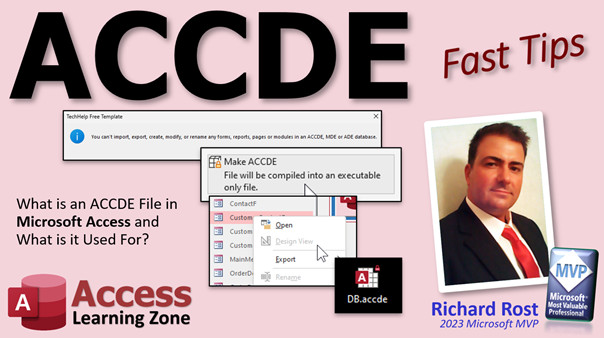
access 2016, access 2019, access 2021, access 365, microsoft access, ms access, ms access tutorial, #msaccess, #microsoftaccess, #help, #howto, #tutorial, #learn, #lesson, #training, #database, What is an Accde, What is the difference between Accdb and Accde, What's an ACCDB or ACCDE, Protect Access Database by Converting to ACCDE, How to Convert ACCDB to ACCDE format in MS Access, Protect Database ACCDE File, Convert Database To ACCDE For Added Protection, Why Convert Your Database Into an MDE or ACCDE?, Hide VBA code from users, Hide form design from users, Why can't I create an ACCDE file, intellectual property, compiled database
 Subscribe to ACCDE
Get notifications when this page is updated
More InformationTranscript Welcome to another fast tip video brought to you by AccessLearningZone.com. I am your instructor Richard Rost.
In today's video, we are going to talk about ACCDE files - what they are, why you would want to create one, how to create one, and what to do if you get errors. We will talk about reverse engineering one from an ACCDE back to an editable ACCDE file, and I will give you some tips for both consultants and for database buyers about how to handle ACCDE files.
So first up, what is an ACCDE file? It is basically when you take your database file, your ACCDB that you have been working on, and you want to distribute it. So you create an ACCDE file and Access will compile it into machine code, making it execute-only. That means people cannot get their hands on your VBA code, your form design, your report design, and your modules are all locked down. Even if you trust everybody in your office, you still do not want them poking around in there and making a mess of your database, adding bugs, making stuff not work, and breaking it.
Plus, if you have passwords and information hard-coded into your VBA code, then you will be able to see it. So you obviously want to lock down your database before you give it to your users.
If you are still using an older version of Access from before 2007, this is going to be an MDE file instead of an ACCDE file. The new file format was introduced in Access 2007.
Why do you want to create one of these? Again, like I just mentioned, it prevents unauthorized design changes. You do not want your users poking around in the design view of your ACCDE files. It protects your intellectual property. You have spent your hard-earned time and money making this database, and you do not want people just copying it and playing with it and getting in there and messing with things.
I have seen some articles mention a performance increase, but with modern computers nowadays, that performance increase is negligible. It is tiny, if anything. Back in the old days, like in the 90s, when Access would compile your MDB into an MDE, you would notice a little bit of a performance increase, but not so much anymore.
Your database is less prone to errors, a small bit. Again, when your code is compiled, it will run smoother, but again, that is negligible.
It is basically used for distributing your database to regular users who do not need to change the database. They just have to work with the database, add records, view stuff, that kind of thing, but they are not going to be involved in the design of the database. They can use an ACCDE file with either the full version of Access, or you can give them the runtime edition, which is free.
If you want to learn more about the runtime edition, I have a video for it right there. I will put links down below. I am going to mention a bunch of videos in this video, and I will put links to all of these down below in the description below the video window.
How do you create an ACCDE file? It is real simple. First, you are going to back up your database. Proper database backup is very important. Even if you have a nightly backup, do not rely on it. Before you make your ACCDE file, make a manual copy of your full database file. Email it to yourself or put it in a server folder somewhere or put it on a floppy disk. Remember those? But back up your file manually.
Then you are going to open up your ACCDB file, go to File, Save As, and you will see "Save As ACCDE" here. Let me show you.
Here is a copy of my TechHelp free template. That is the ACCDB file, the editable version. Open it up, go to File, Save As, and right there, "Make ACCDE." Your file will be compiled into an executable-only file. Click Save As, give it a name, and hit Save.
Nothing appears to happen. I wish they would give you some kind of a message, but they do not. But if you close that database, wherever this file was on your desktop or wherever you saved it, you will see now you have an ACCDE file. If you open this up, notice that you cannot go into Design View in any of the forms, and you cannot go into Design View in your modules. Double click, and it gives an error.
Now you have an ACCDE file, and this is the one you are going to give to your users. If you had linked tables in here, they should still keep the same links. If you have a server folder, everything should be linked the same as the original database.
Very important, do not lose your ACCDB file. You cannot get it back. At the end of this video, we are going to talk about an option where it is possible to reverse engineer this, but there are some caveats. We will talk about that in a little bit.
If you get errors when you are making that ACCDE file, there are a few things to check, and I have videos to explain most of this stuff. First, you might have to open your database exclusively. If other people are using the database, then you will not be able to create an ACCDE file out of it. If you do not know what that means, here is a video for you.
You may have errors in your VB code, and you can find those by compiling your code. Again, this database will teach you all about compiling your database.
You may have missing references, especially if you have copied this database from another system. There you go, missing or broken references. I have videos for everything.
If you are making a 64-bit ACCDE file and you have 32-bit code in there, that is not going to work out. Also, go watch this one - we will get that fixed.
Keep in mind that ACCDE files are specific to the business version. If your users have 32-bit Office, your database has to be 32-bit. If they have 64-bit, likewise, you cannot flip flop between the two.
In some older versions of Access, if you have empty subroutines or functions in there, that might cause an error when you are making the ACCDE file. Get rid of those, or at least put a comment or something in there.
Some additional tips: you can do a lot of things to also secure your database in addition to making the ACCDE file. I cover those in my simple security tips video, "Simple Security." It is good enough for most work environments. You will have to hide your sensitive objects, hide the navigation pane, disable the ribbon. I talk about making an ACCDE file in this one too, but not quite as detailed as I am right now.
Also, keep in mind, even though you have secured the front end, the design of your database, your tables, queries, and macros are still unsecured. People can still go in and mess with those.
As far as protecting your data goes, everyone always asks me this question. The data in the tables is not secured. People can still, if they know how to use Access, find your back end file, open up the tables, and read or edit the data in there. That is necessary for them to be able to use the database.
There are a couple things you can do. First, you can put a password on that back end database, and everyone will have to type in that password when they open up the database. Here is a video on how to do that. The problem with this is, it is one password for everyone. So that will prevent people who are not supposed to be in the accounting database, the non-accounting folks. Give them their own password, but all six of the accounting people will have the same password.
If you want to encrypt the database and give each user their own logon, I do have a full security seminar where I show how to do that. I will put links to that down below as well.
Another option is you can encrypt the data, which is basically scrambling it with your VBA code so that it looks unreadable. People can still open the table and look at it, but they will just see gibberish. I have a seminar for that too. But of course, the best way to secure your data in a sensitive environment is to use a database server like SQL Server. An Access front end, your forms and reports and stuff, with a SQL Server backend, is the best combination for a secure database.
Of course, I have a seminar explaining how to set up Access and SQL Server online, so you can connect your Access database to an online SQL Server, share it with everybody around the world, put it on the web, or whatever you want to do.
Here are some tips that everybody always asks me about this stuff because they are either consultants who make Access databases to sell or work on for clients, or they are people who know a little bit of Access but do not want to build their entire database themselves. They want to hire someone else to build it for them. Here are some things to consider.
If you are a consultant, give your clients the ACCDE files. You want them to use that in their production environment so that their end users do not mess with the database design. If they insist on getting a copy of the ACCDB, that is fine. If it is a database that you built custom for them from scratch, then great. I used to charge a little extra for that, but not a big deal. Just in case you get hit by a bus, they can still hire another consultant to come in and work on it. They have the original code. Even though the ACCDE is in production in their office, changes can still be made by someone who knows what they are doing.
If they had bugs or called me up and said something is not working and they made changes, all I am going to do is come in and restore the ACCDE file and see if that fixes the problem. If they made mistakes because they were messing with the design, that is billable service.
Later on in my career, I started working with a basic template that I built with lots of bells and whistles, kind of like my TechHelp template. If my client just wanted that with some modifications, they would of course have to buy the full library file. They would not get a full copy of that, with my little tweaks in it. So that is up to you. If you have library functions that you use, it is up to you whether you want to include that or not in the ACCDE file that you give them.
Likewise, if you are a buyer, make sure your developer gives you a copy of the ACCDB file. I know I just said for the developer to be careful about that, but if you are buying the database, you want to have a copy of that. If that developer gets killed in a tragic starship accident in Ceti Alpha Five, you want to make sure you have a copy of your database. You may have to pay extra for it, but I would not work with a custom developer who would not give me a copy of the source. That is just me.
If you are interested, I have a whole page that I put together that has all kinds of different questions that consultants always ask me, people who are doing Access databases for a living. In my 20 plus year career as a consultant, I put together things like: there is always someone who charges less. That is the number one stumbling block that a lot of developers come across, that clients think they can get someone else to do it a lot cheaper. Let them do it cheaper. Someone always charges less. Check out this page. I will put a link down below if you want to learn more.
Another big question that people always ask me: is it possible to go backwards? I lost my ACCDB file. All I have is an ACCDE. Can it be reverse engineered? The answer is no, generally not with just Access by itself. You cannot. There is no way to go backwards with just Access.
However, it is possible for it to be reverse engineered by someone who knows what they are doing. Wayne Phillips, an Access MVP over at everythingaccess.com, has a service where he will reverse engineer ACCDE files and create an editable ACCDB file out of it. He does require that you prove the database is yours and that you own it.
I get a lot of people who contact me, and I think they are kind of shady. They have a database they want to reverse engineer, and I am like, is it yours or did you steal it from work? So I would not do it. I have not checked this out myself yet. I plan to soon. In fact, Wayne and I were emailing back and forth a little bit, and I definitely want to send him one of my databases and see what happens, what the results are. Other MVPs I have talked to say that it does work and it is a good service. Check it out. I will put a link to it down below, and I hope to do another video on Wayne's service very soon to give you the full details on that one.
There you go. There is your fast tip for today. That is all about ACCDE files. Now you can go and make them yourself. You know why you want to make them. You know how to make them. I hope you learned something. Live long and prosper, my friends. I will see you next time. Intro In this video, we will talk about ACCDE files in Microsoft Access, including what they are, why you should use them, and how to create one from your ACCDB file. I will show you tips for protecting your design and VBA code, discuss compatibility issues, troubleshoot common errors when saving as ACCDE, and explain the security limitations of ACCDE files. We will also go over considerations for both consultants and database buyers, as well as touch on what can and cannot be done about reverse engineering an ACCDE file. Quiz Q1. What is the main purpose of creating an ACCDE file from an ACCDB database?
A. To distribute a database that locks users out of design and VBA code
B. To improve the graphic design of forms and reports
C. To allow users to edit tables and queries more easily
D. To compress the database and save disk space
Q2. What are some elements of a database that are locked and hidden in an ACCDE file?
A. Forms, VBA modules, and report designs
B. Tables and queries only
C. Macros and data entries only
D. Navigation pane and user interface buttons
Q3. Why might a developer want to distribute an ACCDE file instead of the ACCDB source file?
A. To protect their intellectual property and prevent unauthorized modifications
B. To allow anyone to freely redesign their database
C. To increase the size of the database
D. Because ACCDE files cannot be opened by anyone else
Q4. What does Microsoft Access do when saving an ACCDB file as ACCDE?
A. Compiles the database to machine code, removing edit capabilities
B. Deletes all data stored in the database
C. Changes its file format to be compatible with other software
D. Uploads it automatically to the cloud
Q5. Which Access version introduced the ACCDE file format?
A. Access 2007
B. Access 2003
C. Access 2013
D. Access 2016
Q6. What should you always do BEFORE creating an ACCDE file from your database?
A. Back up your ACCDB file manually
B. Delete unused tables
C. Upgrade to the latest Access version
D. Compile all forms only
Q7. If you distribute an ACCDE file to users, what can they typically still do?
A. Add records and use the database
B. Edit the design of forms and reports
C. View and edit VBA code
D. Modify the underlying structure of the database
Q8. What is a key limitation of ACCDE files regarding their compatibility?
A. ACCDE files must match the 32-bit or 64-bit Office version
B. ACCDE files can only be opened on Windows XP
C. ACCDE files can be freely swapped between 32-bit and 64-bit versions
D. ACCDE files cannot store any tables
Q9. What is NOT a guaranteed benefit of creating and using an ACCDE file?
A. Significant performance improvements on modern computers
B. Preventing users from editing designs and VBA code
C. Protecting intellectual property
D. Restricting unauthorized design changes
Q10. Which is a correct statement about the security of data in ACCDE files?
A. Tables and data remain accessible and not fully secured
B. Data is completely hidden from all users
C. Users cannot open the back end data file
D. Queries are encrypted and unreadable
Q11. What is the best method for securing your data tables in a sensitive business environment?
A. Use a SQL Server back end database with Access front end
B. Only distribute ACCDE files
C. Encrypt the data with a VBA module and distribute it
D. Rename all tables and queries
Q12. How can you limit unauthorized access to a shared back end Access database?
A. Set a password on the back end file
B. Distribute more copies of the ACCDE file
C. Compile the back end file
D. Only use macros instead of VBA
Q13. Is it possible to revert an ACCDE file back to an editable ACCDB using just Microsoft Access?
A. No, Access cannot do this by itself
B. Yes, it is a built-in feature
C. Only if you store the file on OneDrive
D. Yes, if you have an internet connection
Q14. What is a third-party solution mentioned in the video that might reverse engineer an ACCDE?
A. Wayne Phillips' service at everythingaccess.com
B. Microsoft Customer Support
C. Google Drive conversion tool
D. AccessLearningZone file converter
Q15. What is the recommended best practice for an Access consultant when delivering a database to a client?
A. Deliver an ACCDE for production, but offer the ACCDB source file (possibly at extra cost)
B. Only deliver the source ACCDB file
C. Never give clients any files
D. Only deliver macros and forms separately
Q16. What remains potentially unsecured and accessible even after distributing your database as an ACCDE file?
A. Tables, queries, and macros
B. VBA code and module designs
C. Navigation pane and ribbons
D. Software license information
Q17. Which of the following is NOT a common issue that could cause errors when creating an ACCDE file?
A. Having empty subroutines or functions in code in older Access versions
B. Database not opened exclusively
C. Having missing references in VBA code
D. Using themed fonts in reports
Q18. If a user's ACCDE database errors due to bitness (32-bit/64-bit), what must be checked?
A. The bitness of Office matches the ACCDE bitness
B. The color scheme of Access
C. Whether the user has macros enabled
D. The file extension matches the table name
Answers: 1-A; 2-A; 3-A; 4-A; 5-A; 6-A; 7-A; 8-A; 9-A; 10-A; 11-A; 12-A; 13-A; 14-A; 15-A; 16-A; 17-D; 18-A
DISCLAIMER: Quiz questions are AI generated. If you find any that are wrong, don't make sense, or aren't related to the video topic at hand, then please post a comment and let me know. Thanks. Summary Today's TechHelp tutorial from Access Learning Zone focuses on ACCDE files in Microsoft Access. In this article, I will explain what ACCDE files are, why you might need one, how to create one, what to do if you encounter errors in the process, and offer important advice for both consultants and database buyers.
First, let's clarify what an ACCDE file is. When you have finished developing your Access database in ACCDB format and want to distribute it, you can convert it into an ACCDE file. This process compiles your database into machine code, making it execute-only. This means users can no longer access or modify your VBA code, see your form designs, or alter your report layouts. Even if you trust everyone in your organization, locking down the design aspects prevents accidental (or intentional) changes that could introduce bugs or break functionality.
If your database includes sensitive information in its code, such as passwords, then you definitely want to compile to ACCDE before handing it off to anyone else. For those still using pre-2007 versions of Access, the equivalent would be creating an MDE file. Microsoft switched to the ACCDE format with the release of Access 2007.
The main reasons to produce an ACCDE file are to prevent unauthorized design changes and to secure your intellectual property. After all, you have invested considerable time and effort in your database, so you do not want others modifying or copying your work. You might see claims of performance improvements with ACCDE files, but with modern hardware, any gain is minimal and hardly noticeable. Years ago, compiling to MDE did offer some efficiency, but today, this is not so relevant.
Making your application available as an ACCDE also slightly reduces the potential for user-generated errors because compiled code tends to run more smoothly, though this difference is usually minor. The main point is that ACCDE files are ideal for distributing to end users who only need to work with the data, not modify the structure or design. Users can open an ACCDE file either with the full version of Access, or with the free runtime edition.
When you are ready to create an ACCDE file, start by backing up your database. Even if you have scheduled backups, always make a fresh manual backup before compiling to ACCDE. You can email a copy to yourself, store it on a server, or save it somewhere safe. After that, open your ACCDB file, choose the Save As option, and select the "Make ACCDE" function. Once completed, your file is now in ACCDE format. You may not get any confirmation message, but you'll see the new file where you saved it. When you open your new ACCDE file, you will notice the design view options for forms and VBA are no longer available.
This ACCDE file is what you provide to your users. Any linked tables you have in your application will remain connected exactly as before. One critical note: never lose your original ACCDB file, since you cannot simply convert an ACCDE back into an editable ACCDB.
If you encounter errors while creating the ACCDE, there are several possible issues to check. First, make sure no one else is using the database and that you have opened it exclusively. Compilation can fail if your VBA code contains errors, so be sure to compile your code and resolve any mistakes. Missing references, especially if you have transferred the database from another system, can also prevent successful compilation. Additionally, if you try to create a 64-bit ACCDE from a database with 32-bit code – or vice versa – this will not work. Double-check that your database's architecture matches your users' version of Office.
In very old versions of Access, having empty subroutines or functions in your VBA could also block the creation of an ACCDE. If you get stuck, these are important points to investigate.
You can add more security beyond just compiling to ACCDE. I recommend hiding sensitive objects, disabling the navigation pane, and turning off the ribbon through your interface settings. While this helps secure the forms and reports, keep in mind that tables, queries, and macros remain unprotected – users could still access and potentially modify them.
Protecting the data in your tables is a common concern. If a user is savvy enough to find your backend file, they can open tables and change data. To improve data security, you can put a password on your backend database, requiring all users to enter it to access the tables. The drawback is everyone will share a single password. For more robust security, you can create user accounts with individual logins, but this requires additional setup. Encrypting your tables or fields with VBA is another option, making the data unintelligible to anyone who opens the raw tables, though the application itself will be able to read and write normally.
The most secure way to protect your sensitive data is to move your backend to a SQL Server while keeping Access as the frontend for forms and reports. SQL Server allows you to implement precise permissions and makes your data far more secure than leaving everything in Access.
Now, some advice for both consultants and buyers. If you are a consultant developing databases for clients, give them the ACCDE file for daily use. The ACCDB source file can be provided as well, perhaps for an added charge. This way, clients have access to the original source code should they ever need to hire someone else for updates or fixes. The ACCDE is perfect for everyday users, ensuring the design remains protected. If a client needs a database built on your proprietary templates or libraries, you must decide whether to provide your full library as part of the deal.
If you are purchasing a custom database, make sure your developer provides you with the ACCDB source file as well as the compiled ACCDE. Even if you must pay a bit extra, never accept a setup where you do not get the editable source, since changes or bug fixes could become impossible if the original developer becomes unavailable.
Another frequent question is whether you can reverse engineer an ACCDE file back to an editable ACCDB. By default, Access does not allow this. There is no built-in method for recovering the original ACCDB file from ACCDE format. Nevertheless, expert services do exist that can attempt this process, provided you can prove ownership of the database. One well-known example is Wayne Phillips at everythingaccess.com, who offers an ACCDE-to-ACCDB recovery service. While I have not personally tested this myself, many reputable sources say he provides a reliable service and requires proof that you own the database.
That covers the essentials of ACCDE files: what they do, why they matter, how to create them, what steps to take if trouble arises during the process, and some best practices for professionals and clients alike.
For a full video tutorial with step-by-step demonstrations of everything discussed here, you can visit my website at the link below. Live long and prosper, my friends. Topic List What an ACCDE file is
Differences between ACCDE and ACCDB files
Reasons to create an ACCDE file
How to create an ACCDE file in Access
Steps to back up your database before creating an ACCDE
Limitations of design view in ACCDE files
Issues with linked tables in ACCDE files
Troubleshooting errors when creating ACCDE files
Importance of exclusive access when creating ACCDE
Dealing with VB code errors before ACCDE conversion
Dealing with missing or broken references
32-bit vs 64-bit compatibility issues
ACCDE file and empty subroutine issues in older Access
Security limitations of ACCDE files regarding tables
How to password protect the backend database
Encrypting data at the table level
Recommendation to use SQL Server for higher security
Consultant best practices for distributing ACCDE files
Advice for database buyers on obtaining ACCDB files
Possibility and caveats of reverse engineering ACCDE files Primary Topics ACCDE file format, ACCDB to ACCDE conversion, database distribution, design protection, error troubleshooting, Access version differences, database security, consultant/buyer best practices
Secondary Topics database backup, security with passwords, data encryption options, SQL Server backend
|




