|
||||||
Access Expert 13Action Queries, Update, Append, Delete, Make TableWelcome to Access Expert 13. In this course you will learn how to use action queries in Microsoft Access, with a focus on update queries to modify records and fix data entry mistakes. We will discuss using report WHERE conditions to filter records when opening reports, and explore how to assign sales reps, adjust product pricing, and mark orders as shipped. You will also see a review of previous homework and learn about related seminars and additional resources for Access. Lessons
Resources
Lesson SummaryWelcome! Action Queries: Update & Report - Welcome to Microsoft Access Expert Level 13. In this course we will focus primarily on action queries, with a special emphasis on update queries. We will begin by discussing report WHERE conditions to filter records when opening reports, then explore the different types of action queries: update, append, delete, and make table. Throughout the lessons, I will show you how to use update queries to modify data, fix data entry mistakes, assign sales reps, adjust product pricing, and mark orders as shipped. We will also review homework from the previous class and discuss related seminars and resources available on AccessLearningZone.com.
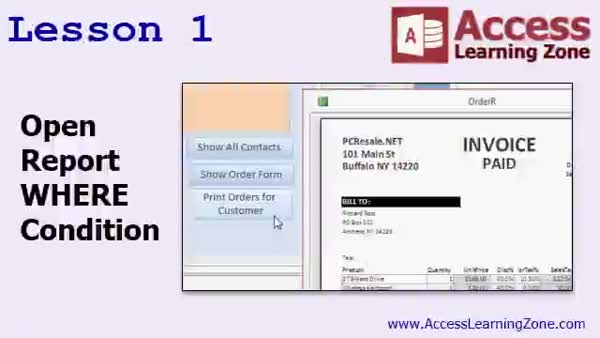
Lesson 1: Report Filters & Batch Print Invoices - In Lesson 1, we will start by reviewing the homework from the previous class, then explore how to create an invoice using report grouping levels instead of a subform. I will show you how to use open report WHERE conditions in Microsoft Access to print reports for specific records, such as printing all orders for a particular customer or for a date range, by modifying queries and using macro button conditions. We will also discuss handling duplicate field names across tables and making reports more flexible for printing batches of records. Action queries will be introduced next time.
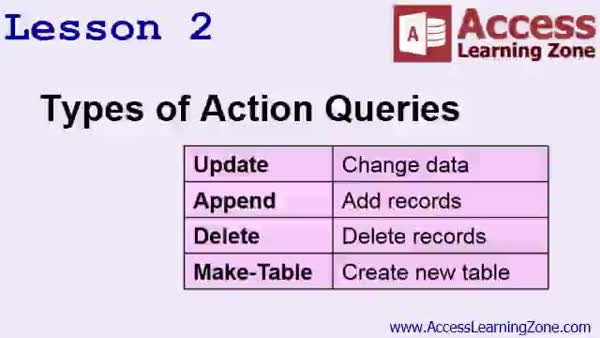
Lesson 2: Update, Append, Delete, Make Table - In Lesson 2, we will cover the types of action queries, explaining what they are, what they do, and when to use them. We will discuss the four main types of action queries: update queries, append queries, delete queries, and make table queries, and how each can modify or manipulate data in your tables. We will also talk about the importance of backing up your database before running any action queries to prevent data loss, and I will show you simple ways to make copies of your database and tables for backup purposes.
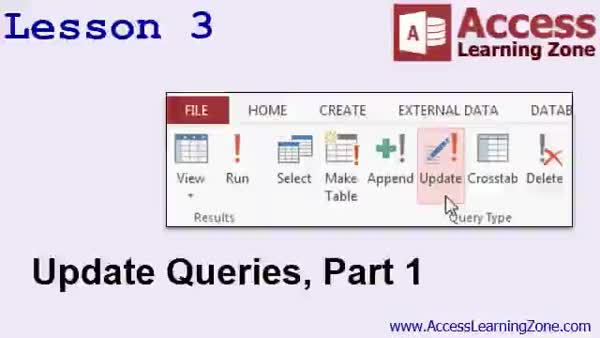
Lesson 3: Update Data with Criteria - In Lesson 3, we will cover update queries, the action query type used to change data in a table. I will show you how to perform simple replacements using Find and Replace, then demonstrate how to use update queries to change records based on specific criteria, such as updating only certain states. We will walk through creating and running update queries, discuss important precautions like backing up your data, and show how to use the IIF function to automate updates across many records. We will also discuss saving and reusing update queries for future use.
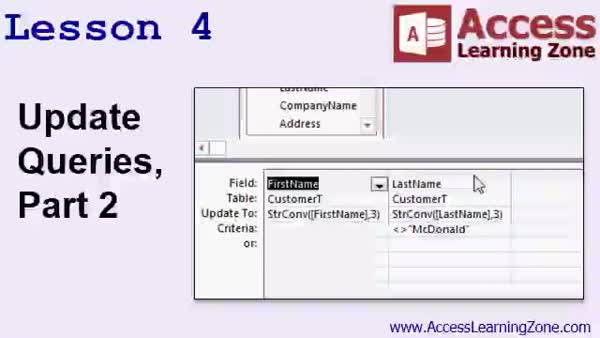
Lesson 4: Ucase, Lcase & String Convert - In Lesson 4, we continue learning about update queries by focusing on string manipulation functions such as Ucase, Lcase, and string convert in Microsoft Access. I will show you how to use update queries to standardize inconsistent text data, like converting state abbreviations to uppercase and names to propercase. We will walk through examples, discuss potential issues with table relationships and referential integrity, and cover how to restore tables if mistakes are made. We will also talk about handling exceptions and saving useful update queries for future use.
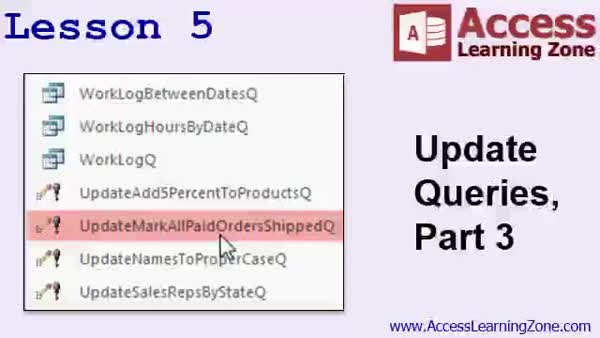
Lesson 5: Update Prices & Mark Orders Shipped - In Lesson 5, we continue working with update queries by walking through how to add 5 to all product prices in the product table and how to mark all paid orders as shipped with a ship date. We will cover creating these update queries in Access, explain important precautions, and briefly discuss how to use criteria for more complex scenarios. I will also assign homework that involves updating fax numbers in the customer table using string functions and provide hints on how to approach it. In the next class, we will discuss more advanced update queries and other action queries.
Lesson 6: Where, Action & Update Queries - In this course we learned how to use where conditions in command buttons to control which records open in reports, the different types of action queries in Access, and focused specifically on update queries. We covered updating company names based on location, assigning sales reps using nested if functions, capitalizing text with UCase, LCase, and StringConvert, and handling exceptions like McDonald. We also performed math in update queries and updated order status and ship dates. We discussed resources for further learning, tech support options, staying updated with new releases, and how to provide course feedback.
NavigationKeywordsaction queries, update queries, where condition, update records, report filtering, open report, append queries, delete queries, make table queries, string functions, ucase, lcase, string convert, batch print invoices, backup database
More InformationTranscriptWelcome to Microsoft Access Expert Level 13 brought to you by AccessLearningZone.com. I am your instructor, Richard Rost. Today's class focuses primarily on action queries, and update queries specifically. But we will begin by learning about report where conditions. This is where you can open a report and specify conditions in the button that opens the report, so you can show a single record, multiple records, records between two dates, and so on. We will see a couple of different examples today. Then we will learn about all the different types of action queries: update, append, delete, and make-table queries. We will spend the majority of time in today's class focusing on update queries. We will build some simple update queries. We will change a company's name if it is in a particular state. We will learn how to use functions inside our update queries to assign sales reps based on what state they're in to each customer. We will go through and fix mistakes in data entry using update queries. For example, capitalizing all of the names of our states and setting the first and last names of our customers in the proper case, which is the first letter capitalized and the rest of the name lowercase. We will see how to use queries to add 5 to all of our product prices, for example, and how to update all of the paid orders in our system, mark them as shipped, and set a ship date. There are tons of examples in update queries in today's class. This class follows Blinkersoft Access Expert Level 12. I strongly recommend you watch Level 12 and all of the previous classes before starting today's lessons. Level 12 focuses primarily on report grouping and sorting levels. You will see one example of how grouping levels are used in the first lesson of today's class. This course is designed to be used with Microsoft Access 2013. If you are using 2010 or 2007, you should not have any problems following along. All three versions are pretty similar. If you are using Access 2003 or earlier, you should be fine with today's class. I did cover most of this material in my older Access 222 class. I covered update queries in that lesson as well. All of the topics and the concepts in today's class are the same. The menus are a little different, however, so if you are using 2003, look for my Access 222 class. My courses are broken up into beginner, expert, advanced, and developer-level classes. Beginner-level classes are for novices. You should understand all the topics covered in them by the time you get to the expert-level classes, which you are in now. When you finish all of the expert-level classes, the advanced classes will cover event programming and macros, and the developer classes will cover Visual Basic for Applications. Each group of classes is broken down into multiple levels, Level 1, 2, 3, and so on. In addition to my normal Access classes, I also have seminars designed to teach specific topics. Some of my seminars include building web-based databases, creating forms and reports that look like calendars, securing your database, working with images and attachments, writing work orders and running a service business, tracking accounts payable, learning the SQL programming language, creating loan amortization schedules, and lots more. You can find details on all of these seminars and more on the website at AccessLearningZone.com. If you have questions about the topics covered in today's lessons, please feel free to post them in my student forums. If you are watching this course in the online theater on my website, you should see the student forum for each lesson appear in a small window next to the class video. Here you will see all of the questions that other students have asked, as well as my responses to them and comments that other students have made. I encourage you to read through these questions and answers as you start each lesson and join in the discussion. If you are not watching these lessons on my website, you can still visit the student forums later by visiting AccessLearningZone.com/forums. To get the most out of this course, I recommend you sit back, relax, and watch each lesson completely through once without trying to do anything on your computer. Then, replay the lesson from the beginning and follow along with my examples. Actually create the same database that I make in the video step by step. Do not try to apply what you are learning right now to other projects until you have mastered the sample database from class. If you get stuck or do not understand something, watch the video again from the beginning or tell me what is wrong in the student forum and I will do my best to help you. Most importantly, keep an open mind. Access may seem intimidating at first, but once you get the hang of it, you will see that it is really easy to use. I strongly encourage you to build the database that I build in today's class by following along with the videos. However, if you would like to download a sample copy of my finished database file, you can find it on my website at AccessLearningZone.com/databases. Sometimes, if you get stuck, the easiest way to learn is to tear apart someone else's database. One of the ways that I taught myself Access years ago was by tearing apart the Northwind Traders database that comes up with Microsoft Access. You will find there is a sample database for each of my courses on my website. Now, let's take a few minutes and go over exactly what we are going to cover in today's class. In lesson one, we are going to begin by reviewing the homework from the last class. We will make an invoice based on report grouping levels instead of a subform. We will learn about open report where conditions, where you can print batches of records in a report, such as print all of the orders for a particular customer. In lesson two, we are going to learn about the different types of action queries, what they are, what they do, and when you should use them. We will talk about backing up your data before running action queries. In lesson three, we are going to look at the action query type that you are going to use most of the time, an update query. In lesson four, we are continuing our look at update queries. We are going to learn about a couple of different string manipulation functions, UCase, LCase, and StrConv. In lesson five, again, we are continuing with update queries. We are going to learn how to add 5 to all of our product prices and mark all paid orders in the system as shipped and set a ship date. In lesson five, we are continuing our look at the action query type that you can print out. IntroIn Microsoft Access Expert Level 13, we will focus on action queries, with special attention on update queries. We start by learning how to use report where conditions to open reports filtered by specific criteria, such as individual or multiple records and records between dates. Then, we will explore all types of action queries, including update, append, delete, and make-table queries, but spend most of our time building and using update queries to edit data, fix entry errors, and update information like product prices and shipping status. This lesson also demonstrates string functions to reformat data and covers best practices for running these queries. QuizQ1. What is the primary focus of Microsoft Access Expert Level 13? A. Creating forms and reports B. Action queries, specifically update queries C. Programming with Visual Basic D. Database security techniques Q2. What feature allows you to open a report and specify conditions so that specific records are displayed? A. Grouping and sorting B. Open Report Where Conditions C. Table Relationships D. Macros Q3. Which of the following is NOT an action query mentioned in today's class? A. Update query B. Append query C. Retrieve query D. Make-table query Q4. How can update queries be used to fix data entry mistakes? A. By searching manually and editing each record B. By running code modules C. By using string functions like UCase, LCase, and StrConv D. By importing new data Q5. What is a recommended practice before running action queries? A. Close all other programs B. Backup your data C. Defragment your hard drive D. Delete unnecessary tables Q6. What is the purpose of report grouping levels, as mentioned in the course? A. To create backup copies of reports B. To organize and summarize data within a report C. To sort database tables alphabetically D. To secure confidential information Q7. The sequence of classes in the AccessLearningZone course structure is: A. Beginner, Intermediate, Expert, Advanced, Developer B. Beginner, Expert, Advanced, Developer C. Novice, Expert, Programmer, Designer D. Basic, Intermediate, Advanced, Professional Q8. If you are stuck or do not understand part of the course, what is suggested? A. Skip to the next lesson B. Watch the video again, or post in the student forum C. Switch to Microsoft Excel D. Restart your computer Q9. What does the instructor suggest you do before applying what you've learned to your own projects? A. Immediately customize your business database B. Master the sample database built in the video C. Memorize every lesson D. Install a new version of Access Q10. Which function is NOT specifically mentioned in the lesson for manipulating text case in update queries? A. UCase B. LCase C. StrConv D. MID Q11. What version of Microsoft Access is this course designed for? A. Only Access 2010 B. Access 2013, but also works with 2010 and 2007 C. Access 2002 exclusively D. Access 2021 only Q12. What does the instructor recommend if you want to see finished examples of the databases built in class? A. Search online forums B. Download sample copies from AccessLearningZone.com C. Buy an Access textbook D. Ask classmates for a copy Q13. What is the first lesson of today's class mainly about? A. Creating forms for data entry B. Reviewing homework and learning about open report where conditions C. Writing VBA code D. Setting up database relationships Q14. According to the video, where can you find discussion forums for each Access lesson? A. They do not exist B. Only at the end of the course C. On AccessLearningZone.com or next to the video in the online theater D. In the help files of Microsoft Access Answers: 1-B; 2-B; 3-C; 4-C; 5-B; 6-B; 7-B; 8-B; 9-B; 10-D; 11-B; 12-B; 13-B; 14-C DISCLAIMER: Quiz questions are AI generated. If you find any that are wrong, don't make sense, or aren't related to the video topic at hand, then please post a comment and let me know. Thanks. SummaryToday's video from Access Learning Zone focuses on advanced concepts in Microsoft Access, specifically action queries, with an emphasis on update queries. My goal in this course is to help you understand how to use these powerful tools to manage, modify, and enhance your databases efficiently. We start by discussing report where conditions, which allow you to open a report and specify which records you want to display based on certain criteria. For instance, you can choose to show a single record, a selected group of records, or records that fall between two specific dates. I'll walk you through several examples to help you see how flexible and useful this feature can be in your own databases. After that, we move on to cover the range of action queries available in Access. These include update, append, delete, and make-table queries. While I'll introduce all four types, most of today's focus will be on update queries. We'll build several examples together, such as updating a company name for businesses in a particular state or assigning sales representatives to customers based on their location through the use of functions in update queries. I will also show you how to correct data entry mistakes like ensuring all state names are capitalized properly and formatting customer first and last names so that only the first letter is capitalized. In addition to that, you'll learn how to use update queries to modify numerical values, such as increasing all product prices by a certain amount. We'll also cover how to update records in your order table to mark paid orders as shipped and automatically set ship dates. Through numerous examples, you'll see how update queries streamline your database maintenance and data integrity. This class builds upon what we covered in Blinkersoft Access Expert Level 12. If you have not yet completed Level 12 or any prior classes, I strongly encourage you to do so, as those lessons provide the foundation you'll need. Level 12, for example, focused on grouping and sorting for reports, which will be referenced in today's first lesson. The material in this course is designed for Microsoft Access 2013, but it is also applicable to Access 2010 and 2007 users since the differences are minor. If you are using Access 2003 or earlier, you'll still benefit from this course because the content and concepts are essentially the same, though the menus may look a bit different. For Access 2003 users, you might also want to check out my Access 222 class, where these topics are also covered. I've structured my Access courses into beginner, expert, advanced, and developer levels. As an expert-level student, you should already be comfortable with all items introduced in the beginner courses. After mastering all expert-level classes, you can move on to topics like event programming and macros in the advanced series, then explore Visual Basic for Applications in the developer tracks. Each group of classes is divided further into multiple levels for easier progress. In addition to my standard courses, I also offer specialized seminars covering topics such as web-based database development, creating calendar-style forms and reports, database security, handling images and attachments, managing service businesses, accounts payable tracking, SQL programming, loan amortization schedules, and more. Detailed information on each seminar is available on my website. If any questions come up as you work through the material, you are welcome to post in my student forums. When watching through the online theater on my site, you'll find each lesson has its own forum page where you can see questions from other students, my responses, and ongoing discussions. I encourage you to participate and browse these conversations for extra learning. If you are watching elsewhere, you can always return to AccessLearningZone.com and access the student forums there. To get the most out of this course, first watch each lesson all the way through without pausing to try things yourself. This gives you a full picture of the concepts and process. Then, watch the video a second time while following along with the database examples I create. I strongly advise building your own copy of the sample database before trying to adapt these techniques to your own projects. If difficulties arise or you don't understand something, rewatch the relevant lesson or post your question in the forum and I'll help as best I can. Above all, keep an open mind. Access may appear challenging at first, but with practice, you'll find it gets much easier. If you ever get stuck, you can download a completed sample database of mine from the website and examine the way everything is built. Learning by taking apart someone else's work can be incredibly helpful, and I've made a sample database available for each of my courses. Here's what today's class will cover, lesson by lesson: In lesson one, we start by going over the homework from last time. We'll create an invoice based on report grouping levels instead of using a subform. I'll also introduce open report where conditions to generate reports for specific batches, like listing all orders for a single customer. In lesson two, I'll introduce the different types of action queries, explain what each does, and discuss when to use them. We'll also talk about the importance of backing up your data before running any action queries. Lesson three takes a deeper look at update queries, which are often the type you'll use most frequently in Access. In lesson four, we'll continue with update queries and I'll show you several string manipulation functions like UCase, LCase, and StrConv. These functions are useful for formatting text fields such as names and addresses. Lesson five will demonstrate more with update queries, such as increasing product prices across the board and updating order statuses in bulk, including marking paid orders as shipped and entering ship dates. All of these lessons are designed to help you gain confidence and efficiency working with complex queries in Access. For a complete video tutorial, including step-by-step instructions for everything discussed here, visit my website at the link below. Live long and prosper, my friends. Topic ListReport where conditions for filtered report output Printing specific records using where conditions Report grouping levels for invoices Types of action queries in Access Backing up data before running action queries Creating update queries Changing company names based on state with update queries Assigning sales reps using update queries Correcting data entry errors with update queries Using UCase, LCase, and StrConv in update queries Capitalizing state names with update queries Setting customer names to proper case with update queries Adding values to fields in bulk using update queries Marking paid orders as shipped with update queries Setting ship dates using update queries Primary Topicsaction queries, update queries, append queries, delete queries, make-table queries, report where conditions, string manipulation in queries, data correction with update queries Secondary Topicsreport grouping, invoice creation, data backup before queries, Access 2013/2010/2007 compatibility |
||||||||||||||||||||||||||||||||||||||||||||||||||||||||||||||||||||||||||||||||||||||||||
|
| |||
| Keywords: action queries, update queries, where condition, update records, report filtering, open report, append queries, delete queries, make table queries, string functions, ucase, lcase, string convert, batch print invoices, backup database PermaLink Microsoft Access Expert 13 |