|
||||||
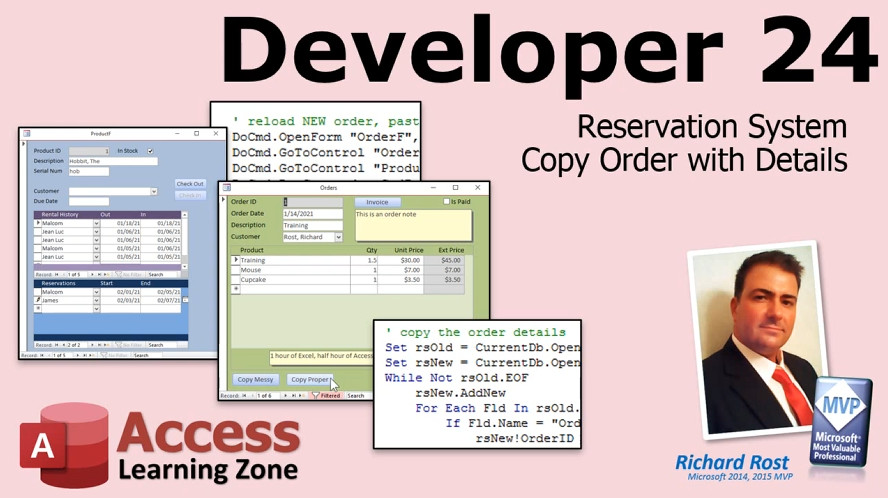
Access Developer 24Reservation System, Copy Orders, RecordsetsWelcome to Access Developer 24. In this course you will learn how to build a reservation system using the rental database from the previous level, including creating a dedicated reservations table, adding date validation and conflict checking, and implementing logic for managing reservation durations and overlapping entries. We will also cover how to copy orders along with their detail records using both manual and recordset methods, handle deletion of child records, and identify orphans. Throughout the lessons, you will see how to apply these techniques and understand key considerations when working with related tables in Microsoft Access. Lessons
Database FilesLinks
Resources
Lesson SummaryWelcome! Build Reservation System & Copy Orders - Welcome to Microsoft Access Developer Level 24. In this course we will build a reservation system using the rental database from Level 23, adding logic for future reservations with specific date restrictions and implementing conflict resolution. We will discuss how to copy an order along with its detail records using both basic manual methods and, later, a proper method with recordsets and looping. We will also cover how to remove child records when deleting an order, and how to identify orphan records if any are missed. This course requires a solid foundation from previous levels in the Developer series.
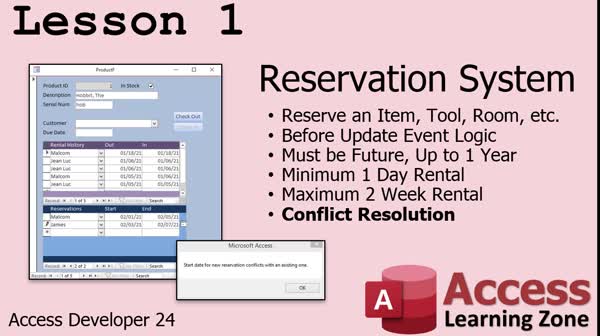
Lesson 1: Reservation System with Conflict Checking - In Lesson 1, we will build a reservation system by extending the rental database from the previous class. I will show you how to create a separate table for reservations, design a related form, and implement logic and validation rules for reservations, including ensuring dates are in the future, enforcing minimum and maximum rental durations, and most importantly, checking for reservation conflicts. We will discuss different approaches to storing reservation data and step through the process of writing code to validate entries and prevent overlapping reservations in our reservation system.
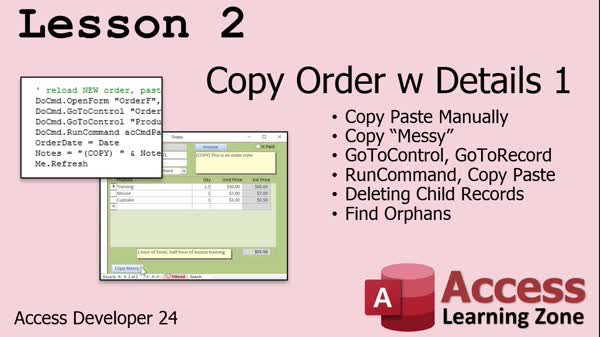
Lesson 2: Copy Orders & Handle Deletions - In Lesson 2, we will learn how to copy an order with its details in Microsoft Access using what I call the messy method, involving commands like GoToControl, GoToRecord, RunCommand, Copy, Paste, and related techniques. I will walk you through storing order IDs, creating temporary variables, and using these commands to duplicate both the main order and its child detail records. We will also discuss how to delete child records when an order is deleted and how to find and remove orphaned records if they occur. This lesson uses the free TechHelp template as a starting point.
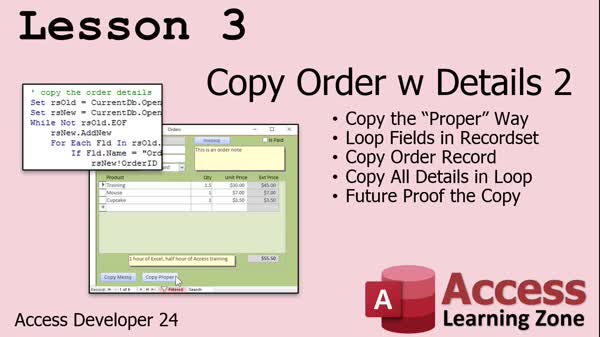
Lesson 3: Copy Orders & Details with Recordsets - In Lesson 3, we are going to copy the order with details the proper way using recordsets. I will show you how to loop through all the fields in your order and order detail tables so you do not have to update your code each time you add new fields, making the process future-proof. We will discuss some key techniques, such as handling autonumber fields, copying and updating field values, and avoiding errors related to duplicate keys. I will also cover troubleshooting steps if you encounter issues while copying orders and their related details.
Lesson 4: Review, Updates, New Index, Next - In this course we learned about working with recordsets, including using for each loops to process fields, as well as handling tasks like copying dependent records. I shared that many class topics are inspired by your questions and forum discussions. We discussed the updates to the topic index and how to access new and archived lessons. I also mentioned additional resources like TechHelp videos, the consulting page, blog updates, and ways to stay connected in case of website issues. Please remember to fill out the course survey, and look for the next class in the series to continue your learning.
Addendum: Copy Records & Get AutoNumber IDs - In this lesson, we will discuss key differences between using an Access backend and a SQL Server backend, specifically in how AutoNumber or identity fields are assigned when copying records. I will explain and demonstrate how SQL Server assigns identity values only after a record is saved, unlike Access which does so immediately. We will cover the necessary adjustments to your VBA code, such as using the dbSeeChanges option and when to retrieve the new identity value, to ensure compatibility with SQL Server as a backend. The process for handling child records after getting the new ID will also be explained.
NavigationKeywordsreservation system, reservation conflict checking, copy order with details, delete child records, remove orphan records, reservation validation, order duplication, recordsets, loop through fields, copy order with recordsets, enforce rental duration, dbSee
More InformationTranscriptWelcome to Microsoft Access Developer Level 24, brought to you by AccessLearningZone.com. I am your instructor, Richard Rost. In today's class, we are going to build a reservation system, and we are going to learn how to copy an order along with its details to a new order. This class follows Access Developer 23. It is strongly recommended that you take that class before this one, as well as all the classes before it in the Developer, Advanced, Expert, and Beginner Series. I will be using Access 365. I strongly recommend its subscription so you always have the latest and greatest version of Access. Access 2019 is the most recent version of the retail edition. The lessons in this class should work all the way back to about Access 2007 or so; not much has changed. If you have any questions about the material covered in today's class, just scroll down to the bottom of the page that you are on and post them right there. Also, make sure to take a look through any of the other questions that have been posted because your question might have already been answered. Be sure to click that big red subscribe button and you will get notified anytime a question is posted about this class. If you have any Access questions not related to this class, go ahead and post them in the forum. Let's take a closer look at exactly what is covered in today's class. In lesson one, we are going to build a reservation system. We are going to go back to the rental database that we built in Developer 23 and add reservations to it. We will put in some logic for our fictitious business, some rules. For example, it has to be a future reservation, but no more than one year in the future. It has to be a minimum one-day rental, but a maximum two-week rental. The hard part is conflict resolution, making sure this new reservation does not conflict with someone else's existing reservation. That is the top part, and we will cover that in this lesson. In lesson two, we are going to learn how to copy an order with its details. We know how to make a copy of a simple record, even with a recordset. However, when you copy a record, you also have to make sure to copy the detail items, the child records. I am going to show you the messy way to do it in this lesson using Go To Control, Go To Record, Run Command, Copy, and Paste, and a bunch of other stuff. I will also show you how to delete the child records if you delete an order, and then we will learn how to find orphans in case you forget to do that. In lesson three, we are going to copy the order and the order details the right way, the proper way using a recordset. We are going to loop through the fields in the recordset. This is the first time we are learning how to do this, so we do not have to say copy order date, copy order ID, copy product description, and all that stuff. We will just loop through them in a For Each loop. This will future-proof the copy process because if we add new fields later to either of these tables, we will not have to update the code. That is going to be in lesson three. IntroIn lesson 24 of Microsoft Access Developer, you will learn how to build a reservation system, add reservations to a rental database with rules for valid bookings, and implement conflict resolution to avoid double bookings. The tutorial also covers copying an entire order with its detail records, first using form-based commands and then with a more efficient recordset loop, along with techniques for deleting related child records and finding orphans. QuizQ1. What is the main focus of Access Developer Level 24? A. Building a report system B. Building a reservation system and learning to copy orders with details C. Designing user forms D. Importing data from Excel Q2. What does Richard recommend regarding the Access version to use for this class? A. Only Access 2019 will work B. Use Access 97 for compatibility C. Access 365 Subscription is recommended for the latest version D. Any version is strictly prohibited Q3. Which previous course should you have taken before starting Access Developer Level 24? A. Access Developer 10 B. Access Beginner 1 C. Access Developer 23 D. Access Advanced 5 Q4. What logical business rules are added to the reservation system in lesson one? A. Reservations can be made for any date, including past dates B. Reservations must be at least a one-day rental and no more than two weeks, and only for future dates within one year C. Only same-day reservations are allowed D. There are no business rules Q5. What important issue is addressed regarding reservations in lesson one? A. Sending email confirmations B. Conflict resolution to prevent overlapping reservations C. Generating monthly reports D. Integrating with QuickBooks Q6. According to the class, what is the 'messy way' of copying an order and its details? A. Using an SQL query only B. Using Go To Control, Go To Record, Run Command, Copy, and Paste C. Importing and exporting with Excel D. Printing the order and re-typing it Q7. What else is discussed in lesson two besides copying orders? A. How to merge orders together B. How to delete child records if an order is deleted, and finding orphan records C. How to email order confirmations D. Exporting order details to PDF Q8. In lesson three, how is the copying of orders and details improved? A. By writing separate statements for each field B. By using a macro recorder C. By looping through fields in a recordset with a For Each loop D. By manual data entry Q9. What benefit does looping through fields in a recordset offer when copying orders? A. It makes the process slower but more accurate B. It future-proofs the copy process for new fields C. It limits copying to five fields only D. It removes the need to copy any details Q10. If you have questions about the class material, what should you do? A. Email the instructor directly B. Ignore your question C. Scroll to the bottom of the page and post your question there D. Wait until next class Answers: 1-B; 2-C; 3-C; 4-B; 5-B; 6-B; 7-B; 8-C; 9-B; 10-C DISCLAIMER: Quiz questions are AI generated. If you find any that are wrong, don't make sense, or aren't related to the video topic at hand, then please post a comment and let me know. Thanks. SummaryToday's video from Access Learning Zone covers Microsoft Access Developer Level 24. I am your instructor, Richard Rost. In this class, we are building a reservation system and learning how to duplicate an order along with its associated details, creating a new order in the process. This lesson picks up where Access Developer Level 23 left off. If you have not yet completed that class, or the previous courses in the Developer, Advanced, Expert, or Beginner series, I highly recommend you do so before moving forward with this material to ensure you have the necessary foundation. I will be demonstrating everything using Access 365, and I suggest subscribing to this version if you want to keep up with the latest features and updates. However, these lessons are also applicable to Access 2019 and should work as far back as Access 2007 since very little has changed regarding the topics we will be discussing. If you have questions about any part of today's lesson, you are encouraged to scroll down to the bottom of the class page and post your question there. You might also want to look through previously posted questions, as yours may have already been discussed and answered. Do not forget to subscribe to receive notifications when new questions or comments about this class are posted. For Access questions that fall outside the scope of this course, you can use the community forum. Let me break down the lessons included in this class. In the first lesson, we will start building a reservation system. We will revisit the rental database created in Developer 23 and add the capability to handle reservations. I will walk you through setting up business rules for the system. For instance, reservations must be scheduled for the future, not more than one year ahead, and must last at least one day but no more than two weeks. A major challenge is ensuring that new reservations do not overlap with existing ones. This lesson will guide you through handling these conflicts. The second lesson focuses on duplicating orders along with all their details. While copying a simple record is straightforward, handling the related child records requires a bit more effort. I will first show you a basic but somewhat clumsy method, using various navigation and command functions, to duplicate both the main order and its associated records. I will also demonstrate how to remove child records when an order is deleted, and finally how to identify any orphaned records if cleanup is missed. In the third lesson, we will learn the most efficient and reliable method for copying an order along with its details. This involves using a recordset and looping through all the fields programmatically. By using a For Each loop, you will not have to manually copy each field, which makes your code easier to maintain and adapt if you add new fields in the future. You can find a complete video tutorial with step-by-step instructions on everything discussed here on my website at the link below. Live long and prosper, my friends. Topic ListBuilding a reservation system in Access Adding reservation logic and validation rules Enforcing future reservation date limits Setting minimum and maximum rental periods Implementing conflict resolution for reservations Copying an order with its detail records manually Using Go To Control and Go To Record commands Copying and pasting order records and detail items Deleting child records when deleting an order Identifying orphaned order detail records Copying orders and details using a recordset Looping through fields in a recordset for copying Future-proofing the copy process with For Each loops Primary Topicsreservation system, reservation conflict resolution, order copying, copying child detail records, deleting child records, orphan record detection, recordset looping Secondary Topicsfuture-proofing code, Access database versions |
||||||||||||||||||||||||||||||||||||||||||||||||||||||||||||||||||||||||||||||||||||||||||
|
| |||
| Keywords: reservation system, reservation conflict checking, copy order with details, delete child records, remove orphan records, reservation validation, order duplication, recordsets, loop through fields, copy order with recordsets, enforce rental duration, dbSee PermaLink How To Build a Reservation System and Copy Orders With Details Using Recordsets in Microsoft Access |