Access Beginner Courses
Welcome to the Access Beginner Series. Don't let the word "Beginner" fool you. I often say this series should really be called "Fundamentals" because even if you've been using Access for years, you'll probably pick up a few tips, tricks, and best practices along the way. This series lays the foundation for everything I teach later on, including the naming conventions, design methods, and techniques I use throughout all of my Access courses. Once you complete the Beginner series, you'll be ready for my intermediate lessons, known as the Expert series.
| Microsoft Access Beginner Courses | Options Sort: Date Title | Display: Full Compact | | | | | Access Beginner 1 This beginner-friendly course introduces you to the fundamentals of Microsoft Access, guiding you step by step through database design, building your first tables, and understanding essential concepts like tables, queries, forms, and reports. Learn how to effectively plan your database, create and organize data with best practices, and manage records with sorting and filtering tools. Explore how to design data entry forms and generate customized reports, while picking up tips for efficient data entry and troubleshooting common issues. By the end, you will have a solid foundation for building and managing your own Access databases with confidence. | | 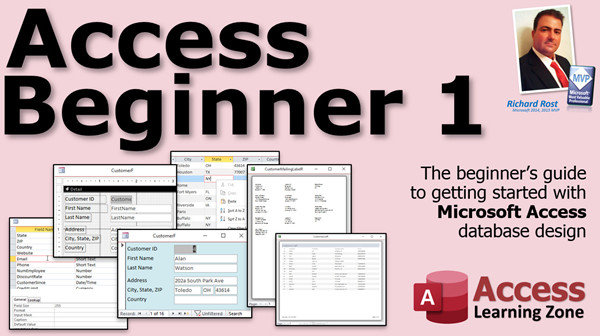 |
| | | | Access Beginner 2 Build on your Microsoft Access skills with hands-on practice in creating and customizing forms, managing database relationships with primary and foreign keys, and designing user-friendly layouts with colors, grids, and formatting tools. Learn to handle Access security warnings, set up trusted locations, create desktop shortcuts, and effectively use combo boxes and command buttons for filtering data. The course also covers linking tables with default values, managing appointment data, and answering common troubleshooting questions to help you create robust, professional databases. | | 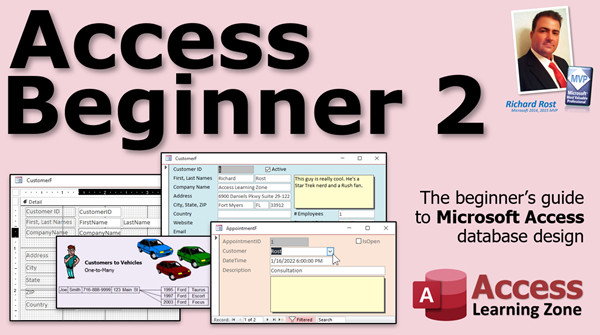 |
| | | | Access Beginner 3 Learn how to build better Microsoft Access tables by mastering field properties such as field size, format, input masks, captions, descriptions, default values, validation rules, and required fields. This course explains when to use properties like default values to simplify data entry, how to control data accuracy and display with validation rules, captions, and input masks, and how to set up user-friendly tables for optimized data management. Packed with practical examples for text, number, and date fields, the lessons feature hands-on demonstrations of each option and highlight performance and design best practices. | |  |
| | | | Access Beginner 4 Master Microsoft Access field properties by learning how to use the Required and Allow Zero-Length settings, manage memo fields with rich text and append-only features, and apply indexing to speed up search and maintain data integrity. Discover essential database maintenance tools like Compact and Repair and database backups, and explore efficient data Find and Replace techniques. The course also answers common questions about AutoNumber, field management, and handling labels, making it ideal for anyone looking to strengthen their Access skills and keep their databases running smoothly. | |  |
| | | | Access Beginner 5 Learn to customize your Microsoft Access queries with essential techniques like using query criteria, handling AND and OR conditions, filtering with IN and BETWEEN statements, and searching with wildcards and the LIKE keyword. This course shows you how to exclude data with NOT, find and manage null values, work efficiently with dates, prompt for user input using parameter queries, and display top results. Master flexible data searching, output formatting, and creating dynamic queries to get exactly the records you need. | |  |
| | | | Access Beginner 6 Build actionable Microsoft Access skills as you create address completeness queries to identify and label customers, design an employee table with custom fields including pictures, and use forms to display and manage staff details. Learn to insert OLE picture fields, optimize their display, and assemble polished printable name badges with employee photos and logos. Throughout, you will apply best practices for field design, input masks, and report formatting, as well as tips for editing and troubleshooting print layouts and working efficiently with images in your Access database. | |  |
| | | | Access Beginner 7 Learn how to make your Microsoft Access database easier to use by building navigation forms, designing a custom main menu with command buttons, and creating an alphabetical customer list form. This course walks you through Access's built-in navigation features, teaches you how to construct and format your own menu forms, and shows you how to set up continuous forms for customer selection. Improve navigation, streamline workflows, and control user access with practical techniques for organizing menus, customizing form design, and linking buttons to open records and reports. | |  |
| | | | Access Beginner 8 Learn how to use combo boxes, list boxes, and set tab order in Microsoft Access forms to streamline data entry and improve your database design. This course covers creating value list and table-based combo boxes, building multi-column lists for items like US states, and using combo boxes as dynamic search tools. You will configure editable lists, control user input, and manage navigation with customized tab stops and cycle properties. Understand the differences between combo and list boxes, best practices for storing options, and how to enhance your forms for accuracy and ease of use. | |  |
| | | | Access Beginner 9 Learn how to build a robust customer contact history system in Microsoft Access by creating tables, forms, and queries with strong data integrity. This course covers tracking customer interactions with a contact table, designing data entry forms, building date range queries using query parameters, and formatting detailed contact reports. You'll explore features like Can Grow and Can Shrink properties, string concatenation, page numbering, and customizable report layouts. Perfect for those who want practical, step-by-step guidance on managing contacts and reporting in Access while maintaining organized, searchable records. | |  |
Next up... the Expert Series...

Become a Member. Save 50%
Join my Learning Connection program. Get the next class in the series each week at a 50% discount. Cancel any time. The most effective way to learn. Also, don't forget to check out my TechHelp videos! New lessons released almost every day.
|




