|
||||||
Access Beginner 4Required Fields, Memo Properties, Indexing, BackupLessons
Learn More
Resources
Lesson SummaryWelcome! Field Properties, Memo, Maintenance - Welcome to Access Beginner Level 4. In this course we will continue learning about field properties, focusing on the Required and Allow Zero-Length properties, explore memo fields and their properties, discuss lesser-used field properties including indexing, cover database maintenance such as Compact and Repair and backing up your database, and go over the Find and Replace features. I will also answer questions from students, and share resources and advice for getting the most out of the course.
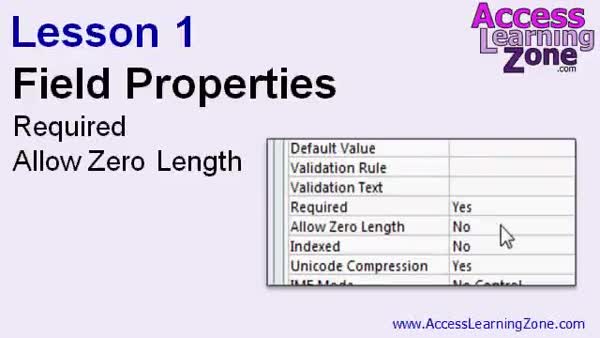
Lesson 1: Required vs Allow Zero-Length Fields - In Lesson 1, we will continue exploring field properties in Access by focusing on the required and allow zero-length properties. You will learn how the required property ensures that certain fields must have data entered before saving a record, and we will discuss the implications of requiring data, including how it can sometimes lead to bad data. I will show you how Access handles zero-length text strings, demonstrate the difference between null and zero-length values, and walk through setting these properties in table design view to maintain data integrity.
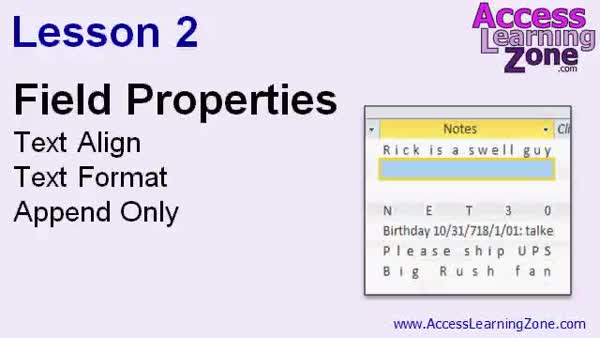
Lesson 2: Memo Field: Text Align & Rich Text - In Lesson 2, we will walk through several important memo field properties in Access, including text align, text format, and append only. We will discuss how different data types affect text alignment, see the effect of distribute alignment, and explore the difference between plain text and rich text formats for memo fields. I will show you how changing to rich text enables additional formatting options and explain how this impacts forms. We will also talk about the append only property, which tracks revision history for memo fields, and I will demonstrate how to view and manage these changes.
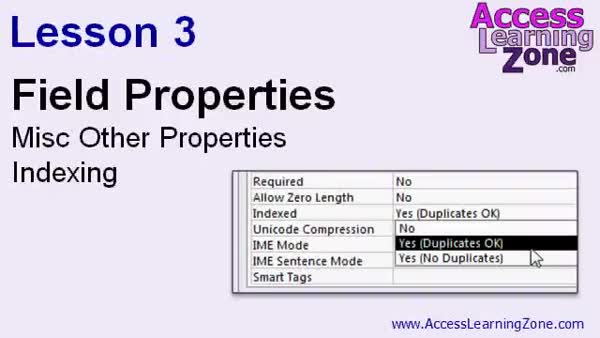
Lesson 3: Field Properties: Index, AutoNum, Date - In Lesson 3, we will discuss some of the lesser used field properties in Access, such as Smart Tags, Unicode Compression, and IME mode, and briefly mention when they may be useful. The main focus of this lesson is on the field property called Indexed. I will explain what indexing is, how it affects database performance, when to use it to prevent duplicate values, and how it can help speed up searches and sorts, as well as demonstrate how to set the Indexed property on your table fields.
Lesson 4: Compact, Repair & Back Up Data - In Lesson 4, we will discuss important aspects of database maintenance, focusing on the compact and repair feature in Access and the process of backing up your database. I will explain how Access manages data storage and why regular compacting and repairing is necessary to remove wasted space and fix minor issues. We will walk through how to use the compact and repair utility, cover the limitations of Access database file sizes, and talk about best practices for backing up your database to prevent data loss.
Lesson 5: Find & Replace: Search, Filter, Update - In Lesson 5, we will walk through how to use the Find and Replace features in Microsoft Access, including how to search for data in tables, queries, and forms, and how to quickly replace values across multiple records. We will discuss different search options such as matching any part or the whole field, searching up or down from your position, matching case, and searching fields as formatted. I will show you how to back up your data before running a find and replace operation and how to use related navigation and selection tools in Access.
Lesson 6: AutoNumber, Labels & Fields Tips - In Lesson 6, I will answer common questions from students about working with Microsoft Access, including whether you can get deleted auto numbers back, and how compact and repair affects auto numbers. We will discuss creating custom auto numbers, demonstrate how to reattach a label to a text box, and walk through what happens when you add, rename, or delete a field in your table and how that impacts forms.
Lesson 7: Database Rules & Indexing Tips - In this course we learned about the required property, data integrity rules, the differences between null values and zero length strings, and the Allow Zero Length property. We covered text alignment options, plain and rich text including HTML, the importance of indexing, and essential database maintenance tools like compacting, repairing, and backing up your database. We also discussed the Find and Replace feature, addressed student questions, and reviewed where to get support, updates, and give feedback. This Review and What's Next lesson also explains options for continuing your learning and how to access additional resources.
NavigationKeywordsaccess beginner 4 Required DataIntegrity NullValues EmptyString ZeroLengthText TextAlign TextFormat Plain Rich HTML ShowColumnHistory AutoNumber Indexing CompactRepair DatabaseSizeLimit BackUp FindReplace Search MatchCase NavigationButtons CopyPasteTable
More InformationTranscriptWelcome to Microsoft Access 2010 Beginner Level 4, brought to you by AccessLearningZone.com. I am your instructor, Richard Rost. In today's class, we will continue our lessons on field properties, a topic we started in Level 3. We will also learn about database maintenance and the Find and Replace feature. This course follows Access 2010 Beginner Level 3. It is strongly recommended that you watch Level 3 before proceeding with today's lessons. Level 3 begins the discussion of field properties, including input masks, default values, validation rules, and lots more. For more information on Level 3, visit my website at AccessLearningZone.com. This course is designed to be used with Access 2010. If you are using Access 2007, you should not have any problems following along, as the two versions are very similar. If you are using Access 2003 or earlier, you should either upgrade your version of Access or visit my website at AccessLearningZone.com and look for my Access 2003 tutorials. While I encourage you to actually build the database that I build in today's class, if you would like to download a copy of my database file, you can find it at AccessLearningZone.com/databases. My courses are broken up into four groups: Beginner, Expert, Advanced, and Developer. My Beginner courses are for novice users who have little or no experience with Microsoft Access. They are designed to give you an overview of the basic features of Access and cover just what you need to know to be productive. The Expert classes are designed for more experienced users who are already comfortable with Access. Expert classes go into a lot more depth about each topic than the Beginner classes do and will cover more functions, features, tips, and techniques for power users. Once you have mastered the Expert classes, move up to the Advanced lessons. You will learn how to work with macros, automation, and many more advanced features that really add enhanced functionality and professionalism to your databases. Finally, my Developer Level courses are designed to teach you how to program in Visual Basic for Microsoft Access. This will allow you to create the most advanced databases possible and unlock the true potential of Microsoft Access. Each series is broken down into different numbered levels, starting with Level 1. Each subsequent level teaches you new and different topics in Microsoft Access, building on the lessons learned in the previous classes. Once you have finished all the Beginner classes, move up to the Expert series, then the Advanced, and finally the Developer lessons. In addition to my normal Access classes, I also have seminars designed to teach specific topics. Some of my seminars include building web-based databases, creating forms and reports that look like calendars, securing your database, working with images and attachments, writing work orders, tracking accounts payable, learning the SQL programming language, and more. You can find complete details on all these seminars and more on my website at AccessLearningZone.com. If you have questions about the topics covered in today's lessons, please feel free to post them in my student forums. If you are watching this course using my custom video player software or the online theater on my website, you should see the student forum for each lesson appear in a small window next to the class videos, as long as you have an active internet connection. Here, you will see all of the questions that other students have asked, as well as my responses to them and comments that other students may have made. I encourage you to read through these questions and answers as you start each lesson, and feel free to post your own questions and comments as well. If you are not watching the lessons online, you can still visit the student forums later by visiting AccessLearningZone.com/forums. To get the most out of this course, I recommend that you sit back, relax, and watch each lesson completely through once without trying to do anything on your computer. Then, replay the lesson from the beginning and follow along with my examples. Actually, create the same database that I make in the video, step by step. Do not try to apply what you are learning right now to other projects until you master the sample database from this class. If you get stuck or do not understand something, watch the video again from the beginning or tell me what is wrong in the student forum. Most importantly, keep an open mind. Access might seem intimidating at first, but once you get the hang of it, you will see that it is really easy to use. Now, let's take a closer look at exactly what is covered in today's class. We started learning about field properties in Access Beginner Level 3. In Lesson 1, we will continue learning about field properties. We will learn the Required and Allow Zero-Length properties. In Lesson 2, we will spend some time with Memo fields. We will talk about the Text Align, Text Format, and Append Only properties. In Lesson 3, we will spend a few minutes talking about a few of the lesser used properties, and then we will spend a lot of time covering one of the most important properties - indexing. In Lesson 4, we are going to talk about some database maintenance issues. We will learn compact and repair, and backing up your database. In Lesson 5, we are going to learn about the Find and Replace features. In Lesson 6, I will answer some questions from students. IntroIn lesson 4 of the Microsoft Access 2010 Beginner series, we will continue working with field properties, exploring topics like the Required and Allow Zero-Length properties, and take a closer look at Memo fields with properties such as Text Align, Text Format, and Append Only. We will discuss lesser-used field properties, cover database indexing, and introduce essential database maintenance techniques like compact and repair, as well as backing up your database. The lesson also includes an overview of the Find and Replace feature and answers to common student questions. QuizQ1. Which version of Microsoft Access is primarily used in this course? A. Access 2010 B. Access 2003 C. Access XP D. Access 2013 Q2. What is the main topic continued from Level 3 in this course? A. Table relationships B. Field properties C. Importing data D. Printing reports Q3. What feature will you learn about in Lesson 4 of this course? A. Creating forms B. Database maintenance C. Creating charts D. Exporting data to Excel Q4. What is recommended before trying to apply course concepts to your own projects? A. Skip to Developer Level B. Only read the transcript C. Build and master the sample database from the class D. Only watch the lesson once Q5. If you are using Access 2003 or earlier, what does Richard recommend? A. Continue with this course anyway B. Try to update the tutorials yourself C. Upgrade Access or find Access 2003 tutorials on his website D. Use Excel instead Q6. What property will you learn about in addition to Required in Lesson 1? A. Default Value B. Allow Zero-Length C. Input Mask D. Read Only Q7. Which lesson covers the Find and Replace features? A. Lesson 2 B. Lesson 3 C. Lesson 4 D. Lesson 5 Q8. What kind of questions can you find in the student forums? A. Only your own questions B. Questions and answers from other students and the instructor C. Only frequently asked questions D. No questions, just announcements Q9. What is the purpose of the Developer Level courses? A. To learn how to use tables B. To build basic forms C. To program in Visual Basic for Access D. To design reports Q10. What approach does Richard recommend for watching each lesson for the best learning experience? A. Watch and practice at the same time B. Skip sections you already know C. Watch through once, then replay and follow along with examples D. Only read the manual Answers: 1-A; 2-B; 3-B; 4-C; 5-C; 6-B; 7-D; 8-B; 9-C; 10-C DISCLAIMER: Quiz questions are AI generated. If you find any that are wrong, don't make sense, or aren't related to the video topic at hand, then please post a comment and let me know. Thanks. SummaryToday's video from Access Learning Zone is Microsoft Access 2010 Beginner Level 4. I am your instructor, Richard Rost. In this class, we are continuing our work with field properties, which we began in Level 3. We will also cover important topics such as database maintenance and using the Find and Replace feature. This lesson builds directly on what you learned in Access 2010 Beginner Level 3, so I highly recommend going through that material first if you have not already done so. Level 3 introduced you to field properties, including elements like input masks, default values, validation rules, and more. If you need more information on Level 3, you can find the details on my website. This course is designed primarily for Access 2010 users. However, if you are using Access 2007, you will find that almost everything discussed here will work the same way. If you are still using Access 2003 or an earlier version, I suggest you upgrade, or take a look at the dedicated Access 2003 tutorials available on my website. Although I encourage you to build the database alongside me in this course, there is a ready-made copy of my database file for you to download if you prefer. This will allow you to follow along seamlessly. My courses are divided into four groups: Beginner, Expert, Advanced, and Developer. The Beginner classes are ideal for novices and cover the essential basics you need to be productive in Access. The Expert classes are tailored for those who are already comfortable and want a deeper understanding, covering more functions, features, and techniques for power users. After mastering Expert-level material, you can move on to Advanced lessons, which focus on macros, automation, and other features that add professional polish and extra functionality to your databases. The Developer series is aimed at teaching you how to program in Visual Basic for Access, so you can unlock advanced features and create truly custom database solutions. Each group is broken down further into numbered levels, starting at Level 1, with each subsequent class building upon topics from the previous lessons. Once you complete all the Beginner classes, you will be ready to tackle the Expert series, and so on up to the Developer courses. Besides these primary Access courses, I also offer seminars focusing on specific topics. Some of these include building web-based databases, making forms and reports that look like calendars, securing your database, using images and attachments, writing work orders, managing accounts payable, learning SQL, and more. You can read about these in detail on my website. If you have questions about anything covered in today's video, you are welcome to use my student forums. If you are using my video player or my online theater, the student forum for each lesson should appear in a window next to the video, provided you are connected to the internet. Here, you will find questions from other students, my answers, and additional comments. I strongly recommend reading through the existing posts before you start each lesson, and feel free to add your own questions and comments as you go. If you are not viewing the lessons online, you can still access the forums later by visiting the website. To get the best results from this course, I suggest that you first watch each lesson all the way through without following along on your computer. Once you have seen the entire lesson, go back and work through the examples step by step, actually creating the sample database as I do in the video. Hold off on trying to use your new skills in other projects until you have mastered the concepts using the sample database. If you run into trouble or something is unclear, watch the relevant section again or ask for help in the student forum. Keep an open mind as you go through these lessons. Access might seem a bit overwhelming at first, but with some practice, you will find it to be a straightforward and powerful tool. Here is what we are covering today: We are continuing where we left off with field properties in Beginner Level 3. In Lesson 1, we focus on the Required and Allow Zero-Length properties. In Lesson 2, we turn our attention to Memo fields and cover properties such as Text Align, Text Format, and Append Only. In Lesson 3, we look at a few lesser-used properties before spending time on one of the most crucial topics: indexing. Lesson 4 tackles maintenance tasks, including compact and repair, as well as how to back up your database. In Lesson 5, we look at the Find and Replace feature. Lastly, in Lesson 6, I will answer some common questions from students. If you would like a complete video tutorial with step-by-step instructions for everything discussed here, you can find it on my website at the link below. Live long and prosper, my friends. Topic ListRequired field property Allow Zero-Length property Memo fields overview Text Align property for Memo fields Text Format property for Memo fields Append Only property for Memo fields Lesser used field properties Indexing fields Compact and Repair utility Backing up your database Find and Replace features Primary Topicsfield properties, Required property, Allow Zero-Length property, memo fields, text align, text format, append only, indexing, database maintenance, compact and repair, backup, Find and Replace Secondary Topicsstudent Q&A, course progression advice |
||||||||||||||||||||||||||||||||||||||||||||||||||||||||||||||||||||||||||||||||||||||||||
|
| |||
| Keywords: access beginner 4 Required DataIntegrity NullValues EmptyString ZeroLengthText TextAlign TextFormat Plain Rich HTML ShowColumnHistory AutoNumber Indexing CompactRepair DatabaseSizeLimit BackUp FindReplace Search MatchCase NavigationButtons CopyPasteTable PermaLink Microsoft Access Beginner 4 |